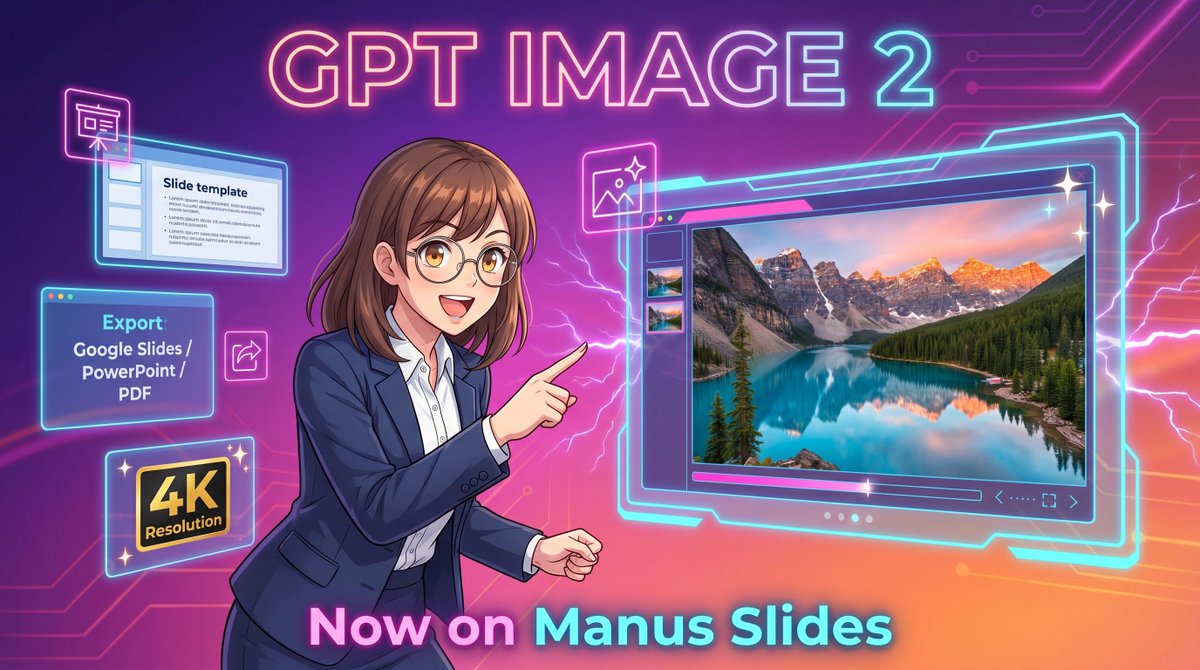
霓虹GPT圖像2宣傳海報
此提示會產生一個未來感十足的動漫風格宣傳橫幅,用於演示軟體中的人工智慧圖像生成,非常適合產品發布和社交媒體行銷。
這是一個平面設計和海報設計的GPT Image 2範例。請使用下方可直接使用的提示資訊產生類似的視覺素材,並在重複使用前查看Awesome GPT Image 2 Prompts署名和商業用途授權資訊。
需要完整的提示符號集?請使用 平面設計和海報設計 主題中心提供更多相關範例,或打開 GPT Image 2 提示庫 有關完整範例索引、可重複使用結構和來源歸屬的資訊。
Free 1K preview
Generate one preview image instantly, no sign-up required.
2263/4000
提示詞
可直接複製的提示
A vibrant futuristic promotional illustration in a wide 16:9 composition, styled like polished anime-tech advertising art. The background is a glowing purple-to-pink-to-orange gradient with neon circuit traces running across the top right and left edges, plus electric lightning effects behind the character and around the interface elements. At the top center, place large luminous headline text reading {argument name="headline text" default="GPT IMAGE 2"} in a bold rounded sans-serif font with a pink, cyan, and violet neon glow. In the center-left foreground, show a half-body anime-style businesswoman with {argument name="hair color" default="medium brown"} shoulder-length hair with soft bangs and slightly curled ends, wearing thin glasses, a navy business suit, and a white button-up shirt. Show every face clearly with natural, detailed facial features, but her pose is energetic and confident: she faces right and points with her right index finger toward a large floating software window. On the right half of the image, show a large glowing futuristic image-generation interface outlined in cyan neon, with a main preview panel displaying a highly detailed 4K photoreal mountain lake landscape at sunset: turquoise water, evergreen forest, dramatic rocky peaks with snow, and warm pink-orange sky reflections. Include 3 small vertical thumbnail previews along the left side of this interface, a slim control bar below the main image, and tiny navigation icons in the lower right of the panel. Around the woman on the left side, add 4 floating neon-outlined feature cards: a top-left slide editor window with the visible title “Slide template” and simple bullet lines, a mid-left export box with the visible text “Export” and “Google Slides / PowerPoint / PDF”, a bottom-left black-and-gold badge reading “4K Resolution”, and a small square image icon near the woman’s pointing hand. Add 3 sparkle stars around the large interface for a glossy premium look. At the bottom center, place large glowing gradient text reading {argument name="bottom text" default="Now on Manus Slides"}. Make the entire scene sleek, high-contrast, glossy, and commercial, with crisp line art, soft cel shading, neon rim lighting, and a clean tech-launch poster aesthetic.提示變數
提示符號中可編輯的參數佔位符及其預設值。
多變的
headline text
預設
GPT IMAGE 2
多變的
hair color
預設
medium brown
多變的
bottom text
預設
Now on Manus Slides
Best for
- - 平面設計和海報設計 visual exploration
- - Image generation and reference-image edits
- - Reusable briefs that keep source attribution visible
Change these parts
- - Subject, product, character, or scene
- - Aspect ratio, camera, lighting, and background
- - Brand, text, color, and output constraints
Recommended model and settings
- - Model: gpt-image-2
- - Input mode: 文生圖
- - Aspect ratio: source
- - Commercial status: review original source
How to use this prompt
- 1. Copy the prompt and preserve its structure for the first test.
- 2. Replace the subject, context, and publishing channel.
- 3. Change one camera, lighting, or style variable per iteration.
- 4. Inspect the output, source, text, and rights before reuse.
Limitations, source, and reuse cautions
- - Generated output is an editable draft, not factual, legal, or rights evidence.
- - Review the linked source, people, brands, logos, text, and third-party media before commercial use.
內容來自Awesome GPT Image 2 Prompts 。必須註明出處。商業用途狀態為allowed ;付費使用前請查看來源版權資訊。
此類案例更多
按類別、輸入模式相容性、品質和低風險進行優先排序。






重用和來源註釋
預覽案例後,請謹慎使用此提示。
- 1.複製提示或直接在 Dovoo 中使用生成按鈕開啟提示。
- 2.根據您的實際使用情況調整變數、寬高比和參考影像。
- 3.發布或付費使用前,請確認版權、署名要求以及品牌或肖像權風險。