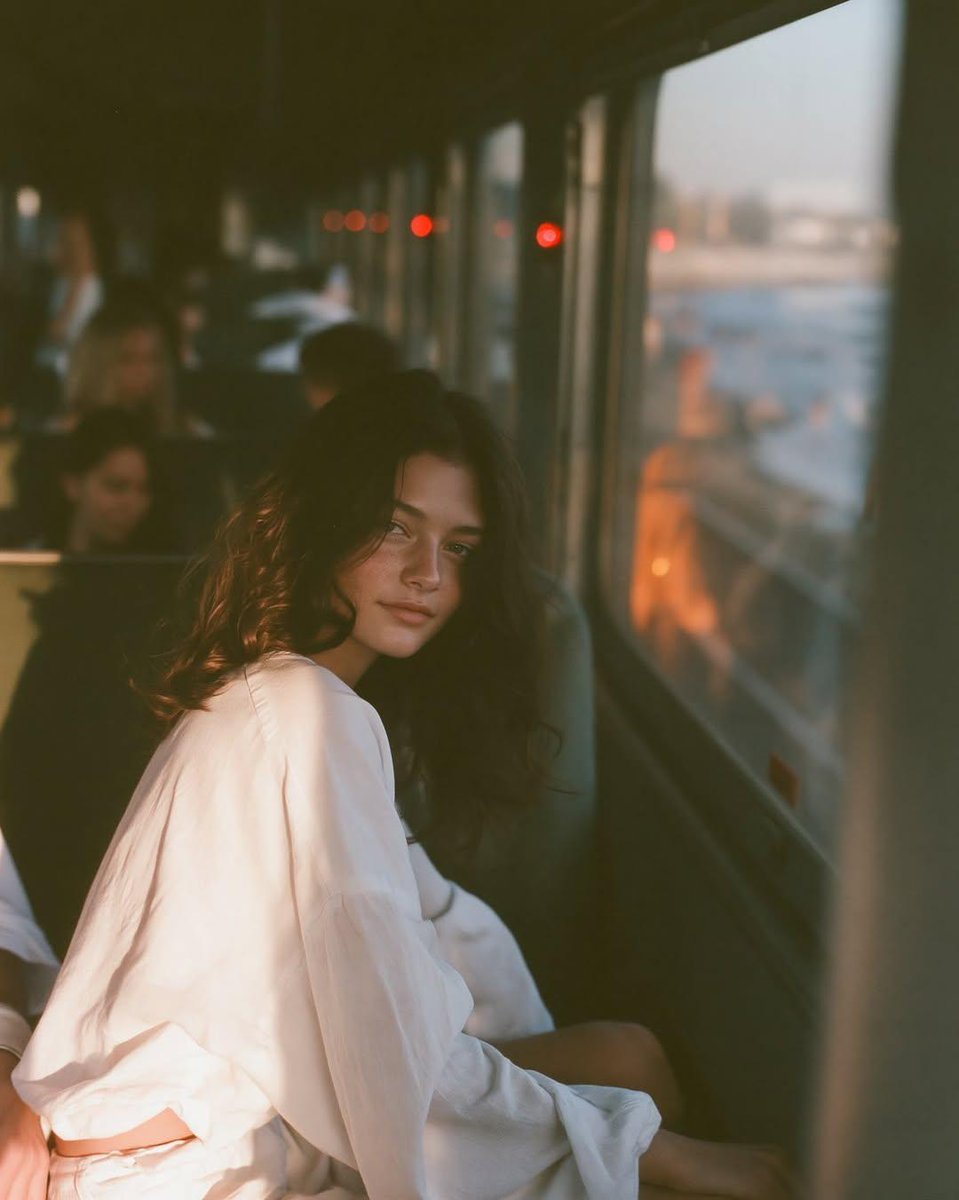
情緒化的黃金時段火車人像
一個電影化的提示,用於創建一個懷舊的 35 毫米膠片美學的人像,描繪一位在黃金時段乘坐火車的女性,具有柔和的燈光和親密的氛圍。
這是一個肖像與人物的GPT Image 2範例。請使用下方可直接使用的提示資訊產生類似的視覺素材,並在重複使用前查看Awesome GPT Image 2 Prompts署名和商業用途授權資訊。
需要完整的提示符號集?請使用 肖像與人物 主題中心提供更多相關範例,或打開 GPT Image 2 提示庫 有關完整範例索引、可重複使用結構和來源歸屬的資訊。
Free 1K preview
Generate one preview image instantly, no sign-up required.
472/4000
提示詞
可直接複製的提示
一張情緒化的黃金時段人像,描繪一位 {argument name="subject" default="年輕的棕髮女性"} 坐在 {argument name="setting" default="昏暗的沿海火車內"} 的窗邊。她轉過身,不再看著飛逝的景色,而是以放鬆、沉思的表情,安靜地望向鏡頭。柔和的金色陽光照亮她臉部的一側,而另一側則消逝在溫柔的陰影中。

火車內部是 {argument name="interior color" default="深沉、柔和的綠色"},帶有微妙的復古風格。在車廂更遠處,乘客呈現出柔和的模糊和失焦效果。微小的紅色信號燈和溫暖的琥珀色反射在車廂中創造出精緻的色彩點綴。窗外,海岸線故意明亮且過度曝光,強調了明亮的外部和親密的內部之間的對比。

創建一個電影化的低光氛圍,具有懷舊的 35 毫米膠片美學:濃重的有機膠片顆粒、柔焦、高光周圍的溫暖橙色暈影、略微欠曝的曝光,以及永恆的復古編輯風格。構圖應感覺自然和親密,捕捉一個安靜、情感的時刻,具有淺景深和自然、真實的燈光。

人像方向,4:5 的長寬比。
提示變數
提示符號中可編輯的參數佔位符及其預設值。
多變的
subject
預設
young brunette woman
多變的
setting
預設
inside a dimly lit coastal train
多變的
interior color
預設
dark, muted green
Best for
- - 肖像與人物 visual exploration
- - Image generation and reference-image edits
- - Reusable briefs that keep source attribution visible
Change these parts
- - Subject, product, character, or scene
- - Aspect ratio, camera, lighting, and background
- - Brand, text, color, and output constraints
Recommended model and settings
- - Model: gpt-image-2
- - Input mode: 文生圖
- - Aspect ratio: source
- - Commercial status: review original source
How to use this prompt
- 1. Copy the prompt and preserve its structure for the first test.
- 2. Replace the subject, context, and publishing channel.
- 3. Change one camera, lighting, or style variable per iteration.
- 4. Inspect the output, source, text, and rights before reuse.
Limitations, source, and reuse cautions
- - Generated output is an editable draft, not factual, legal, or rights evidence.
- - Review the linked source, people, brands, logos, text, and third-party media before commercial use.
內容來自Awesome GPT Image 2 Prompts 。必須註明出處。商業用途狀態為allowed ;付費使用前請查看來源版權資訊。
此類案例更多
按類別、輸入模式相容性、品質和低風險進行優先排序。






重用和來源註釋
預覽案例後,請謹慎使用此提示。
- 1.複製提示或直接在 Dovoo 中使用生成按鈕開啟提示。
- 2.根據您的實際使用情況調整變數、寬高比和參考影像。
- 3.發布或付費使用前,請確認版權、署名要求以及品牌或肖像權風險。