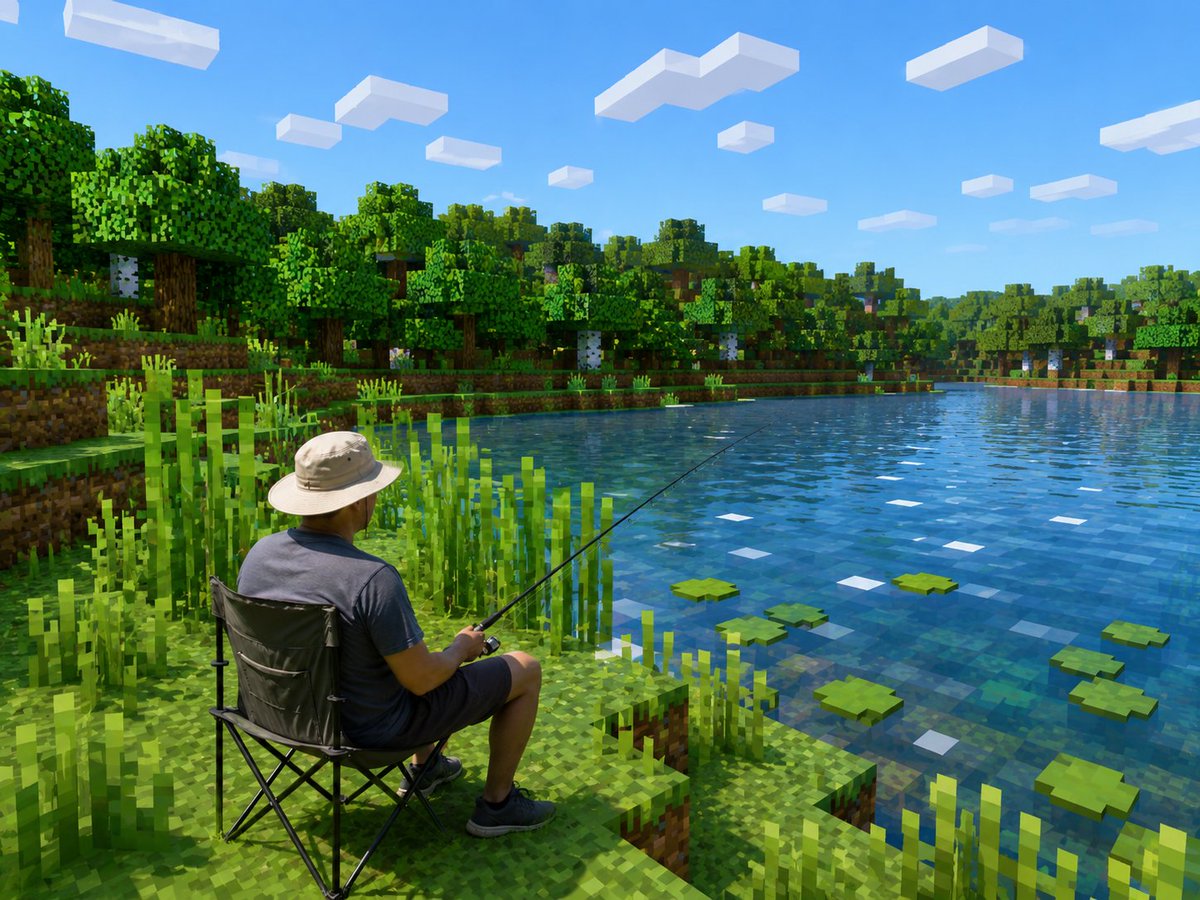
我的世界湖泊中逼真的漁夫
在明亮的 Minecraft 風格體素湖邊場景中產生逼真的釣魚人物,實現超現實的照片到遊戲轉換。
這是一個肖像與人物的GPT Image 2範例。請使用下方可直接使用的提示資訊產生類似的視覺素材,並在重複使用前查看Awesome GPT Image 2 Prompts署名和商業用途授權資訊。
需要完整的提示符號集?請使用 肖像與人物 主題中心提供更多相關範例,或打開 GPT Image 2 提示庫 有關完整範例索引、可重複使用結構和來源歸屬的資訊。
Free 1K preview
Generate one preview image instantly, no sign-up required.
Free text preview doesn’t preserve reference-image consistency.
494/4000
提示詞
可直接複製的提示
創建一張逼真的 Minecraft 風格截圖,展示 {argument name="main subject" default="一位成年男子從折疊露營椅上釣魚"} 在寧靜的湖邊。保持人物主體逼真且比例和服裝不變,但將整個環境轉變成明亮的方塊化體素世界,靈感來自 Minecraft。場景從坐在左下前景的人物的後方和略上方觀看:他戴著淺米色寬邊太陽帽、深灰色 T 恤、深色短褲和黑色運動鞋,手持一根細長的釣魚竿,以對角線方向伸向水面。他坐在黑色可折疊露營椅上,位於階梯狀的草地泥土河岸上。周圍環繞著高大的方形蘆葦和像素化的草地。湖泊佔據了圖像的右半部分,有透明的藍色方塊狀水面、微妙的方形反射,以及散佈在表面上的恰好 7 片綠色睡蓮,還有小小的白色方形高光。在湖對面是一片茂密的體素森林,有橡樹和樺樹,分層的草地河岸、泥土方塊、樹幹、樹葉和灌木叢。天空是鮮豔的晴朗藍色,有恰好 13 片不同大小和距離的矩形白色方塊雲。使用清晰的陽光、飽和的綠色和藍色、逼真的光照和陰影、高分辨率遊戲截圖質量、逼真的人物和完全 Minecraft 風格的環境之間的強烈對比,沒有 UI、沒有文字、沒有水印。提示變數
提示符號中可編輯的參數佔位符及其預設值。
多變的
main subject
預設
an adult man fishing from a folding camping chair
Best for
- - 肖像與人物 visual exploration
- - Image generation and reference-image edits
- - Reusable briefs that keep source attribution visible
Change these parts
- - Subject, product, character, or scene
- - Aspect ratio, camera, lighting, and background
- - Brand, text, color, and output constraints
Recommended model and settings
- - Model: gpt-image-2
- - Input mode: 圖生圖
- - Aspect ratio: source
- - Commercial status: review original source
How to use this prompt
- 1. Copy the prompt and preserve its structure for the first test.
- 2. Replace the subject, context, and publishing channel.
- 3. Change one camera, lighting, or style variable per iteration.
- 4. Inspect the output, source, text, and rights before reuse.
Limitations, source, and reuse cautions
- - Generated output is an editable draft, not factual, legal, or rights evidence.
- - Review the linked source, people, brands, logos, text, and third-party media before commercial use.
內容來自Awesome GPT Image 2 Prompts 。必須註明出處。商業用途狀態為allowed ;付費使用前請查看來源版權資訊。
此類案例更多
按類別、輸入模式相容性、品質和低風險進行優先排序。






重用和來源註釋
預覽案例後,請謹慎使用此提示。
- 1.複製提示或直接在 Dovoo 中使用生成按鈕開啟提示。
- 2.根據您的實際使用情況調整變數、寬高比和參考影像。
- 3.發布或付費使用前,請確認版權、署名要求以及品牌或肖像權風險。