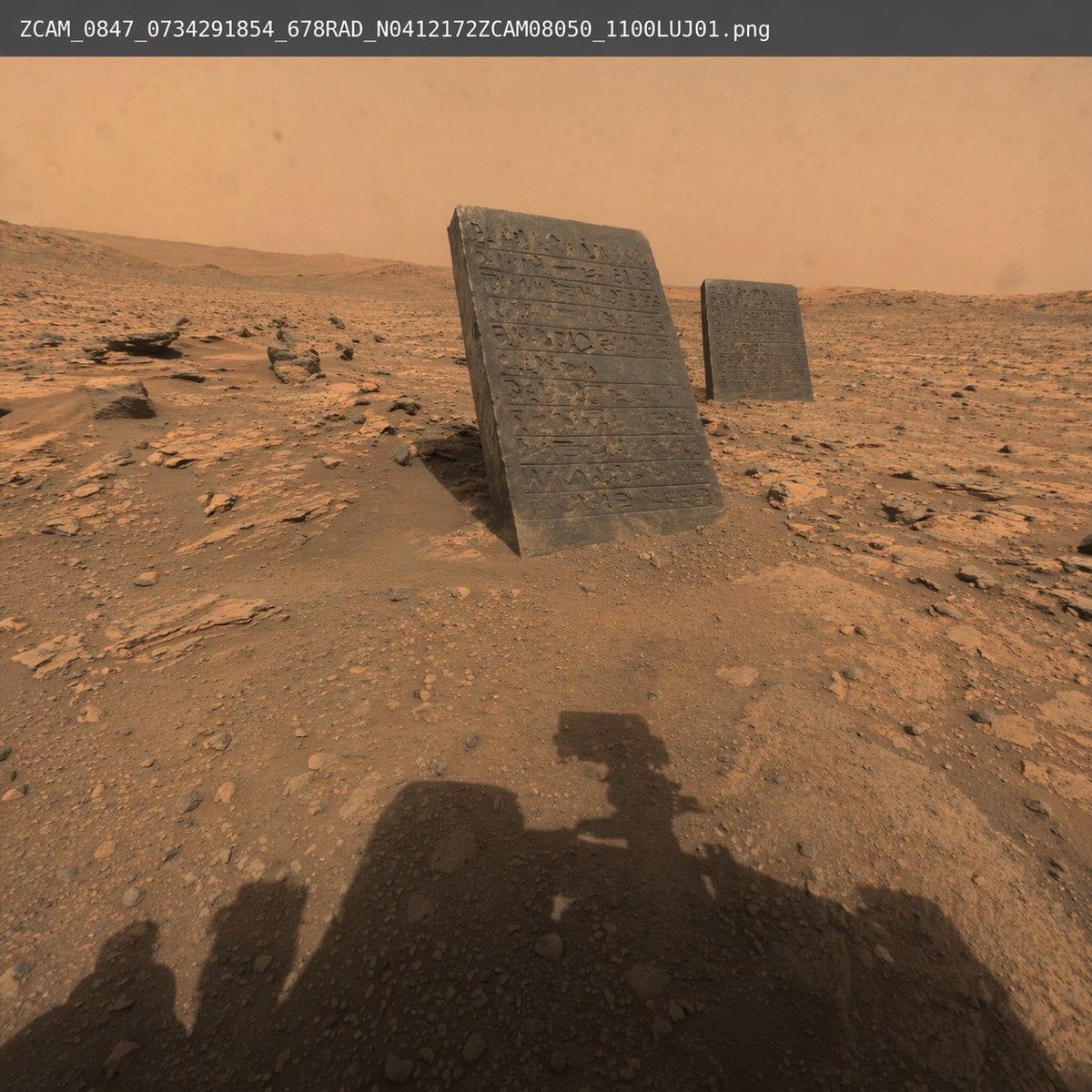
火星探測車發現號照片
Source-attributed GPT Image 2 image prompt from the Awesome GPT Image 2 Prompts repository.
這是一個景觀與自然的GPT Image 2範例。請使用下方可直接使用的提示資訊產生類似的視覺素材,並在重複使用前查看Awesome GPT Image 2 Prompts署名和商業用途授權資訊。
需要完整的提示符號集?請使用 景觀與自然 主題中心提供更多相關範例,或打開 GPT Image 2 提示庫 有關完整範例索引、可重複使用結構和來源歸屬的資訊。
Free 1K preview
Generate one preview image instantly, no sign-up required.
391/4000
提示詞
可直接複製的提示
一張逼真的、原始的太空機構照片,展示了 {argument name="setting" default="火星地貌"},有紅色的土壤、散落的岩石和朦朧的橙色天空。在中景中,{argument name="objects" default="兩塊覆蓋著古代雕刻象形文字的黑色石板"} 從地面以略微的角度伸出。在前景中,{argument name="foreground element" default="火星探測器的陰影"} 投射在岩石地形上,表明照片的視角。在圖像的頂緣,有一層樸素的白色文字覆蓋,類似於原始檔案名稱,顯示為 "{argument name="overlay text" default="ZCAM_0847_0734291854_678RAD_N0412172ZCAM08050_1100LUJ01.png"}"。光線強烈且逼真,模仿了實際的地球外表面攝影。提示變數
提示符號中可編輯的參數佔位符及其預設值。
多變的
setting
預設
火星地貌
多變的
objects
預設
兩塊覆蓋著古代雕刻象形文字的黑色石板
多變的
foreground element
預設
火星探測器的陰影
多變的
overlay text
預設
ZCAM_0847_0734291854_678RAD_N0412172ZCAM08050_1100LUJ01.png
Best for
- - 景觀與自然 visual exploration
- - Image generation and reference-image edits
- - Reusable briefs that keep source attribution visible
Change these parts
- - Subject, product, character, or scene
- - Aspect ratio, camera, lighting, and background
- - Brand, text, color, and output constraints
Recommended model and settings
- - Model: gpt-image-2
- - Input mode: 文生圖
- - Aspect ratio: source
- - Commercial status: restricted
How to use this prompt
- 1. Copy the prompt and preserve its structure for the first test.
- 2. Replace the subject, context, and publishing channel.
- 3. Change one camera, lighting, or style variable per iteration.
- 4. Inspect the output, source, text, and rights before reuse.
Limitations, source, and reuse cautions
- - Generated output is an editable draft, not factual, legal, or rights evidence.
- - Review the linked source, people, brands, logos, text, and third-party media before commercial use.
內容來自Awesome GPT Image 2 Prompts 。必須註明出處。商業用途狀態為allowed ;付費使用前請查看來源版權資訊。
此類案例更多
按類別、輸入模式相容性、品質和低風險進行優先排序。






重用和來源註釋
預覽案例後,請謹慎使用此提示。
- 1.複製提示或直接在 Dovoo 中使用生成按鈕開啟提示。
- 2.根據您的實際使用情況調整變數、寬高比和參考影像。
- 3.發布或付費使用前,請確認版權、署名要求以及品牌或肖像權風險。