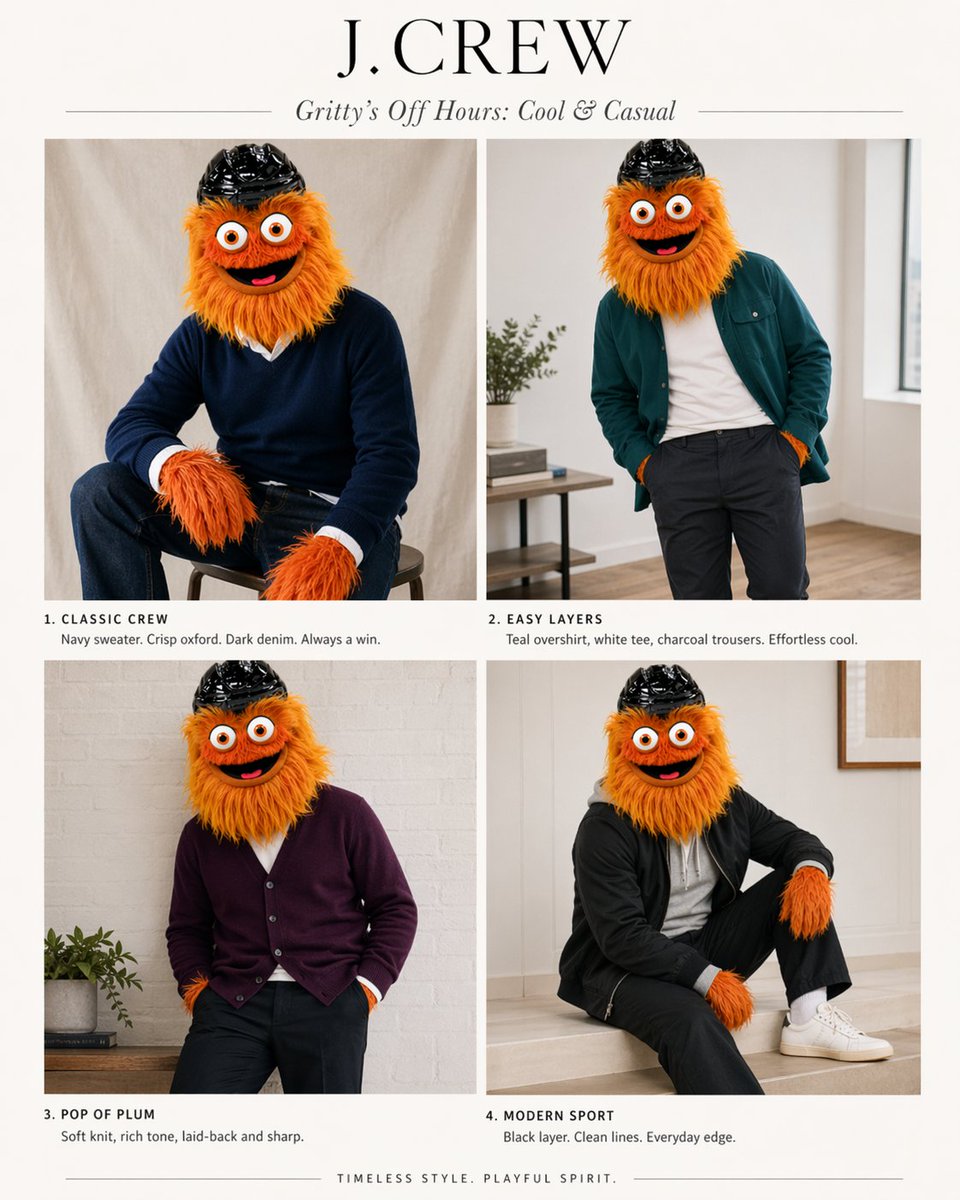
J.Crew吉祥物時尚特輯
這個提示可以將吉祥物參考資訊圖表變成四套 J.Crew 風格的時尚大片,用於有趣的品牌模型或角色造型概念。
這是一個時尚與美妝的GPT Image 2範例。請使用下方可直接使用的提示資訊產生類似的視覺素材,並在重複使用前查看Awesome GPT Image 2 Prompts署名和商業用途授權資訊。
需要完整的提示符號集?請使用 時尚與美妝 主題中心提供更多相關範例,或打開 GPT Image 2 提示庫 有關完整範例索引、可重複使用結構和來源歸屬的資訊。
Free 1K preview
Generate one preview image instantly, no sign-up required.
Free text preview doesn’t preserve reference-image consistency.
1405/4000
提示詞
可直接複製的提示
Using the provided reference image as the character and color-palette guide, transform it into a polished J.Crew-style editorial fashion lookbook starring the same mascot. Replace the infographic/chart layout with a clean 2x2 magazine spread on an off-white background. Add a large serif brand header reading {argument name="headline text" default="J.CREW"} and an italic subhead reading {argument name="subhead text" default="Gritty’s Off Hours: Cool & Casual"}. Show exactly 4 styled outfit photos of the same character, keeping the fuzzy orange fur, big eyes, and black helmet, but placing the mascot in modern menswear inspired by the “best” colors from the reference: 1) “CLASSIC CREW” — seated on a stool in a navy sweater over a crisp white oxford with dark denim; 2) “EASY LAYERS” — standing casually in a teal overshirt, white tee, and charcoal trousers; 3) “POP OF PLUM” — relaxed pose in a plum cardigan with dark pants; 4) “MODERN SPORT” — seated in a black sporty layer with black pants, white socks, and white sneakers. Give each panel a short catalog-style caption under it matching those 4 titles and concise fashion copy. Use soft natural indoor lighting, minimal home-interior editorial settings, premium catalog photography, and a tasteful upscale preppy aesthetic. Add a small closing line centered at the bottom: {argument name="footer text" default="TIMELESS STYLE. PLAYFUL SPIRIT."}提示變數
提示符號中可編輯的參數佔位符及其預設值。
多變的
headline text
預設
J.CREW
多變的
subhead text
預設
Gritty’s Off Hours: Cool & Casual
多變的
footer text
預設
TIMELESS STYLE. PLAYFUL SPIRIT.
Best for
- - 時尚與美妝 visual exploration
- - Image generation and reference-image edits
- - Reusable briefs that keep source attribution visible
Change these parts
- - Subject, product, character, or scene
- - Aspect ratio, camera, lighting, and background
- - Brand, text, color, and output constraints
Recommended model and settings
- - Model: gpt-image-2
- - Input mode: 圖生圖
- - Aspect ratio: source
- - Commercial status: review original source
How to use this prompt
- 1. Copy the prompt and preserve its structure for the first test.
- 2. Replace the subject, context, and publishing channel.
- 3. Change one camera, lighting, or style variable per iteration.
- 4. Inspect the output, source, text, and rights before reuse.
Limitations, source, and reuse cautions
- - Generated output is an editable draft, not factual, legal, or rights evidence.
- - Review the linked source, people, brands, logos, text, and third-party media before commercial use.
內容來自Awesome GPT Image 2 Prompts 。必須註明出處。商業用途狀態為allowed ;付費使用前請查看來源版權資訊。
此類案例更多
按類別、輸入模式相容性、品質和低風險進行優先排序。






重用和來源註釋
預覽案例後,請謹慎使用此提示。
- 1.複製提示或直接在 Dovoo 中使用生成按鈕開啟提示。
- 2.根據您的實際使用情況調整變數、寬高比和參考影像。
- 3.發布或付費使用前,請確認版權、署名要求以及品牌或肖像權風險。