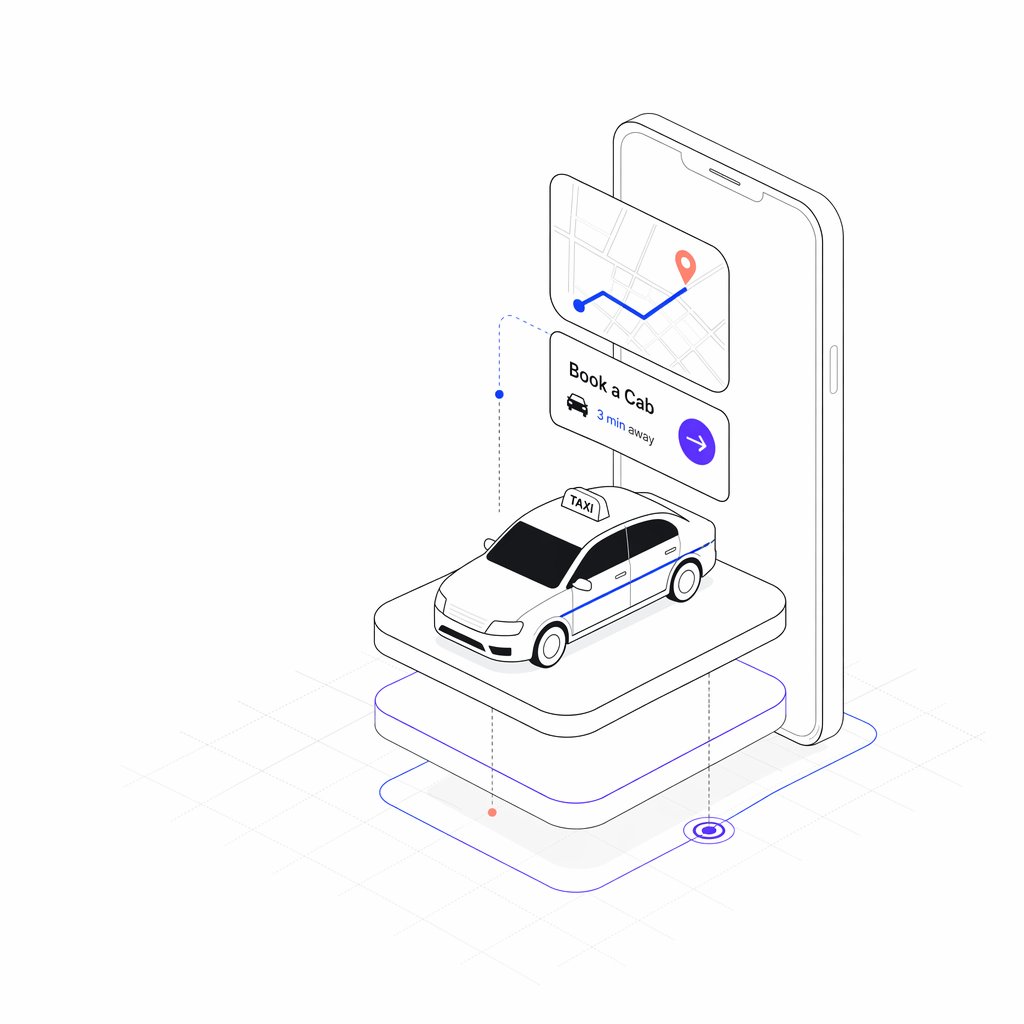
等距出租車預約應用程式
產生簡潔的等距視角叫車應用主插圖,其中包含一部手機、預訂介面卡和一輛停在浮動平台上的計程車。
這是一個插畫與藝術的GPT Image 2範例。請使用下方可直接使用的提示資訊產生類似的視覺素材,並在重複使用前查看Awesome GPT Image 2 Prompts署名和商業用途授權資訊。
需要完整的提示符號集?請使用 插畫與藝術 主題中心提供更多相關範例,或打開 GPT Image 2 提示庫 有關完整範例索引、可重複使用結構和來源歸屬的資訊。
Free 1K preview
Generate one preview image instantly, no sign-up required.
2845/4000
提示詞
可直接複製的提示
{
  "type": "minimal isometric mobile app illustration",
  "subject": "taxi booking service concept rendered as clean black line art with sparse color accents on a white background",
  "style": {
    "perspective": "3/4 isometric view",
    "linework": "thin precise gray and black outline, rounded corners, technical vector illustration",
    "color_palette": "mostly white and light gray with {argument name=\"accent color\" default=\"electric blue and violet\"} accents plus small coral map pin dots",
    "shading": "very soft pale gray shadows, subtle platform shadow, no heavy gradients",
    "background": "white with faint isometric grid lines near the floor"
  },
  "layout": {
    "count_discrete_elements": 7,
    "elements": [
      {
        "id": 1,
        "description": "large upright smartphone in the back, rounded rectangular body, thin outline, speaker slot and side button visible, screen mostly blank white"
      },
      {
        "id": 2,
        "description": "floating rounded map card in front of the phone near the upper left, showing pale street grid lines, one blue route line with two turns, a blue start dot, and a coral destination pin"
      },
      {
        "id": 3,
        "description": "floating booking card below the map card with visible text {argument name=\"booking title\" default=\"Book a Cab\"}, a small black taxi icon, visible distance text {argument name=\"distance text\" default=\"3 min away\"}, and a violet circular arrow button on the right"
      },
      {
        "id": 4,
        "description": "white taxi car model centered on the platform, compact sedan with black windows, blue side stripe, outlined headlights and grille, white roof sign labeled {argument name=\"taxi sign text\" default=\"TAXI\"}"
      },
      {
        "id": 5,
        "description": "top rounded rectangular pedestal platform supporting the taxi, white surface with thin gray outline"
      },
      {
        "id": 6,
        "description": "lower larger rounded rectangular base beneath the platform, white with thin violet outline accent"
      },
      {
        "id": 7,
        "description": "floor navigation path lines around the base: thin blue outline route, dotted vertical guide lines with small blue and coral nodes, and a violet target ring at the lower right"
      }
    ]
  },
  "composition": "center the phone vertically behind the taxi, overlap the floating UI cards in front of the phone, place the taxi on the raised platform in the lower center, leave generous white space around the entire object",
  "rendering_instructions": "create a crisp SaaS landing-page hero illustration for a ride-hailing app; keep proportions balanced, avoid photorealism, avoid clutter, use clean scalable vector-like geometry, preserve the exact visible English UI text in the cards and taxi sign"
}
提示變數
提示符號中可編輯的參數佔位符及其預設值。
多變的
accent color
預設
electric blue and violet
多變的
booking title
預設
Book a Cab
多變的
distance text
預設
3 min away
多變的
taxi sign text
預設
TAXI
Best for
- - 插畫與藝術 visual exploration
- - Image generation and reference-image edits
- - Reusable briefs that keep source attribution visible
Change these parts
- - Subject, product, character, or scene
- - Aspect ratio, camera, lighting, and background
- - Brand, text, color, and output constraints
Recommended model and settings
- - Model: gpt-image-2
- - Input mode: 文生圖
- - Aspect ratio: source
- - Commercial status: review original source
How to use this prompt
- 1. Copy the prompt and preserve its structure for the first test.
- 2. Replace the subject, context, and publishing channel.
- 3. Change one camera, lighting, or style variable per iteration.
- 4. Inspect the output, source, text, and rights before reuse.
Limitations, source, and reuse cautions
- - Generated output is an editable draft, not factual, legal, or rights evidence.
- - Review the linked source, people, brands, logos, text, and third-party media before commercial use.
內容來自Awesome GPT Image 2 Prompts 。必須註明出處。商業用途狀態為allowed ;付費使用前請查看來源版權資訊。
此類案例更多
按類別、輸入模式相容性、品質和低風險進行優先排序。






重用和來源註釋
預覽案例後,請謹慎使用此提示。
- 1.複製提示或直接在 Dovoo 中使用生成按鈕開啟提示。
- 2.根據您的實際使用情況調整變數、寬高比和參考影像。
- 3.發布或付費使用前,請確認版權、署名要求以及品牌或肖像權風險。