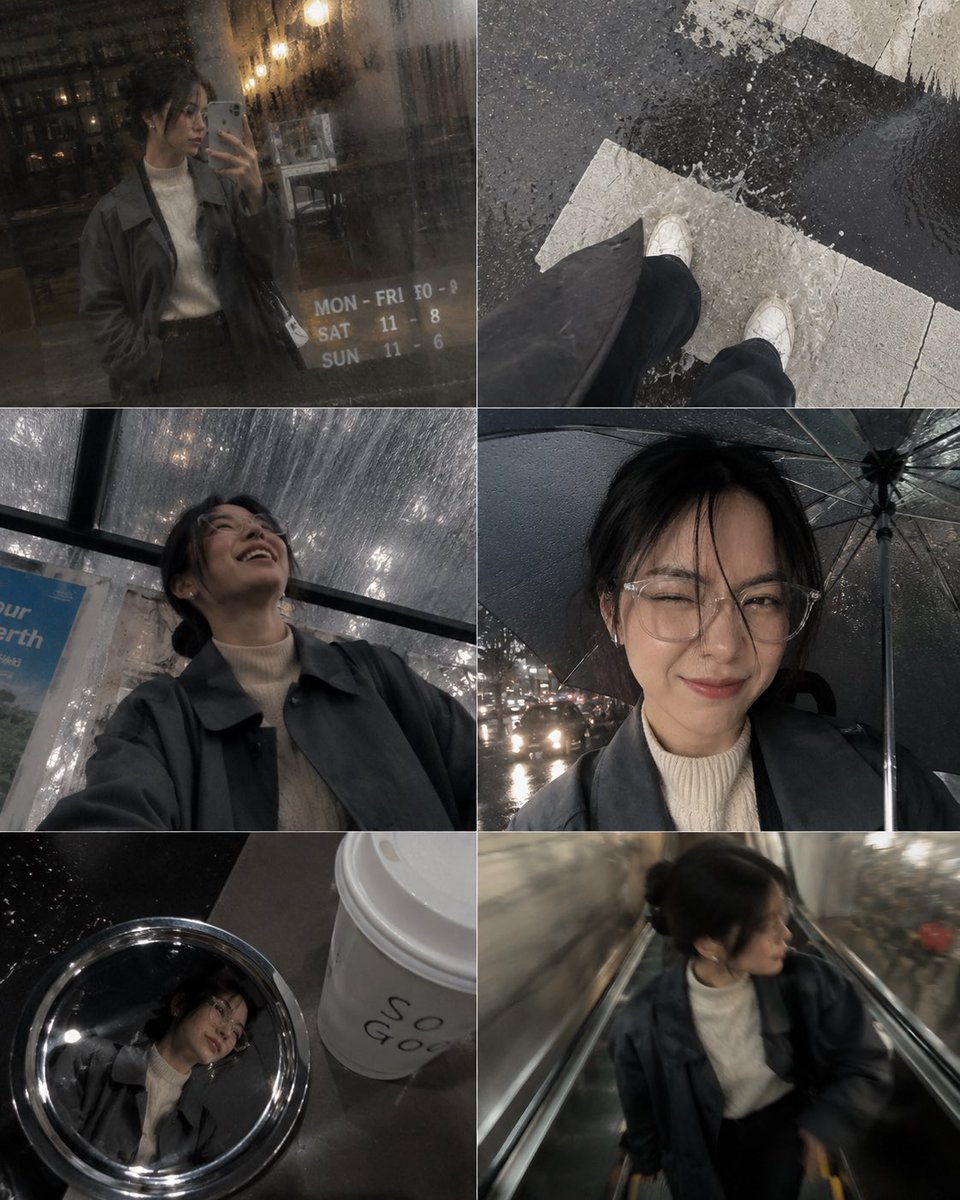
隨意手機相簿照片傾倒拼貼
創建逼真的社交媒體風格拼貼,設計成看起來像個人手機相簿,包含隨意的照片和雨滴效果。
這是一個肖像與人物的GPT Image 2範例。請使用下方可直接使用的提示資訊產生類似的視覺素材,並在重複使用前查看Awesome GPT Image 2 Prompts署名和商業用途授權資訊。
需要完整的提示符號集?請使用 肖像與人物 主題中心提供更多相關範例,或打開 GPT Image 2 提示庫 有關完整範例索引、可重複使用結構和來源歸屬的資訊。
Free 1K preview
Generate one preview image instantly, no sign-up required.
506/4000
提示詞
可直接複製的提示
一張隨意的照片傾倒拼貼,旨在讓人感覺像是 {argument name="person" default="[HUMAN]"} 在一個 {argument name="weather" default="下雨的下午"} 在市中心跑腿時的手機相簿。 [HUMAN] 穿著一件濕漉漉的 {argument name="outfit" default="炭灰色超大號風衣,搭配奶油色羅紋高領毛衣"}、褪色的黑色直筒牛仔褲和磨損的白色皮革運動鞋。機制是一個由六個面板縫合在一起的網格,就像 iPhone 相機膠卷一樣,每張照片在鏡頭上都有輕微的水漬,柔和的閃光點在濕滑的路面上跳動。面板:商店雨霧窗戶中的模糊鏡像、在人行橫道上濺水的鞋子的俯視鏡頭、從公車候車亭長凳上抬頭時的低角度鏡頭、在傘下幾英寸處的魚眼鏡頭自拍、咖啡館桌子上的咖啡杯蓋中反射的隨意照片,以及在自動扶梯上行走時拍攝的運動模糊照片。表情從雨中擠眉弄眼的笑聲轉變為對商店櫥窗的懷疑側眼,再到公車上安靜、未擺姿勢的半笑容。連貫的炭灰色、奶油色、褪色黑色和濕路面銀色調色板。優質的隨意生活方式攝影,可見的顆粒感和不均勻的曝光,沒有光澤的紋理,長寬比為 4:5。提示變數
提示符號中可編輯的參數佔位符及其預設值。
多變的
person
預設
[HUMAN]
多變的
weather
預設
rainy afternoon
多變的
outfit
預設
charcoal-grey oversized trench coat layered over a cream ribbed turtleneck
Best for
- - 肖像與人物 visual exploration
- - Image generation and reference-image edits
- - Reusable briefs that keep source attribution visible
Change these parts
- - Subject, product, character, or scene
- - Aspect ratio, camera, lighting, and background
- - Brand, text, color, and output constraints
Recommended model and settings
- - Model: gpt-image-2
- - Input mode: 文生圖
- - Aspect ratio: source
- - Commercial status: review original source
How to use this prompt
- 1. Copy the prompt and preserve its structure for the first test.
- 2. Replace the subject, context, and publishing channel.
- 3. Change one camera, lighting, or style variable per iteration.
- 4. Inspect the output, source, text, and rights before reuse.
Limitations, source, and reuse cautions
- - Generated output is an editable draft, not factual, legal, or rights evidence.
- - Review the linked source, people, brands, logos, text, and third-party media before commercial use.
內容來自Awesome GPT Image 2 Prompts 。必須註明出處。商業用途狀態為allowed ;付費使用前請查看來源版權資訊。
此類案例更多
按類別、輸入模式相容性、品質和低風險進行優先排序。






重用和來源註釋
預覽案例後,請謹慎使用此提示。
- 1.複製提示或直接在 Dovoo 中使用生成按鈕開啟提示。
- 2.根據您的實際使用情況調整變數、寬高比和參考影像。
- 3.發布或付費使用前,請確認版權、署名要求以及品牌或肖像權風險。