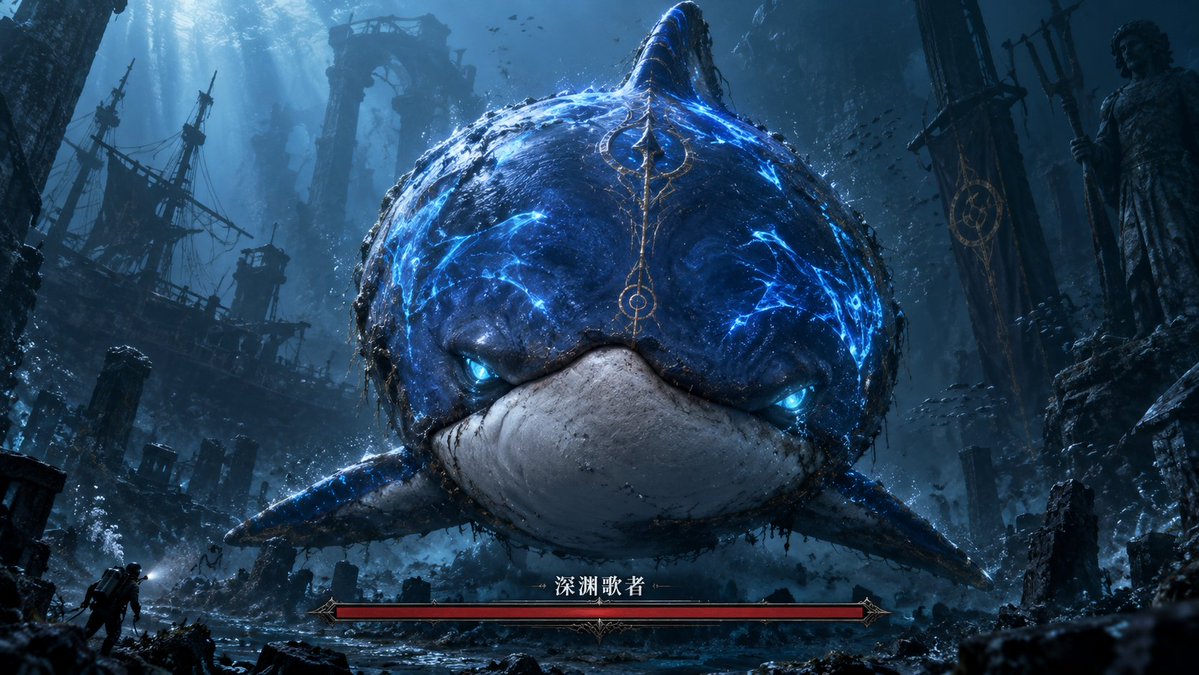
Abyssal Dolphin Boss Transformation
Transforms a simple dolphin sketch into a cinematic underwater dark-fantasy boss encounter with ruins and a game-style health bar.
這是一個動漫與遊戲的GPT Image 2範例。請使用下方可直接使用的提示資訊產生類似的視覺素材,並在重複使用前查看Awesome GPT Image 2 Prompts署名和商業用途授權資訊。
需要完整的提示符號集?請使用 動漫與遊戲 主題中心提供更多相關範例,或打開 GPT Image 2 提示庫 有關完整範例索引、可重複使用結構和來源歸屬的資訊。
Free 1K preview
Generate one preview image instantly, no sign-up required.
Free text preview doesn’t preserve reference-image consistency.
1719/4000
提示詞
可直接複製的提示
Using the provided reference image as the rough silhouette and color guide, transform the simple blue dolphin sketch into a cinematic dark-fantasy underwater boss encounter. Keep the same front-facing rounded dolphin/whale-like body, central dorsal fin, side fins, blue upper body, and pale lower mouth area, but render it as a massive realistic sea monster with cracked glowing electric-blue markings, bioluminescent blue eyes, wet rough skin, barnacles, grime, and ornate ancient-gold markings running down the forehead.

Scene: Place the creature in a vast abyssal ruined city with dramatic blue shafts of light from above, floating debris, bubbles, schools of tiny fish, broken stone arches, pillars, statues, and a ruined shipwreck silhouette on the left. Add a tiny explorer/diver figure near the lower left to emphasize the monster's enormous scale. Make the composition widescreen and centered, with the monster looming directly toward the viewer.

Game UI addition: Add exactly 1 boss health bar at the bottom center: a long red bar in an ornate dark-metal fantasy frame, labeled in Chinese with {argument name="boss name" default="Abyssal Singer"}. Do not add any other UI panels.

Style: Ultra-detailed AAA game key art, dark souls-like fantasy atmosphere, underwater volumetric lighting, high contrast, moody teal-blue palette, cinematic realism, dramatic scale, sharp focus on the creature's face.

Customizable details: creature glow color {argument name="glow color" default="electric blue"}, environment theme {argument name="environment theme" default="abyssal ruined city"}, mood {argument name="mood" default="ominous and epic"}, aspect ratio {argument name="aspect ratio" default="16:9 widescreen"}.
提示變數
提示符號中可編輯的參數佔位符及其預設值。
多變的
boss name
預設
Abyssal Singer
多變的
glow color
預設
electric blue
多變的
environment theme
預設
abyssal ruined city
多變的
mood
預設
ominous and epic
多變的
aspect ratio
預設
16:9 widescreen
Best for
- - 動漫與遊戲 visual exploration
- - Image generation and reference-image edits
- - Reusable briefs that keep source attribution visible
Change these parts
- - Subject, product, character, or scene
- - Aspect ratio, camera, lighting, and background
- - Brand, text, color, and output constraints
Recommended model and settings
- - Model: gpt-image-2
- - Input mode: 圖生圖
- - Aspect ratio: source
- - Commercial status: review original source
How to use this prompt
- 1. Copy the prompt and preserve its structure for the first test.
- 2. Replace the subject, context, and publishing channel.
- 3. Change one camera, lighting, or style variable per iteration.
- 4. Inspect the output, source, text, and rights before reuse.
Limitations, source, and reuse cautions
- - Generated output is an editable draft, not factual, legal, or rights evidence.
- - Review the linked source, people, brands, logos, text, and third-party media before commercial use.
內容來自Awesome GPT Image 2 Prompts 。必須註明出處。商業用途狀態為allowed ;付費使用前請查看來源版權資訊。
此類案例更多
按類別、輸入模式相容性、品質和低風險進行優先排序。






重用和來源註釋
預覽案例後,請謹慎使用此提示。
- 1.複製提示或直接在 Dovoo 中使用生成按鈕開啟提示。
- 2.根據您的實際使用情況調整變數、寬高比和參考影像。
- 3.發布或付費使用前,請確認版權、署名要求以及品牌或肖像權風險。