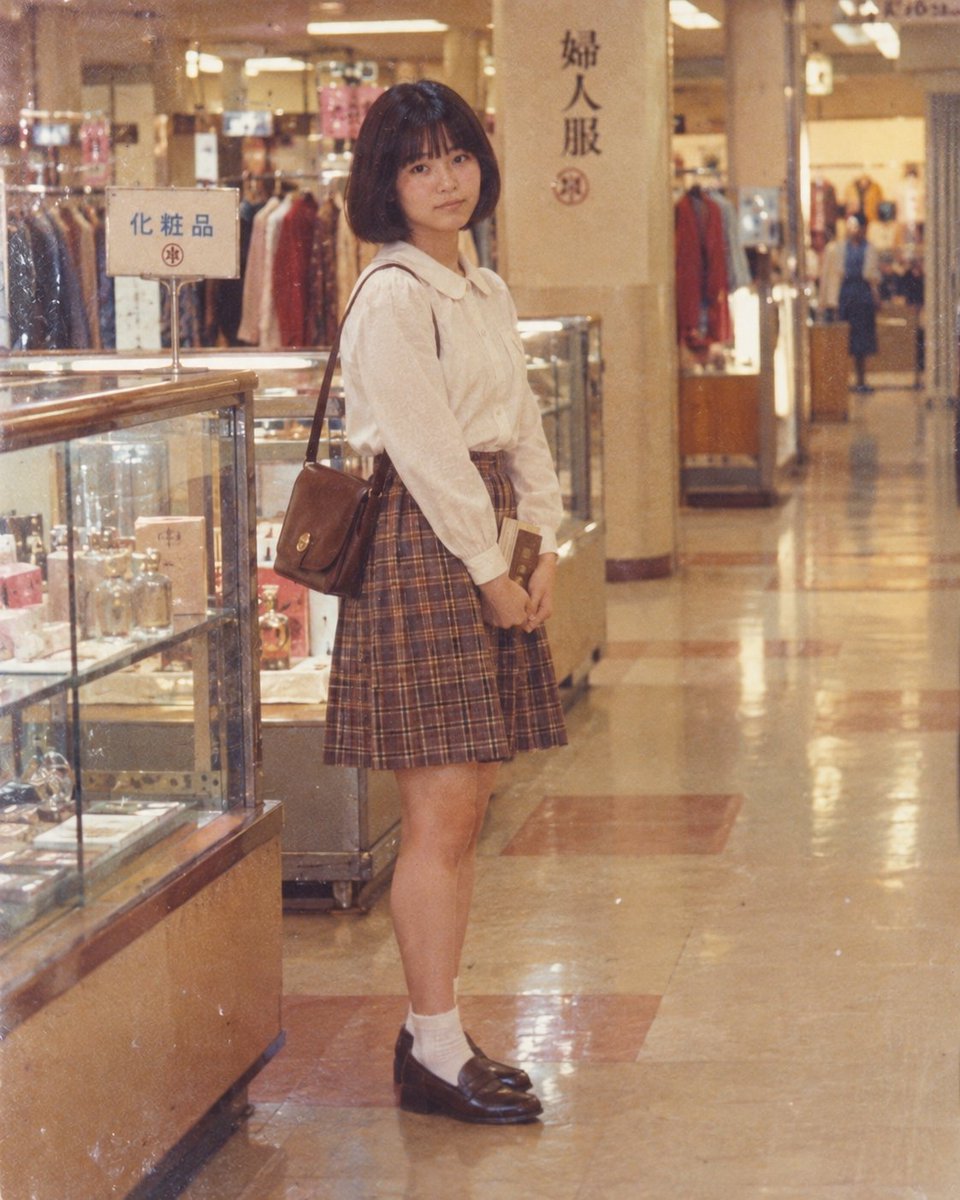
Vintage Department Store Portrait
This prompt generates an image capturing a nostalgic scene of a young woman posing inside a classic Japanese department store, perfect for creating retro-themed visuals.
Bu Portre ve Karakter için bir GPT Image 2 örnek senaryosudur. Benzer görseller oluşturmak için aşağıdaki hazır metni kullanın ve yeniden kullanmadan önce Awesome GPT Image 2 Prompts atıfını ve ticari kullanım haklarını inceleyin.
Tüm komut istemi setine mi ihtiyacınız var? Şunu kullanın: Portre ve Karakter Daha fazla ilgili örnek için konu merkezini ziyaret edin veya açın. GPT Image 2 istem kataloğu Tam örnek dizin, yeniden kullanılabilir yapılar ve kaynak atfı için.
Free 1K preview
Generate one preview image instantly, no sign-up required.
252/4000
İpucu
Kopyalamaya hazır istemi
一张复古风格的照片,展示了一位年轻女性站在日本百货商店内。她留着深色短发波波头,有刘海,面带温柔的表情直视镜头。她身穿一件奶油色长袖衬衫,带有彼得潘领,下摆塞进一条棕色格纹百褶裙中,裙长及膝上方。肩上挂着一个小巧的棕色皮革挎包,手中拿着一本书或宣传册。她的整体造型搭配白色短袜和深棕色乐福鞋。背景左侧是装满香水和化妆品的玻璃展示柜,上面写着“化粧品”(化妆品)。右侧则有服装架和另一块写着“婦人服”(女装)的标牌。地板是抛光瓷砖,反射着头顶温暖的灯光。整体氛围唤起怀旧感,让人联想到 20 世纪末的日本。
Best for
- - Portre ve Karakter visual exploration
- - Image generation and reference-image edits
- - Reusable briefs that keep source attribution visible
Change these parts
- - Subject, product, character, or scene
- - Aspect ratio, camera, lighting, and background
- - Brand, text, color, and output constraints
Recommended model and settings
- - Model: gpt-image-2
- - Input mode: Metinden görsele
- - Aspect ratio: source
- - Commercial status: review original source
How to use this prompt
- 1. Copy the prompt and preserve its structure for the first test.
- 2. Replace the subject, context, and publishing channel.
- 3. Change one camera, lighting, or style variable per iteration.
- 4. Inspect the output, source, text, and rights before reuse.
Limitations, source, and reuse cautions
- - Generated output is an editable draft, not factual, legal, or rights evidence.
- - Review the linked source, people, brands, logos, text, and third-party media before commercial use.
Awesome GPT Image 2 Prompts kaynağından içe aktarılmıştır. Kaynak belirtilmesi zorunludur. Ticari kullanım durumu allowed şeklindedir; ücretli kullanım öncesinde kaynak haklarını inceleyin.
Bu kategoride daha fazla vaka
Kategoriye, giriş modu uyumluluğuna, kaliteye ve düşük riske göre önceliklendirilmiştir.


Yeniden kullanım ve kaynak notları
Vaka önizlemesini yaptıktan sonra bu istemi güvenle kullanın.
- 1.Komut istemini kopyalayın veya oluşturma düğmesini kullanarak doğrudan Dovoo'da açın.
- 2.Değişkenleri, en boy oranını ve referans görselleri kendi kullanım durumunuza göre ayarlayın.
- 3.Yayınlamadan veya ücretli kullanımdan önce, kaynak haklarını, atıf gerekliliklerini ve marka veya benzerlik risklerini doğrulayın.