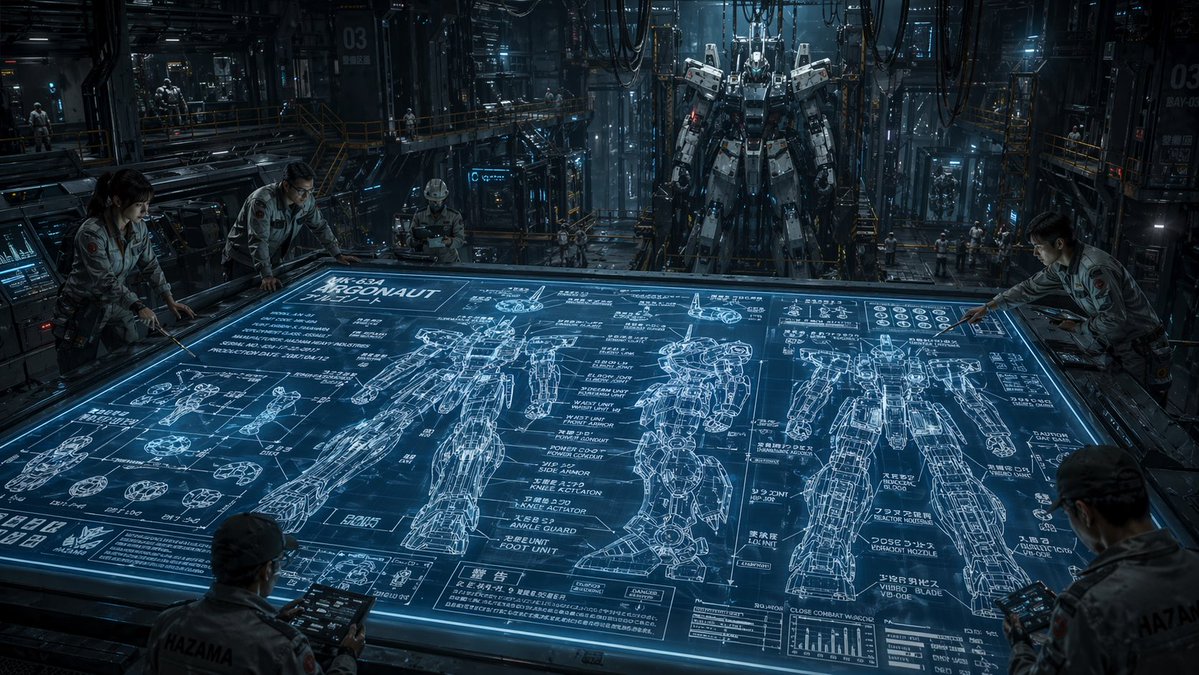
Bilim Kurgu Mekanik Tasarım Hangarı
Bu komut, endüstriyel bir robotik hangarında dev bir holografik robotun planını inceleyen mühendislerin yer aldığı sinematik, fotogerçekçi bir sahne oluşturur; konsept sanat ve bilim kurgu dünyası yaratımı için idealdir.
Bu İllüstrasyon ve Sanat için bir GPT Image 2 örnek senaryosudur. Benzer görseller oluşturmak için aşağıdaki hazır metni kullanın ve yeniden kullanmadan önce Awesome GPT Image 2 Prompts atıfını ve ticari kullanım haklarını inceleyin.
Tüm komut istemi setine mi ihtiyacınız var? Şunu kullanın: İllüstrasyon ve Sanat Daha fazla ilgili örnek için konu merkezini ziyaret edin veya açın. GPT Image 2 istem kataloğu Tam örnek dizin, yeniden kullanılabilir yapılar ve kaynak atfı için.
Free 1K preview
Generate one preview image instantly, no sign-up required.
1807/4000
İpucu
Kopyalamaya hazır istemi
A cinematic ultra-detailed sci-fi mech hangar interior at night, shown in a wide-angle view from slightly above a massive horizontal holographic planning table. The glowing blue tabletop dominates the foreground and center, displaying an intricate engineering blueprint for a humanoid combat robot labeled {argument name="mech name" default="ARGONAUT"}. The blueprint includes exactly 3 large full-body orthographic mech drawings across the table, one front view, one side view, and one rear view, plus many smaller component diagrams for hands, joints, feet, armor segments, and circular mechanical parts, dense technical callouts, graphs, measurement lines, and blocks of Japanese annotation text mixed with alphanumeric labels. Around the table are exactly 5 engineers in light gray industrial jumpsuits studying the design, leaning over the edges and holding rugged tablets; their faces are intentionally indistinct and partially obscured. In the deep background, exactly 1 towering real humanoid mech stands upright in a maintenance gantry, suspended or docked in a cavernous factory bay filled with catwalks, scaffolding, pipes, heavy cables hanging from the ceiling, illuminated control panels, glass partitions, and a few tiny distant workers for scale. Use a cold steel-and-cyan color palette, dramatic volumetric lighting, reflective metallic surfaces, subtle mist, high contrast shadows, and a serious military-industrial mood. The environment should feel dense, realistic, and operational, like a secret advanced robotics facility. Emphasize scale, technical complexity, and the contrast between the flat luminous blueprint and the massive constructed mech behind it. Render in photorealistic concept-art style with crisp linework on the holographic display, cinematic depth, and extreme detail.İstem değişkenleri
Komut isteminde bulunan, düzenlenebilir argüman yer tutucuları ve varsayılan değerleri.
Değişken
mech name
Varsayılan
ARGONAUT
Best for
- - İllüstrasyon ve Sanat visual exploration
- - Image generation and reference-image edits
- - Reusable briefs that keep source attribution visible
Change these parts
- - Subject, product, character, or scene
- - Aspect ratio, camera, lighting, and background
- - Brand, text, color, and output constraints
Recommended model and settings
- - Model: gpt-image-2
- - Input mode: Metinden görsele
- - Aspect ratio: source
- - Commercial status: review original source
How to use this prompt
- 1. Copy the prompt and preserve its structure for the first test.
- 2. Replace the subject, context, and publishing channel.
- 3. Change one camera, lighting, or style variable per iteration.
- 4. Inspect the output, source, text, and rights before reuse.
Limitations, source, and reuse cautions
- - Generated output is an editable draft, not factual, legal, or rights evidence.
- - Review the linked source, people, brands, logos, text, and third-party media before commercial use.
Awesome GPT Image 2 Prompts kaynağından içe aktarılmıştır. Kaynak belirtilmesi zorunludur. Ticari kullanım durumu allowed şeklindedir; ücretli kullanım öncesinde kaynak haklarını inceleyin.
Bu kategoride daha fazla vaka
Kategoriye, giriş modu uyumluluğuna, kaliteye ve düşük riske göre önceliklendirilmiştir.

Surreal 3D Chess Match Artwork
Metinden görsele

Female Clown Cyborg Portrait
Metinden görsele

Android Quantum Lab Workstation
Metinden görsele

Grumpy Rhino Storybook Illustration
Metinden görsele

Imperial Research Bunker on Volcanic Planet
Metinden görsele

Greyscale Puzzle Portrait with Color Accent
Metinden görsele
Yeniden kullanım ve kaynak notları
Vaka önizlemesini yaptıktan sonra bu istemi güvenle kullanın.
- 1.Komut istemini kopyalayın veya oluşturma düğmesini kullanarak doğrudan Dovoo'da açın.
- 2.Değişkenleri, en boy oranını ve referans görselleri kendi kullanım durumunuza göre ayarlayın.
- 3.Yayınlamadan veya ücretli kullanımdan önce, kaynak haklarını, atıf gerekliliklerini ve marka veya benzerlik risklerini doğrulayın.