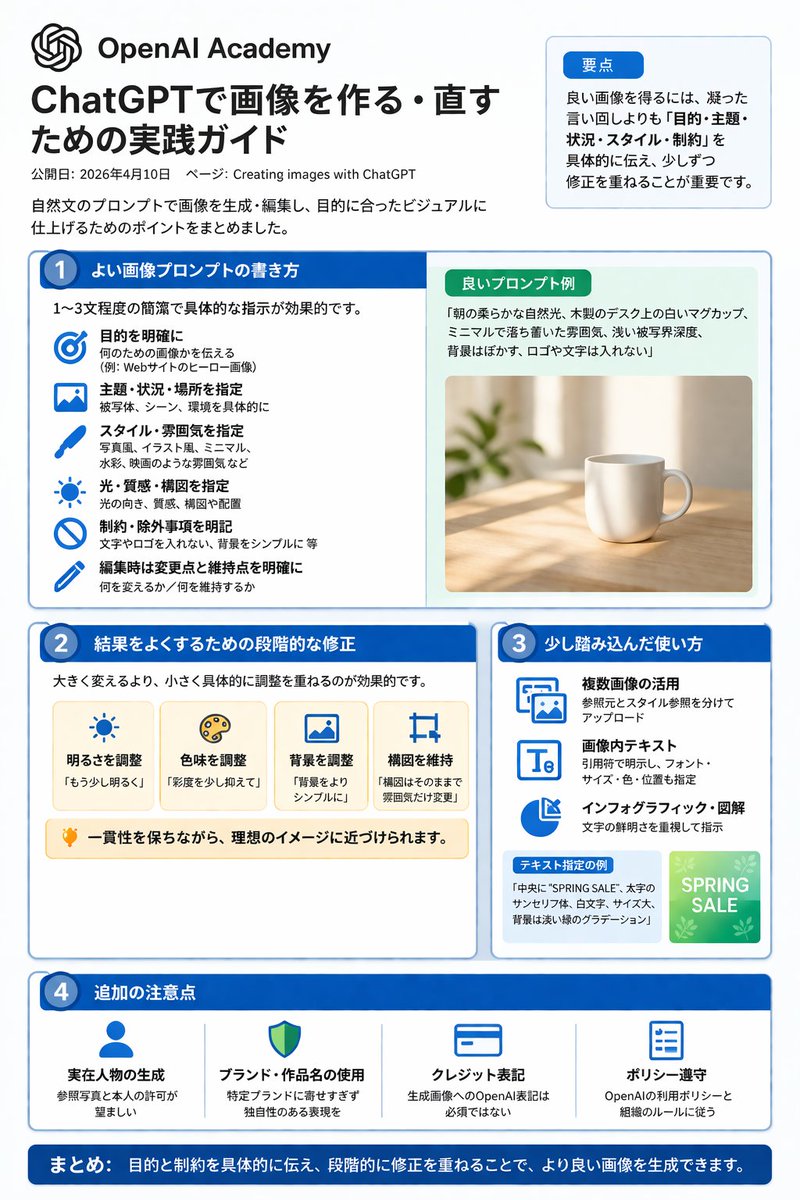
ChatGPT Image Generation Guide Infographic
A structured, multi-section infographic outlining best practices for generating and editing images, featuring icons, example graphics, and step-by-step tips.
Bu 平面海报 için bir gpt-image-2 örnek senaryosudur. Benzer görseller oluşturmak için aşağıdaki hazır metni kullanın ve yeniden kullanmadan önce Awesome Nano Banana Pro Prompts atıfını ve ticari kullanım haklarını inceleyin.
Bu komut istemi, birden fazla referans görseli için tasarlanmıştır. Komut istemi ve mevcut önizleme görseliyle Dovoo'yu açacağız; oluşturmadan önce Dovoo'ya kalan referansları ekleyeceğiz.

İpucu
Kopyalamaya hazır istemi
{"type":"infographic","style":"Simple, corporate style, flat design, soft color accents, dark blue main color","header":{"logo":"swirl icon","academy_name":"}}{argument name="academy name" default="OpenAI Academy"} ","main_title":"{argument name="main title" default="ChatGPT Image Generation and Editing Practice Guide"} ","metadata":"Date and page information","summary_box":{"title":"Key points","content":"Paragraphs about key points"}},"layout":{"sections":[{"number":1,"title":"{argument name="section 1 title" default="How to write high-quality image prompts"} ","layout":"Double Columns","left_column":{"count":6,"items":[{"icon":"target","label":"Specific Target"},{"icon":"landscape","label":"Specify Theme, Scene, and Location"},{"icon":"brush","label":"Specify Style and Atmosphere"},{"icon":"sun","label":"Specify Lighting, Texture, and Composition"},{"icon":"prohibition","label":"Specific Constraints and Exclusions"},{"icon":"pencil","label":"Specify Changes and Retention Points During Editing"}]},"right_column":{"box_title":"Example of High-Quality Hints","image":"{argument name="example image subject" default="White mug on the wooden table"} {"number":2,"title":"Step-by-step correction method for optimization results","cards":{"count":4,"items":[{"icon":"sun","label":"Adjust brightness"},{"icon":"palette","label":"Adjust hue"},{"icon":"landscape","label":"Adjust background"},{"icon":"crop","label":"Maintain composition"}]},"bottom_banner":"Light bulb icon and text"},{"number":3,"title":"Advanced usage tips","list":{"count":3,"items":[{"icon":"multiple images","label":"Utilizing multiple images"},{"icon":"text 'Te'","label":"Text within image"},{"icon":"pie chart","label":"Infographic and diagrams"}]},"example_box":{"title":"Example with specified text","graphic":"With 'SPRING SALE' The green box"}},{"number":4,"title":"Other Notes","items":{"count":4,"items":[{"icon":"person","label":"Generate Real Person"},{"icon":"shield","label":"Usage of Brand and Work Names"},{"icon":"id card","label":"Copyright Label"},{"icon":"checklist","label":"Policy Compliance"}]}}],"footer":{"style":"Dark Blue Banner","text":"{argument name="footer summary" default="In summary, by clearly communicating the objectives and constraints and making step-by-step corrections, higher quality images can be generated."} "}}İstem değişkenleri
Komut isteminde bulunan, düzenlenebilir argüman yer tutucuları ve varsayılan değerleri.
Bu kategoride daha fazla vaka
Kategoriye, giriş modu uyumluluğuna, kaliteye ve düşük riske göre önceliklendirilmiştir.
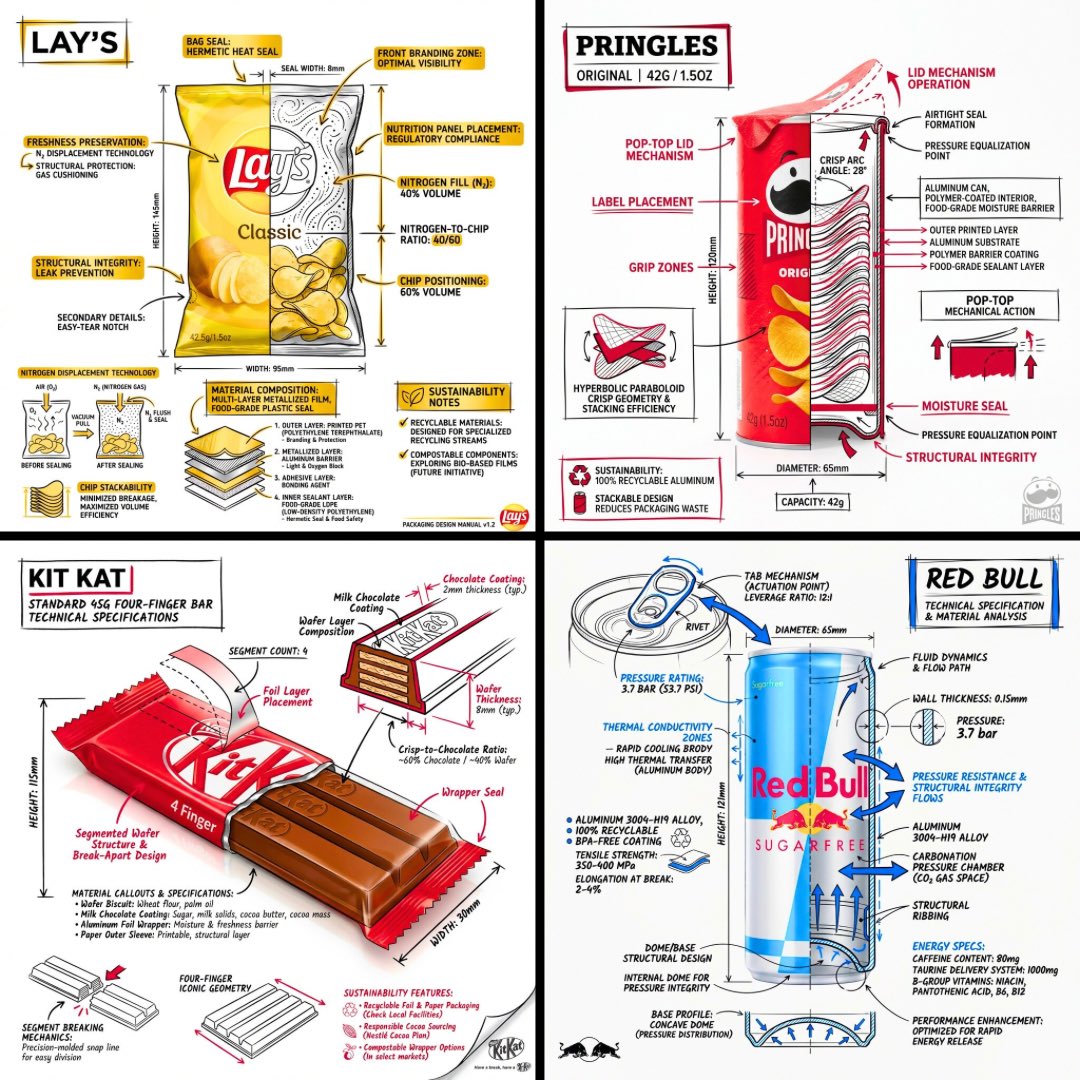
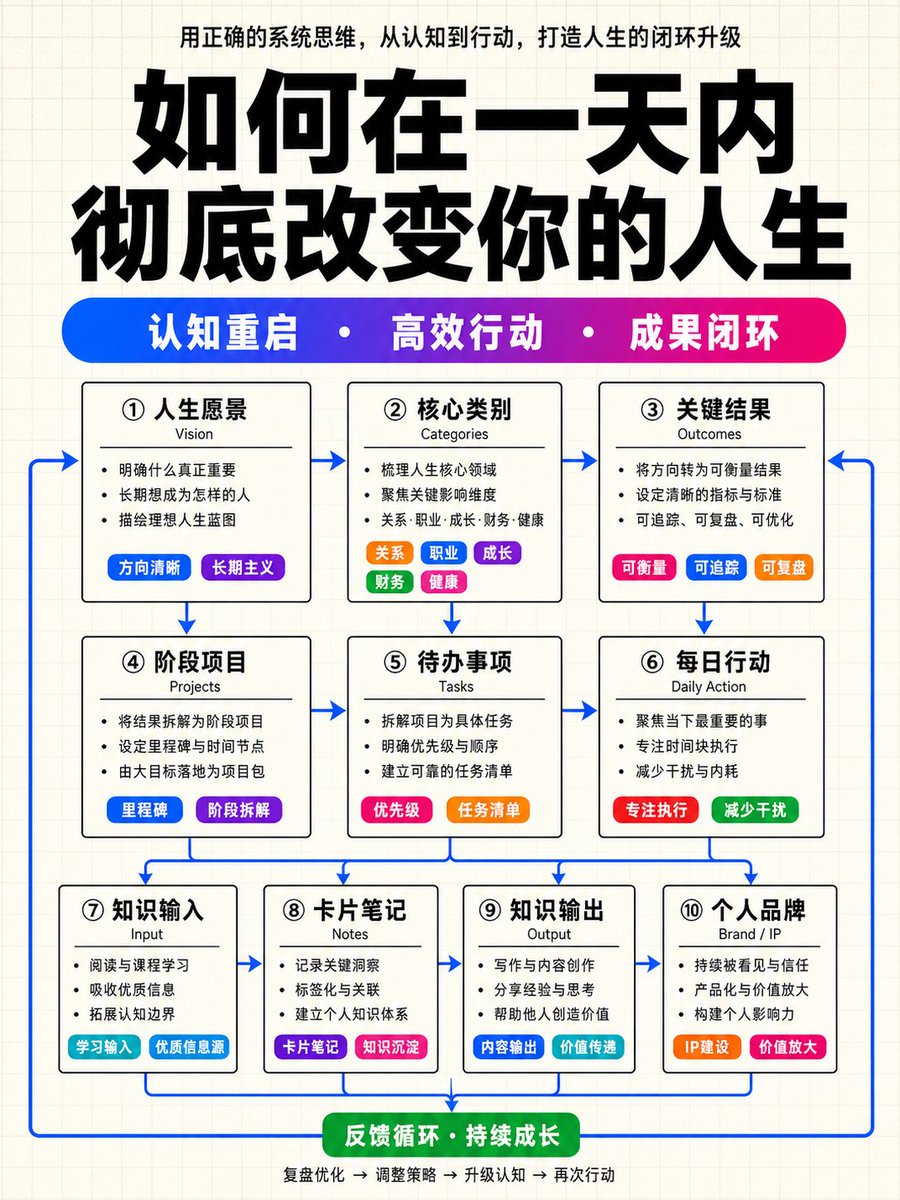
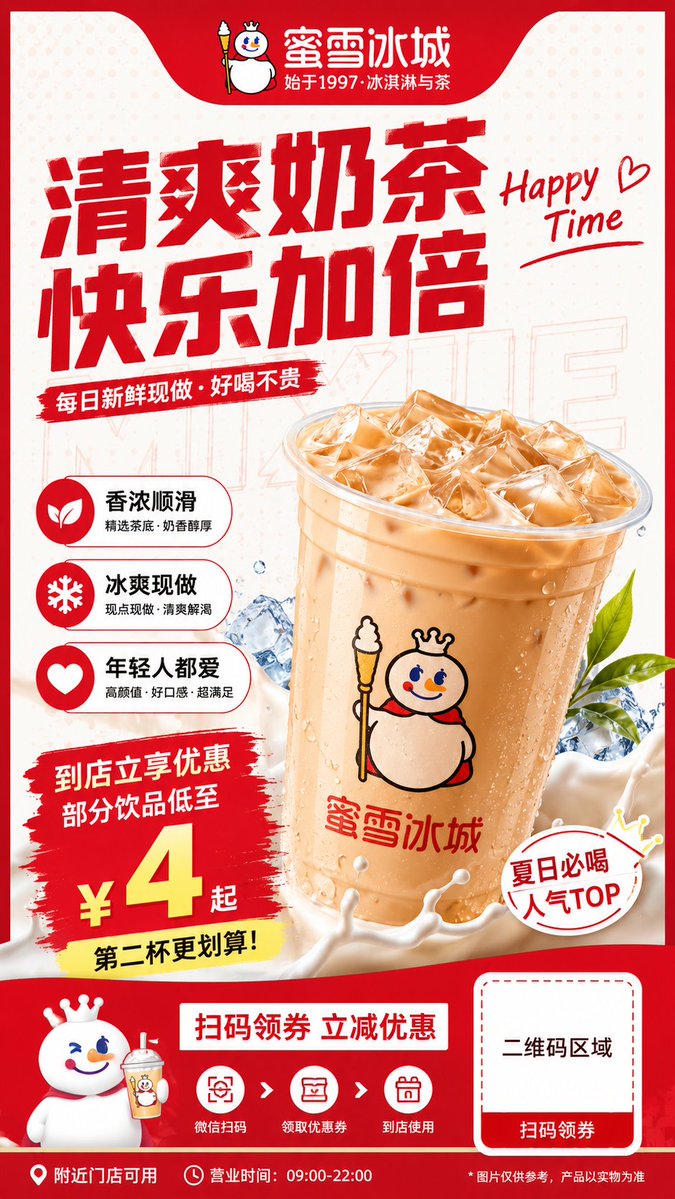
Yeniden kullanım ve kaynak notları
Vaka önizlemesini yaptıktan sonra bu istemi güvenle kullanın.
- 1.Komut istemini kopyalayın veya oluşturma düğmesini kullanarak doğrudan Dovoo'da açın.
- 2.Değişkenleri, en boy oranını ve referans görselleri kendi kullanım durumunuza göre ayarlayın.
- 3.Yayınlamadan veya ücretli kullanımdan önce, kaynak haklarını, atıf gerekliliklerini ve marka veya benzerlik risklerini doğrulayın.