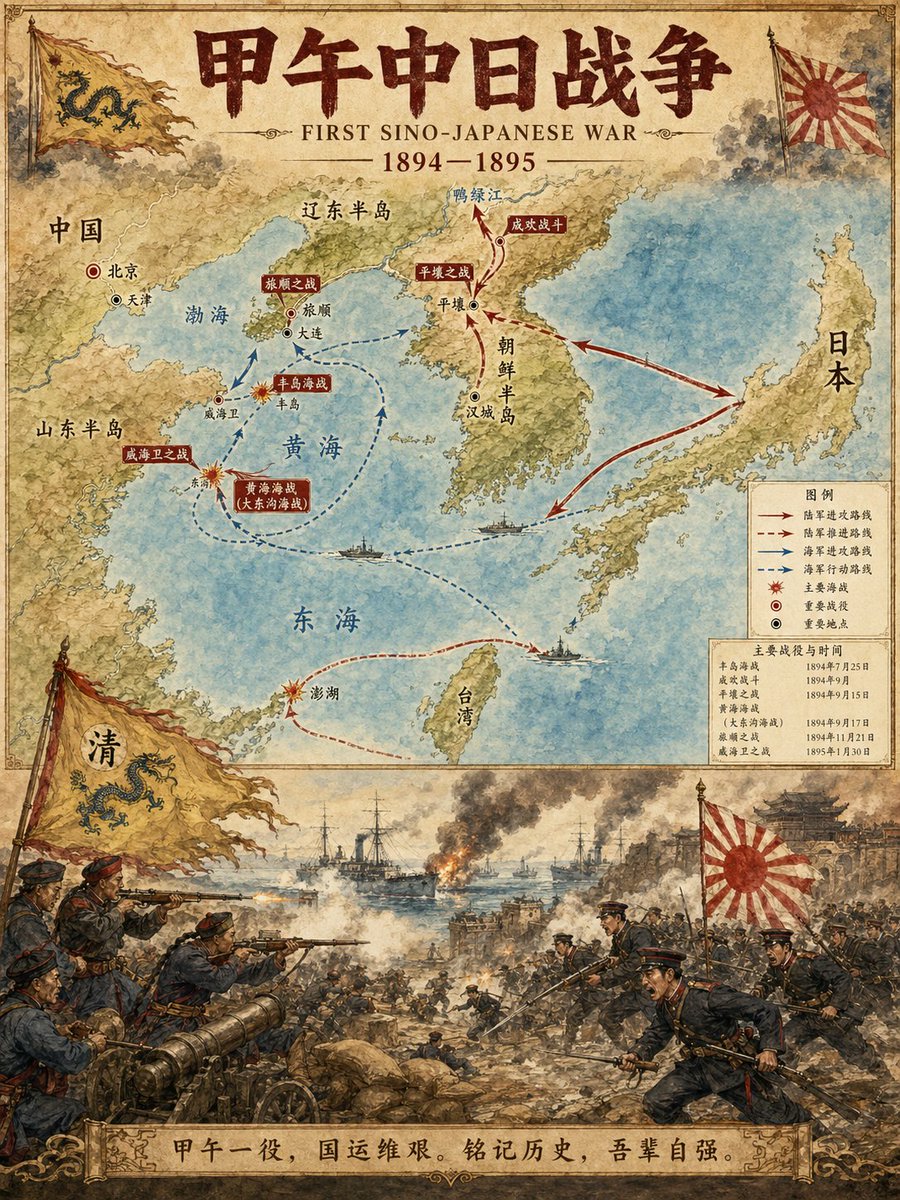
Tarihi Olay Haritası Çizeri
Profesyonel tarihsel infografikler oluşturmak için tasarlanmış özel bir komut dosyası. Dikey, iki parçalı bir düzen oluşturur: üst yarıda rotaları ve önemli yerleri gösteren ayrıntılı bir harita yer alırken, alt yarıda olayın suluboya tarzında dramatik bir sahne illüstrasyonu gösterilir.
Bu İllüstrasyon ve Sanat için bir GPT Image 2 örnek senaryosudur. Benzer görseller oluşturmak için aşağıdaki hazır metni kullanın ve yeniden kullanmadan önce Awesome GPT Image 2 Prompts atıfını ve ticari kullanım haklarını inceleyin.
Free 1K preview
Generate one preview image instantly, no sign-up required.
Free text preview doesn’t preserve reference-image consistency.
İpucu
Kopyalamaya hazır istemi
Historical Event Map Illustrator

You are a professional historical infographic designer. Based on the historical [Subject] specified by the user, generate a vertical, two-part map and scene illustration that matches the watercolor/illustrative style of the reference image.

Layout Structure:
1. Top Half:
Detailed map showing routes of the historical event, key locations, and directional arrows.
Clear labeling of cities, regions, and water bodies.
Marking of major battle sites and important stations.
2. Bottom Half:
Vivid, dramatic scene illustration.
Depicting key moments of the historical event (battles, marches, significant events, etc.).
3. Title/Header:
Bold title displaying "{argument name="historical event" default="FIRST SINO-JAPANESE WAR"}"
Includes subtitles and dates.
Visual Style Requirements:
Warm watercolor illustration texture.
Accurate historical details.
Clear typographic design.
Vertical format.
4K Ultra HD resolution.
Direct image generation.

Subject: {argument name="subject" default="FIRST SINO-JAPANESE WAR"}
Ratio: {argument name="aspect ratio" default="3:4"}
İstem değişkenleri
Komut isteminde bulunan, düzenlenebilir argüman yer tutucuları ve varsayılan değerleri.
Best for
- - İllüstrasyon ve Sanat visual exploration
- - Image generation and reference-image edits
- - Reusable briefs that keep source attribution visible
Change these parts
- - Subject, product, character, or scene
- - Aspect ratio, camera, lighting, and background
- - Brand, text, color, and output constraints
Recommended model and settings
- - Model: gpt-image-2
- - Input mode: Görselden görsele
- - Aspect ratio: source
- - Commercial status: review original source
How to use this prompt
- 1. Copy the prompt and preserve its structure for the first test.
- 2. Replace the subject, context, and publishing channel.
- 3. Change one camera, lighting, or style variable per iteration.
- 4. Inspect the output, source, text, and rights before reuse.
Limitations, source, and reuse cautions
- - Generated output is an editable draft, not factual, legal, or rights evidence.
- - Review the linked source, people, brands, logos, text, and third-party media before commercial use.
Bu kategoride daha fazla vaka
Kategoriye, giriş modu uyumluluğuna, kaliteye ve düşük riske göre önceliklendirilmiştir.






Yeniden kullanım ve kaynak notları
Vaka önizlemesini yaptıktan sonra bu istemi güvenle kullanın.
- 1.Komut istemini kopyalayın veya oluşturma düğmesini kullanarak doğrudan Dovoo'da açın.
- 2.Değişkenleri, en boy oranını ve referans görselleri kendi kullanım durumunuza göre ayarlayın.
- 3.Yayınlamadan veya ücretli kullanımdan önce, kaynak haklarını, atıf gerekliliklerini ve marka veya benzerlik risklerini doğrulayın.