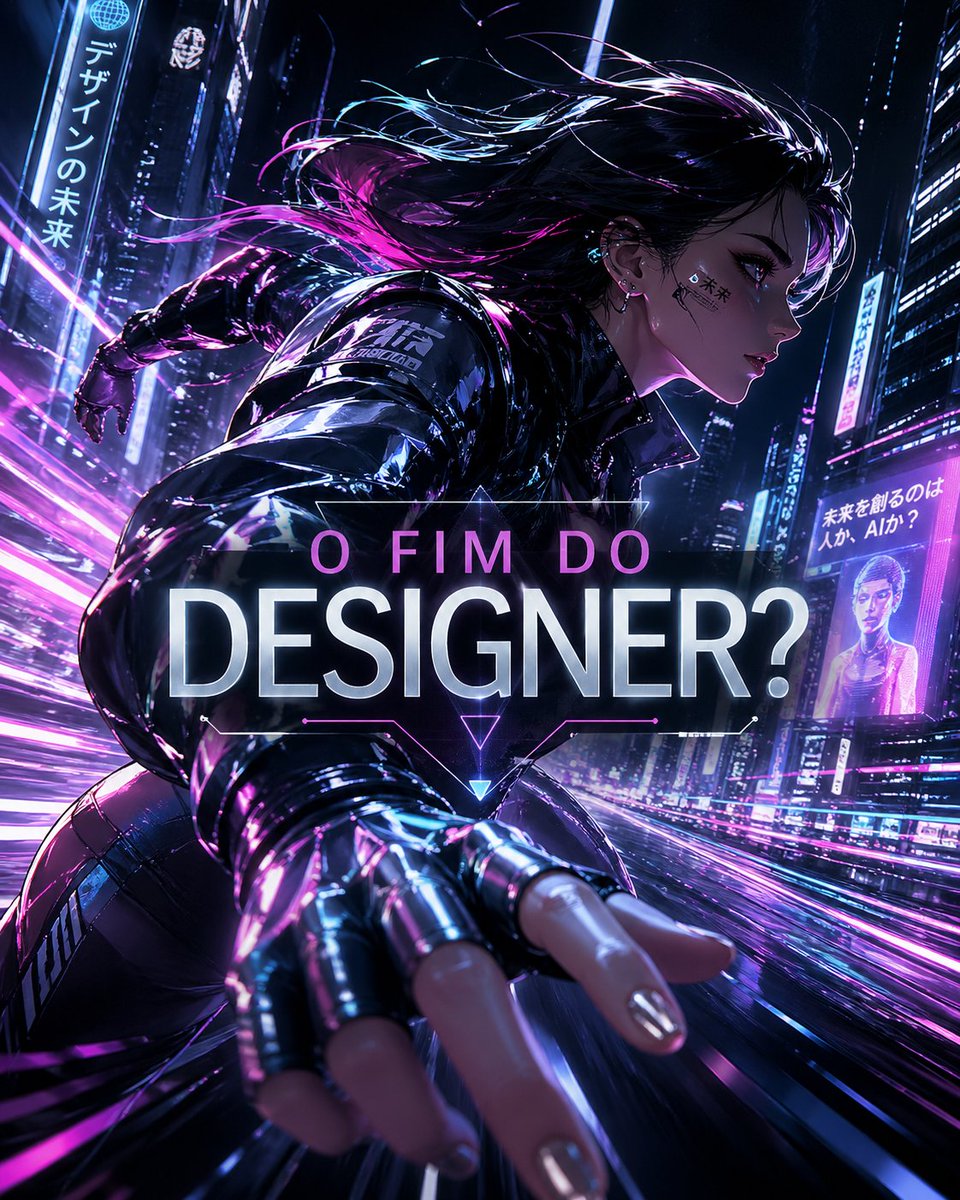
Siberpunk Tasarımcı Tartışması Posteri
Koşan bir siberpunk kadını ve cesur bir başlığı içeren, neon ışıklarla bezenmiş fütüristik bir poster; yapay zeka ve tasarımın geleceği hakkında sosyal medya içerikleri için ideal.
Bu Grafik ve Poster için bir GPT Image 2 örnek senaryosudur. Benzer görseller oluşturmak için aşağıdaki hazır metni kullanın ve yeniden kullanmadan önce Awesome GPT Image 2 Prompts atıfını ve ticari kullanım haklarını inceleyin.
Tüm komut istemi setine mi ihtiyacınız var? Şunu kullanın: Grafik ve Poster Daha fazla ilgili örnek için konu merkezini ziyaret edin veya açın. GPT Image 2 istem kataloğu Tam örnek dizin, yeniden kullanılabilir yapılar ve kaynak atfı için.
Free 1K preview
Generate one preview image instantly, no sign-up required.
1328/4000
İpucu
Kopyalamaya hazır istemi
A cinematic cyberpunk poster in vertical 9:16 format showing a dynamic low-angle action shot of a futuristic female designer sprinting through a neon megacity at night, reaching one hand toward the camera with strong foreshortening. She has {argument name="hair color" default="black with magenta and violet highlights"} hair streaming backward in the wind, a glossy black techwear jacket, fingerless metallic gloves, and reflective futuristic streetwear. The scene is drenched in electric purple, magenta, blue, and white light, with wet streets, motion trails, glowing skyscraper signs, holographic billboards, and dense urban depth. Place a large centered headline overlay reading {argument name="headline text" default="O FIM DO DESIGNER?"} in bold luminous typography, with the top line smaller and pink and the word below huge, white, and glowing, framed by subtle angular HUD lines and a small neon triangle beneath. Include 3 visible vertical billboards with text in the environment: one on the left reading "デザインの未来", one mid-right showing a portrait-style ad, and one far-right reading "未来を創るのは人か、AIか?". Make the composition highly energetic, glossy, and dramatic, like a premium AI-and-design debate poster for social media, with intense rim lighting, reflections, speed streaks, and a polished sci-fi editorial look.İstem değişkenleri
Komut isteminde bulunan, düzenlenebilir argüman yer tutucuları ve varsayılan değerleri.
Değişken
hair color
Varsayılan
black with magenta and violet highlights
Değişken
headline text
Varsayılan
O FIM DO DESIGNER?
Best for
- - Grafik ve Poster visual exploration
- - Image generation and reference-image edits
- - Reusable briefs that keep source attribution visible
Change these parts
- - Subject, product, character, or scene
- - Aspect ratio, camera, lighting, and background
- - Brand, text, color, and output constraints
Recommended model and settings
- - Model: gpt-image-2
- - Input mode: Metinden görsele
- - Aspect ratio: source
- - Commercial status: review original source
How to use this prompt
- 1. Copy the prompt and preserve its structure for the first test.
- 2. Replace the subject, context, and publishing channel.
- 3. Change one camera, lighting, or style variable per iteration.
- 4. Inspect the output, source, text, and rights before reuse.
Limitations, source, and reuse cautions
- - Generated output is an editable draft, not factual, legal, or rights evidence.
- - Review the linked source, people, brands, logos, text, and third-party media before commercial use.
Awesome GPT Image 2 Prompts kaynağından içe aktarılmıştır. Kaynak belirtilmesi zorunludur. Ticari kullanım durumu allowed şeklindedir; ücretli kullanım öncesinde kaynak haklarını inceleyin.
Bu kategoride daha fazla vaka
Kategoriye, giriş modu uyumluluğuna, kaliteye ve düşük riske göre önceliklendirilmiştir.

Manga Desert Radio Telescope Road Trip
Metinden görsele

Female Clown Cyborg Portrait
Metinden görsele

Android Quantum Lab Workstation
Metinden görsele

Imperial Research Bunker on Volcanic Planet
Metinden görsele

Grumpy Rhino Storybook Illustration
Metinden görsele

Martial Arts Legend Character Bible Sheet
Metinden görsele
Yeniden kullanım ve kaynak notları
Vaka önizlemesini yaptıktan sonra bu istemi güvenle kullanın.
- 1.Komut istemini kopyalayın veya oluşturma düğmesini kullanarak doğrudan Dovoo'da açın.
- 2.Değişkenleri, en boy oranını ve referans görselleri kendi kullanım durumunuza göre ayarlayın.
- 3.Yayınlamadan veya ücretli kullanımdan önce, kaynak haklarını, atıf gerekliliklerini ve marka veya benzerlik risklerini doğrulayın.