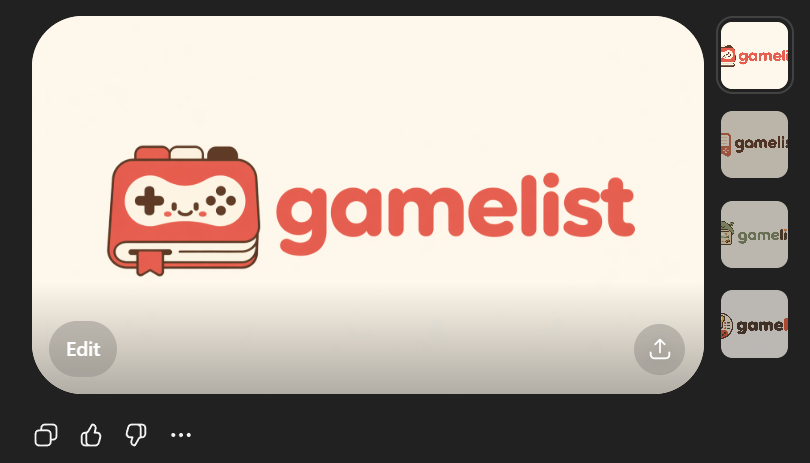
Sevimli Oyun Listesi Uygulaması Logo Maketi
Yapay zekâ destekli görsel tarzında hazırlanmış, kullanıcı dostu bir oyun uygulaması logosu ve simgesini gösteren, SVG uyumlu girişim markalama konseptleri oluşturmak için kullanışlı bir logo önizlemesi.
Bu Grafik ve Poster için bir GPT Image 2 örnek senaryosudur. Benzer görseller oluşturmak için aşağıdaki hazır metni kullanın ve yeniden kullanmadan önce Awesome GPT Image 2 Prompts atıfını ve ticari kullanım haklarını inceleyin.
Free 1K preview
Generate one preview image instantly, no sign-up required.
Free text preview doesn’t preserve reference-image consistency.
İpucu
Kopyalamaya hazır istemi
Create a clean flat vector app logo presentation on a dark UI background. Center a large rounded-rectangle preview card in warm light beige. Inside the card, place a cute minimalist gaming logo: on the left, a stylized handheld game console icon drawn as a rounded rectangular device stacked over 2 visible offset layers like pages or cards, with a small ribbon bookmark hanging from the bottom edge. The console body is coral red with cream screen details, thin dark brown outlines, and tiny dark brown controller symbols: 1 cross-shaped D-pad on the left, 4 small circular buttons on the right, plus 4 tiny decorative dots in the center forming a smiling playful face impression. To the right of the icon, place the lowercase brand wordmark {argument name="brand name" default="gamelist"} in thick rounded geometric sans-serif letters, colored coral red to match the icon. Keep the spacing balanced so the icon and text read as one cohesive modern startup logo. Use a soft, friendly, vector-only aesthetic with no gradients, no photorealism, no texture, and high SVG-friendly simplicity. The palette should be limited to 4 colors: {argument name="primary color" default="coral red"}, cream, dark brown, and warm light beige. Show 4 small vertical thumbnail variations aligned along the right side of the dark interface, each showing the same logo on slightly different light neutral backgrounds. Add subtle UI framing only: a circular gray Edit button at bottom left of the large preview card, a circular gray share/upload button at bottom right of the card, and small monochrome action icons below the card on the dark background. Overall composition should look like a screenshot of an AI image generation result showcasing an app logo concept.İstem değişkenleri
Komut isteminde bulunan, düzenlenebilir argüman yer tutucuları ve varsayılan değerleri.
Best for
- - Grafik ve Poster visual exploration
- - Image generation and reference-image edits
- - Reusable briefs that keep source attribution visible
Change these parts
- - Subject, product, character, or scene
- - Aspect ratio, camera, lighting, and background
- - Brand, text, color, and output constraints
Recommended model and settings
- - Model: gpt-image-2
- - Input mode: Görselden görsele
- - Aspect ratio: source
- - Commercial status: review original source
How to use this prompt
- 1. Copy the prompt and preserve its structure for the first test.
- 2. Replace the subject, context, and publishing channel.
- 3. Change one camera, lighting, or style variable per iteration.
- 4. Inspect the output, source, text, and rights before reuse.
Limitations, source, and reuse cautions
- - Generated output is an editable draft, not factual, legal, or rights evidence.
- - Review the linked source, people, brands, logos, text, and third-party media before commercial use.
Bu kategoride daha fazla vaka
Kategoriye, giriş modu uyumluluğuna, kaliteye ve düşük riske göre önceliklendirilmiştir.






Yeniden kullanım ve kaynak notları
Vaka önizlemesini yaptıktan sonra bu istemi güvenle kullanın.
- 1.Komut istemini kopyalayın veya oluşturma düğmesini kullanarak doğrudan Dovoo'da açın.
- 2.Değişkenleri, en boy oranını ve referans görselleri kendi kullanım durumunuza göre ayarlayın.
- 3.Yayınlamadan veya ücretli kullanımdan önce, kaynak haklarını, atıf gerekliliklerini ve marka veya benzerlik risklerini doğrulayın.