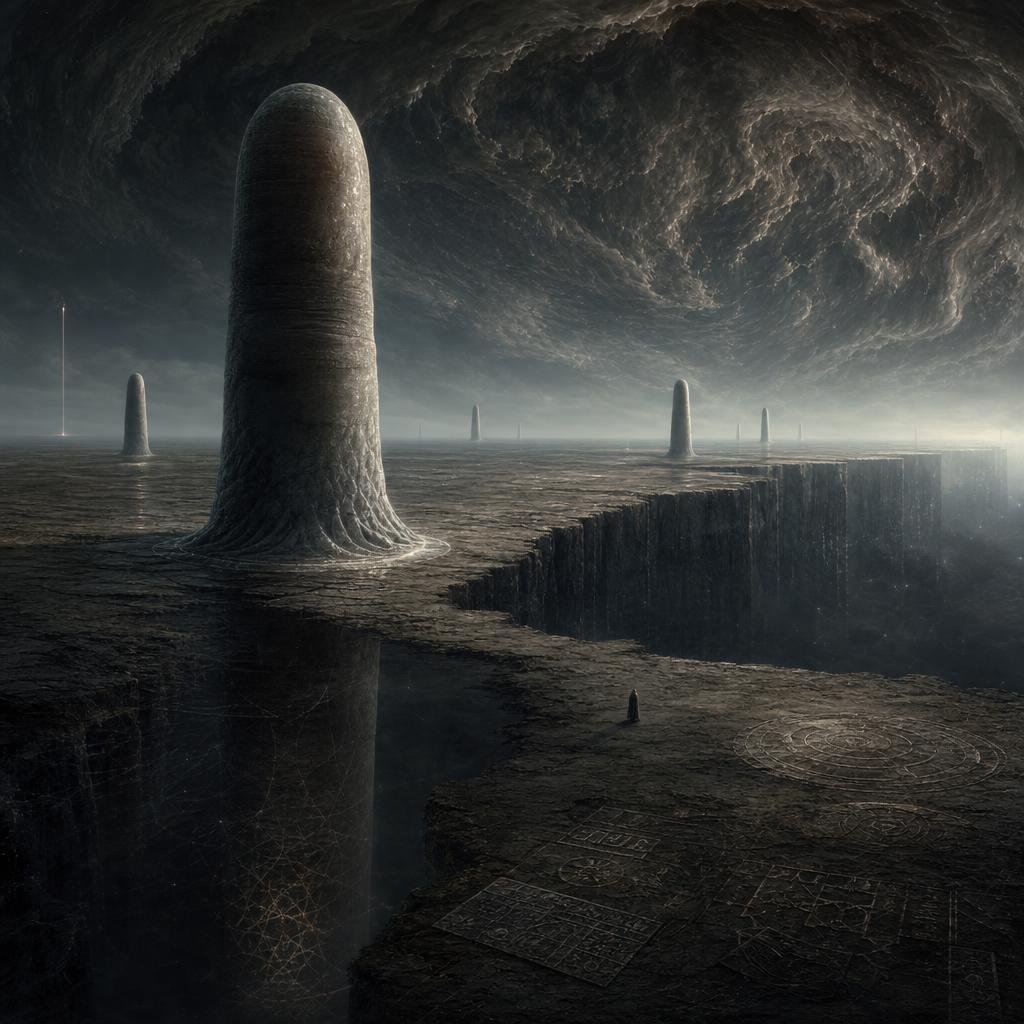
Cosmic Horror Monolith Landscape
A cinematic dark fantasy prompt for generating an alien plateau with towering monoliths, engraved glyphs, a vast chasm, and a storm vortex sky.
Bu Manzara ve Doğa için bir GPT Image 2 örnek senaryosudur. Benzer görseller oluşturmak için aşağıdaki hazır metni kullanın ve yeniden kullanmadan önce Awesome GPT Image 2 Prompts atıfını ve ticari kullanım haklarını inceleyin.
Tüm komut istemi setine mi ihtiyacınız var? Şunu kullanın: Manzara ve Doğa Daha fazla ilgili örnek için konu merkezini ziyaret edin veya açın. GPT Image 2 istem kataloğu Tam örnek dizin, yeniden kullanılabilir yapılar ve kaynak atfı için.
Free 1K preview
Generate one preview image instantly, no sign-up required.
1596/4000
İpucu
Kopyalamaya hazır istemi
Create a dark cosmic-horror alien landscape in a cinematic square composition: a vast cracked obsidian plateau under an enormous swirling storm ceiling, with a gigantic rounded monolithic pillar rising from the left foreground like a smooth weathered stone tower. Add exactly 6 vertical structures across the horizon and terrain: 1 huge foreground rounded monolith at left, 1 smaller rounded monolith far left near the horizon, 1 needle-thin glowing spire at the far left edge, 1 distant thin central pillar, 1 medium rounded monolith right of center, and 1 slim rounded pillar farther right. The ground should be barren, charcoal-gray, eroded, and etched with faint geometric glyphs and circular diagrams; include exactly 4 visible engraved diagram areas: a large circular sigil in the lower right, two rectangular grid-like inscription panels near the bottom center, and one faint web-like geometric lattice on the shadowed cliff wall at lower left. A massive chasm cuts through the right side of the plateau with sheer vertical walls descending into darkness. Place a tiny solitary hooded figure near the lower center-right edge of the plateau for scale, facing the vast landscape. The sky should feel apocalyptic and otherworldly, dominated by a huge rotating vortex of dark clouds with subtle cold silver highlights and misty atmospheric haze near the horizon. Use muted monochrome tones, deep blacks, slate gray, ash brown, dim silver light, high detail, realistic matte-painting texture, epic scale, Lovecraftian mood, no readable text, no modern buildings, no bright colors, no watermark.
Best for
- - Manzara ve Doğa visual exploration
- - Image generation and reference-image edits
- - Reusable briefs that keep source attribution visible
Change these parts
- - Subject, product, character, or scene
- - Aspect ratio, camera, lighting, and background
- - Brand, text, color, and output constraints
Recommended model and settings
- - Model: gpt-image-2
- - Input mode: Metinden görsele
- - Aspect ratio: source
- - Commercial status: review original source
How to use this prompt
- 1. Copy the prompt and preserve its structure for the first test.
- 2. Replace the subject, context, and publishing channel.
- 3. Change one camera, lighting, or style variable per iteration.
- 4. Inspect the output, source, text, and rights before reuse.
Limitations, source, and reuse cautions
- - Generated output is an editable draft, not factual, legal, or rights evidence.
- - Review the linked source, people, brands, logos, text, and third-party media before commercial use.
Awesome GPT Image 2 Prompts kaynağından içe aktarılmıştır. Kaynak belirtilmesi zorunludur. Ticari kullanım durumu allowed şeklindedir; ücretli kullanım öncesinde kaynak haklarını inceleyin.
Bu kategoride daha fazla vaka
Kategoriye, giriş modu uyumluluğuna, kaliteye ve düşük riske göre önceliklendirilmiştir.

Hell Hound Character Sheet Infographic
Metinden görsele

MotoGP POV Cornering Shot
Metinden görsele

Luxury Travel Fashion Portrait Prompt
Metinden görsele

Cinematic Blue Backlit Portrait
Metinden görsele

Street Selfie with Cat in Matching Cap
Metinden görsele

Gray Denim Lace-Up Top Prompt for GPT Image 2
Metinden görsele
Yeniden kullanım ve kaynak notları
Vaka önizlemesini yaptıktan sonra bu istemi güvenle kullanın.
- 1.Komut istemini kopyalayın veya oluşturma düğmesini kullanarak doğrudan Dovoo'da açın.
- 2.Değişkenleri, en boy oranını ve referans görselleri kendi kullanım durumunuza göre ayarlayın.
- 3.Yayınlamadan veya ücretli kullanımdan önce, kaynak haklarını, atıf gerekliliklerini ve marka veya benzerlik risklerini doğrulayın.