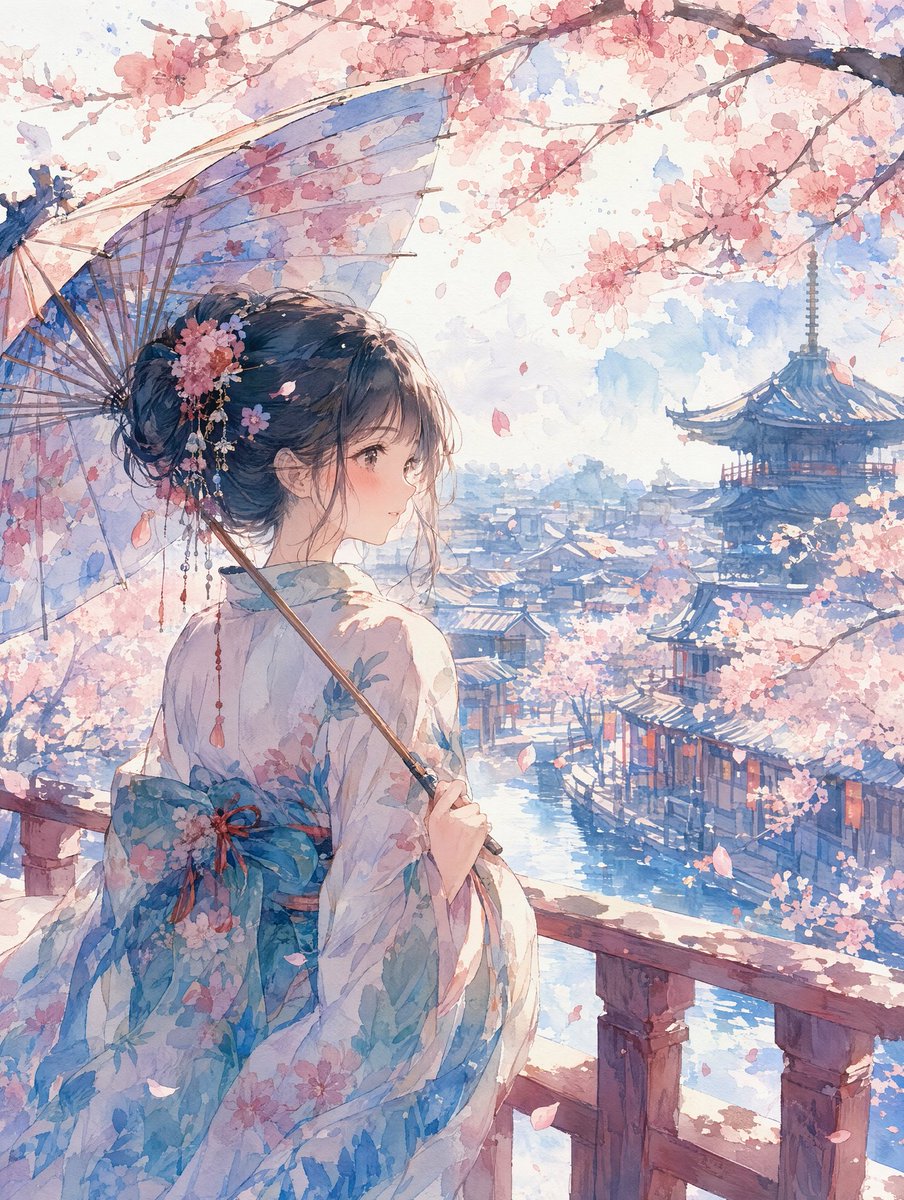
Watercolor Cherry Blossom Anime Scene
Creates a tranquil watercolor anime transformation with a kimono-clad figure overlooking a cherry blossom riverside town.
Это пример использования шаблона GPT Image 2 для Аниме и игры . Используйте приведенный ниже шаблон, готовый к копированию, чтобы создать аналогичные визуальные элементы, и перед повторным использованием проверьте указание авторства Awesome GPT Image 2 Prompts и права на коммерческое использование.
Free 1K preview
Generate one preview image instantly, no sign-up required.
Free text preview doesn’t preserve reference-image consistency.
Промпт
Подсказка для копирования
Using REFERENCE_0 as the source style inspiration, transform the manga-style promotional image into a single serene watercolor anime illustration. Remove all comic panels, speech bubbles, typography, action effects, and advertising layout. Create a vertical scene of {argument name="character subject" default="a young woman in a floral kimono"} viewed from behind in a three-quarter pose, standing on a wooden balcony and looking over a historic riverside Japanese town. Add {argument name="seasonal setting" default="spring cherry blossoms"} with branches framing the top, falling petals, and soft pink blossoms throughout the scene. Give the character an elegant updo with floral hair ornaments and have her hold {argument name="accessory" default="a translucent traditional umbrella"}. Set the background with a blue river canal, traditional rooftops, and a distant pagoda or temple tower. Use {argument name="visual style" default="delicate watercolor anime style"}: pale washes, soft paper texture, gentle blue and pink palette, luminous daylight, fine ink-like detail, and a calm romantic atmosphere. No text, no logos, no speech bubbles, no comic borders, no modern UI elements.Переменные подсказки
Редактируемые заполнители аргументов, найденные в подсказке, с их значениями по умолчанию.
Best for
- - Аниме и игры visual exploration
- - Image generation and reference-image edits
- - Reusable briefs that keep source attribution visible
Change these parts
- - Subject, product, character, or scene
- - Aspect ratio, camera, lighting, and background
- - Brand, text, color, and output constraints
Recommended model and settings
- - Model: gpt-image-2
- - Input mode: Изображение в изображение
- - Aspect ratio: source
- - Commercial status: review original source
How to use this prompt
- 1. Copy the prompt and preserve its structure for the first test.
- 2. Replace the subject, context, and publishing channel.
- 3. Change one camera, lighting, or style variable per iteration.
- 4. Inspect the output, source, text, and rights before reuse.
Limitations, source, and reuse cautions
- - Generated output is an editable draft, not factual, legal, or rights evidence.
- - Review the linked source, people, brands, logos, text, and third-party media before commercial use.
Больше случаев в этой категории
Приоритет отдается категориям, совместимости с режимами ввода, качеству и низкому уровню риска.






Примечания по повторному использованию и источникам
Используйте это подсказку безопасно после предварительного просмотра дела.
- 1.Скопируйте подсказку или откройте ее непосредственно в Dovoo с помощью кнопки генерации.
- 2.Настройте переменные, соотношение сторон и эталонные изображения в соответствии с вашими потребностями.
- 3.Перед публикацией или платным использованием проверьте права на источник, требования к указанию авторства, а также риски, связанные с использованием товарного знака или изображения.