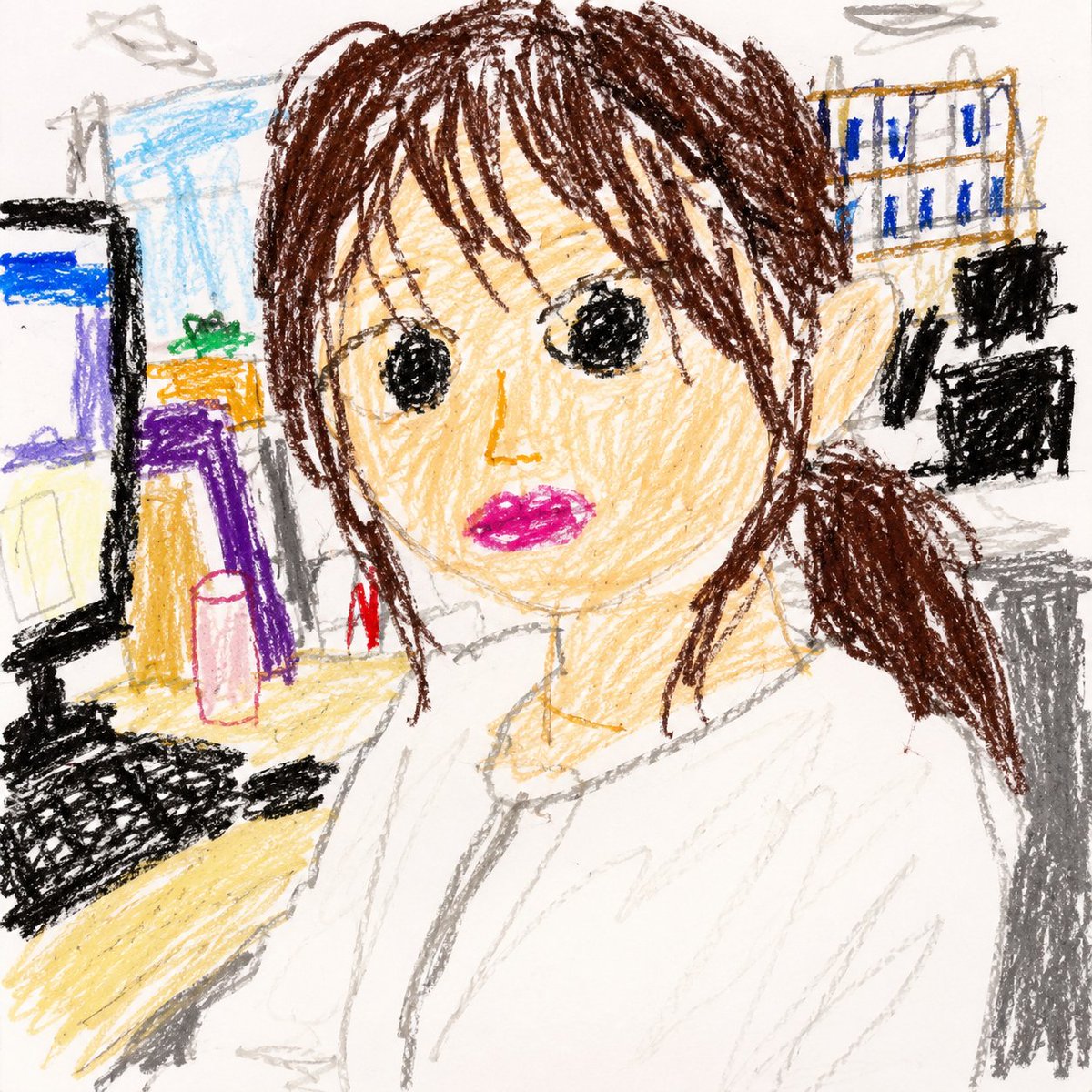
Селфи малыша в офисе с цветными карандашами
Превращает офисные селфи в наивный рисунок карандашом, выполненный трехлетним ребенком, сохраняя при этом основную композицию и расположение объектов.
Это пример использования шаблона GPT Image 2 для Иллюстрация и искусство . Используйте приведенный ниже шаблон, готовый к копированию, чтобы создать аналогичные визуальные элементы, и перед повторным использованием проверьте указание авторства Awesome GPT Image 2 Prompts и права на коммерческое использование.
Нужен полный набор подсказок? Воспользуйтесь Иллюстрация и искусство Для получения дополнительных примеров по теме, или откройте раздел "Обзор тем" GPT Image 2 быстрый каталог Полный список примеров, многократно используемых структур и указание источников см. здесь.
Free 1K preview
Generate one preview image instantly, no sign-up required.
Free text preview doesn’t preserve reference-image consistency.
1079/4000
Промпт
Подсказка для копирования
Using the two provided office selfie references, transform the scene into a square 1:1 drawing that looks like it was made by a child about 3 years old with crayons on white drawing paper. Use the references only for the composition, person/object placement, broad color choices, and background balance; do not recreate anything photorealistically. Keep the woman seated close to the camera in the office, with dark brown hair, a white blouse, the desk and monitor on the left, office shelves/files and coworkers in the background, and the overall selfie-like framing. Render everything as an enthusiastic toddler crayon drawing: rough scribbly outlines, uneven proportions, simple shapes, messy coloring outside the lines, visible wax texture, naive perspective, and incomplete details. Show every face clearly with natural, detailed facial features. Make the pose closer to REFERENCE_0, without the peace-sign hand from REFERENCE_1. Keep the palette simple and crayon-like, with white paper visible, no realistic lighting, no polished illustration style, no text, no watermark.
Best for
- - Иллюстрация и искусство visual exploration
- - Image generation and reference-image edits
- - Reusable briefs that keep source attribution visible
Change these parts
- - Subject, product, character, or scene
- - Aspect ratio, camera, lighting, and background
- - Brand, text, color, and output constraints
Recommended model and settings
- - Model: gpt-image-2
- - Input mode: Изображение в изображение
- - Aspect ratio: source
- - Commercial status: review original source
How to use this prompt
- 1. Copy the prompt and preserve its structure for the first test.
- 2. Replace the subject, context, and publishing channel.
- 3. Change one camera, lighting, or style variable per iteration.
- 4. Inspect the output, source, text, and rights before reuse.
Limitations, source, and reuse cautions
- - Generated output is an editable draft, not factual, legal, or rights evidence.
- - Review the linked source, people, brands, logos, text, and third-party media before commercial use.
Импортировано из Awesome GPT Image 2 Prompts . Требуется указание авторства. Статус коммерческого использования: allowed ; перед платным использованием ознакомьтесь с правами на источник.
Больше случаев в этой категории
Приоритет отдается категориям, совместимости с режимами ввода, качеству и низкому уровню риска.

Stylish Man Street Lamp Portrait
Изображение в изображение

Cute Focus Desk Flat Lay and Kawaii Illustration
Текст в изображение

Sci-Fi Cyan Lighting Effect
Изображение в изображение

Tuxedo Cat Photo and Line Art Diptych
Текст в изображение

GPT Image 2 Real-Life Character Street Snap
Текст в изображение

Matte Black B.AI Keyboard Keycap
Текст в изображение
Примечания по повторному использованию и источникам
Используйте это подсказку безопасно после предварительного просмотра дела.
- 1.Скопируйте подсказку или откройте ее непосредственно в Dovoo с помощью кнопки генерации.
- 2.Настройте переменные, соотношение сторон и эталонные изображения в соответствии с вашими потребностями.
- 3.Перед публикацией или платным использованием проверьте права на источник, требования к указанию авторства, а также риски, связанные с использованием товарного знака или изображения.