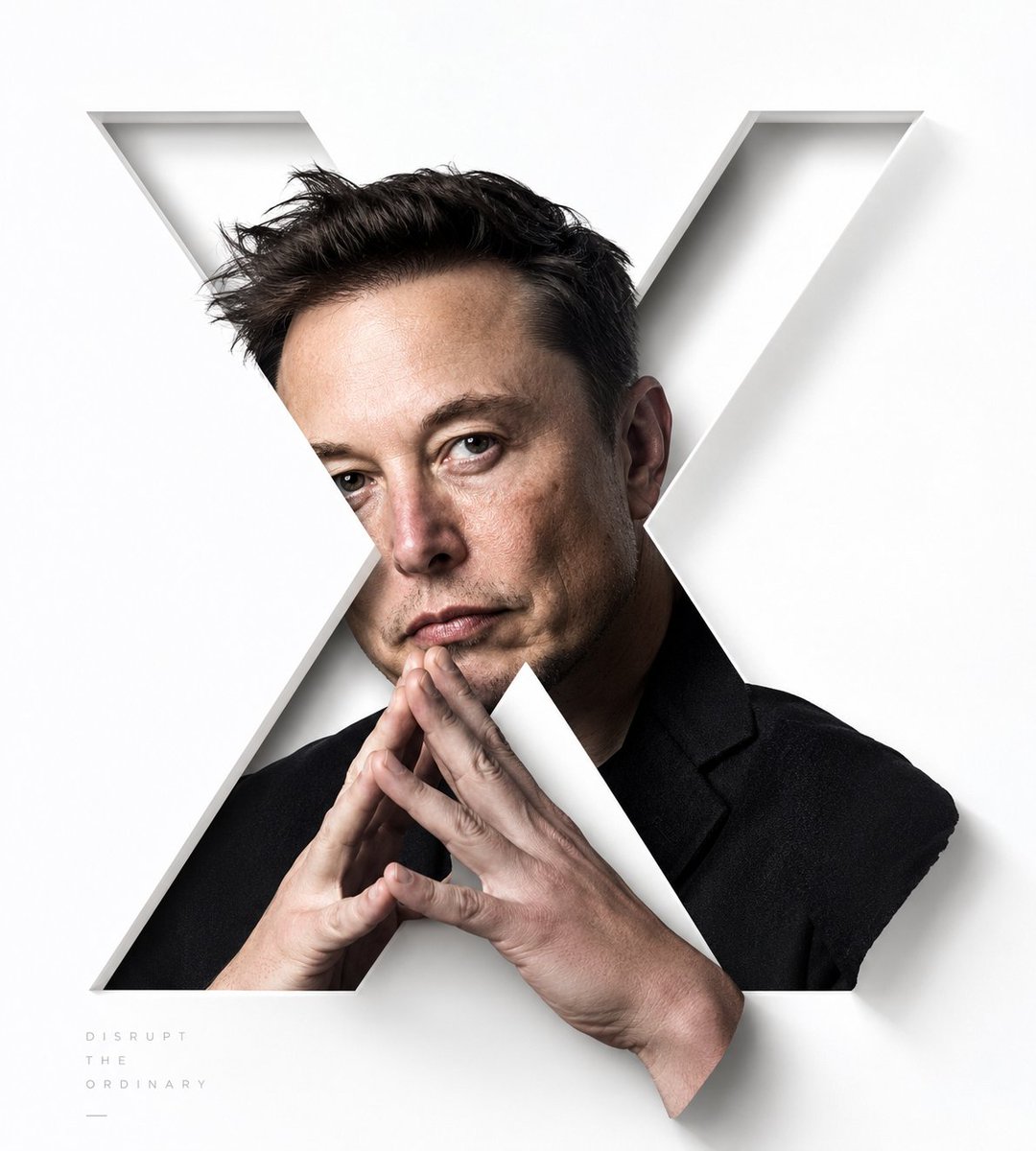
Stylized X-Frame Portrait Design
A creative visual prompt that frames a subject within a large, sharp-edged 'X' letter, with parts of the character breaking out of the frame for a layered 3D effect.
Это пример использования шаблона GPT Image 2 для Портрет и характер . Используйте приведенный ниже шаблон, готовый к копированию, чтобы создать аналогичные визуальные элементы, и перед повторным использованием проверьте указание авторства Awesome GPT Image 2 Prompts и права на коммерческое использование.
Free 1K preview
Generate one preview image instantly, no sign-up required.
Промпт
Подсказка для копирования
Generate a portrait visual with a large capital letter “X” as the central focus: the subject is not a standard headshot, but is cut by a large, clean-lined, and hard-edged “X” negative space. The portrait subject is mostly hidden within the strokes of the “X”, with key facial features located at the intersection of the diagonal strokes, achieving a simultaneous reading of the letter structure and gaze. A portion of the subject should break the boundaries of the letter – fingers, hair, shoulders, or tactile elements emerging from the openings of the “X” to create a sense of layering. These parts should have clear shadows and fine edges, avoiding a flat masking effect. The background should remain bright and clear, with ample negative space. Colors should be extracted from the subject’s skin tone and lighting, maintaining pure tones and controllable saturation. The composition emphasizes the tension between diagonal cuts, sharp edges, and breaking boundaries. If adding text, use minimalist, wide-spaced, low-contrast typography.

Subject: {argument name="subject" default="Luo Yonghao"}

Aspect Ratio: {argument name="ratio" default="9:10"}
Переменные подсказки
Редактируемые заполнители аргументов, найденные в подсказке, с их значениями по умолчанию.
Best for
- - Портрет и характер visual exploration
- - Image generation and reference-image edits
- - Reusable briefs that keep source attribution visible
Change these parts
- - Subject, product, character, or scene
- - Aspect ratio, camera, lighting, and background
- - Brand, text, color, and output constraints
Recommended model and settings
- - Model: gpt-image-2
- - Input mode: Текст в изображение
- - Aspect ratio: source
- - Commercial status: review original source
How to use this prompt
- 1. Copy the prompt and preserve its structure for the first test.
- 2. Replace the subject, context, and publishing channel.
- 3. Change one camera, lighting, or style variable per iteration.
- 4. Inspect the output, source, text, and rights before reuse.
Limitations, source, and reuse cautions
- - Generated output is an editable draft, not factual, legal, or rights evidence.
- - Review the linked source, people, brands, logos, text, and third-party media before commercial use.
Больше случаев в этой категории
Приоритет отдается категориям, совместимости с режимами ввода, качеству и низкому уровню риска.






Примечания по повторному использованию и источникам
Используйте это подсказку безопасно после предварительного просмотра дела.
- 1.Скопируйте подсказку или откройте ее непосредственно в Dovoo с помощью кнопки генерации.
- 2.Настройте переменные, соотношение сторон и эталонные изображения в соответствии с вашими потребностями.
- 3.Перед публикацией или платным использованием проверьте права на источник, требования к указанию авторства, а также риски, связанные с использованием товарного знака или изображения.