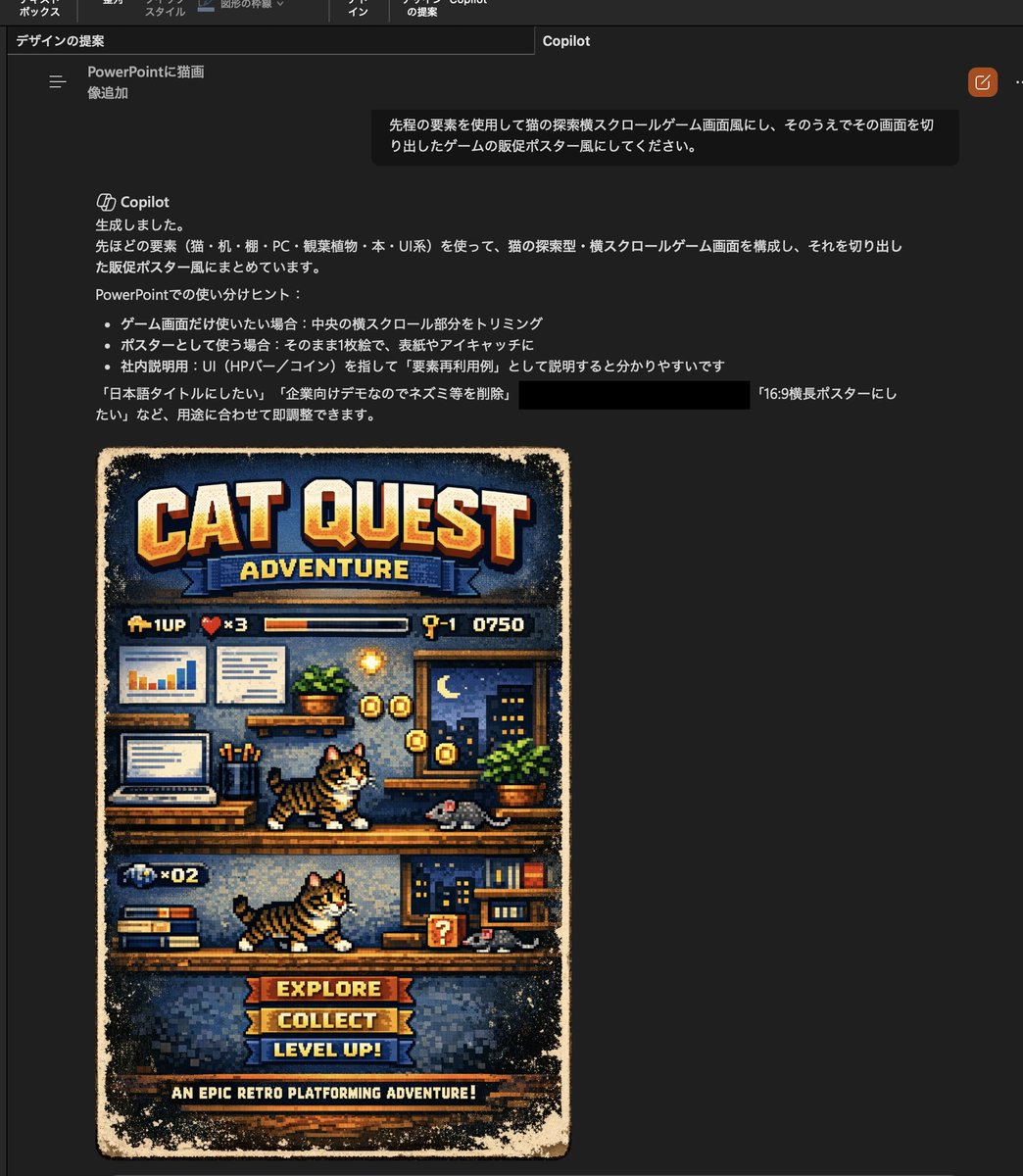
Ретро-пиксельный постер к игре "Кот"
В этом задании фотография кошки превращается в пиксельный постер к игре с боковой прокруткой, что полезно для создания забавных визуальных эффектов в презентациях или имитации обложек ретро-игр.
Это пример использования шаблона GPT Image 2 для Аниме и игры . Используйте приведенный ниже шаблон, готовый к копированию, чтобы создать аналогичные визуальные элементы, и перед повторным использованием проверьте указание авторства Awesome GPT Image 2 Prompts и права на коммерческое использование.
Free 1K preview
Generate one preview image instantly, no sign-up required.
Free text preview doesn’t preserve reference-image consistency.
Промпт
Подсказка для копирования
Using the provided reference image, transform the cat and the office-desk setting into a retro 16-bit side-scrolling video game mock poster. Keep the reference cat recognizable as the main character, but redraw everything in detailed pixel art. Build a vertical poster composition with 1 large title at the top reading "CAT QUEST", 1 subtitle ribbon reading "ADVENTURE", 1 HUD row beneath it showing 4 elements: a 1UP icon, a heart counter marked "x3", a horizontal status bar, and a stage/score display reading "Q-1 0750". Turn the reference office scene into a 2-level platform stage using the desk, laptop, charts, books, plant, and room decor as game-environment props. Show 2 playable-cat sprite poses total, one on the upper platform and one on the lower platform, both side-view walking/running. Add 2 gray mouse enemies, one on each platform. Add collectible coin effects around the upper platform and a small question-block style item on the lower platform. At the bottom, include 3 stacked menu buttons labeled "EXPLORE", "COLLECT", and "LEVEL UP!", plus 1 footer tagline reading "AN EPIC RETRO PLATFORMING ADVENTURE!". Use a worn printed-game-poster look with distressed edges, warm arcade colors, and a nostalgic console-game cover aesthetic.
Best for
- - Аниме и игры visual exploration
- - Image generation and reference-image edits
- - Reusable briefs that keep source attribution visible
Change these parts
- - Subject, product, character, or scene
- - Aspect ratio, camera, lighting, and background
- - Brand, text, color, and output constraints
Recommended model and settings
- - Model: gpt-image-2
- - Input mode: Изображение в изображение
- - Aspect ratio: source
- - Commercial status: review original source
How to use this prompt
- 1. Copy the prompt and preserve its structure for the first test.
- 2. Replace the subject, context, and publishing channel.
- 3. Change one camera, lighting, or style variable per iteration.
- 4. Inspect the output, source, text, and rights before reuse.
Limitations, source, and reuse cautions
- - Generated output is an editable draft, not factual, legal, or rights evidence.
- - Review the linked source, people, brands, logos, text, and third-party media before commercial use.
Больше случаев в этой категории
Приоритет отдается категориям, совместимости с режимами ввода, качеству и низкому уровню риска.






Примечания по повторному использованию и источникам
Используйте это подсказку безопасно после предварительного просмотра дела.
- 1.Скопируйте подсказку или откройте ее непосредственно в Dovoo с помощью кнопки генерации.
- 2.Настройте переменные, соотношение сторон и эталонные изображения в соответствии с вашими потребностями.
- 3.Перед публикацией или платным использованием проверьте права на источник, требования к указанию авторства, а также риски, связанные с использованием товарного знака или изображения.