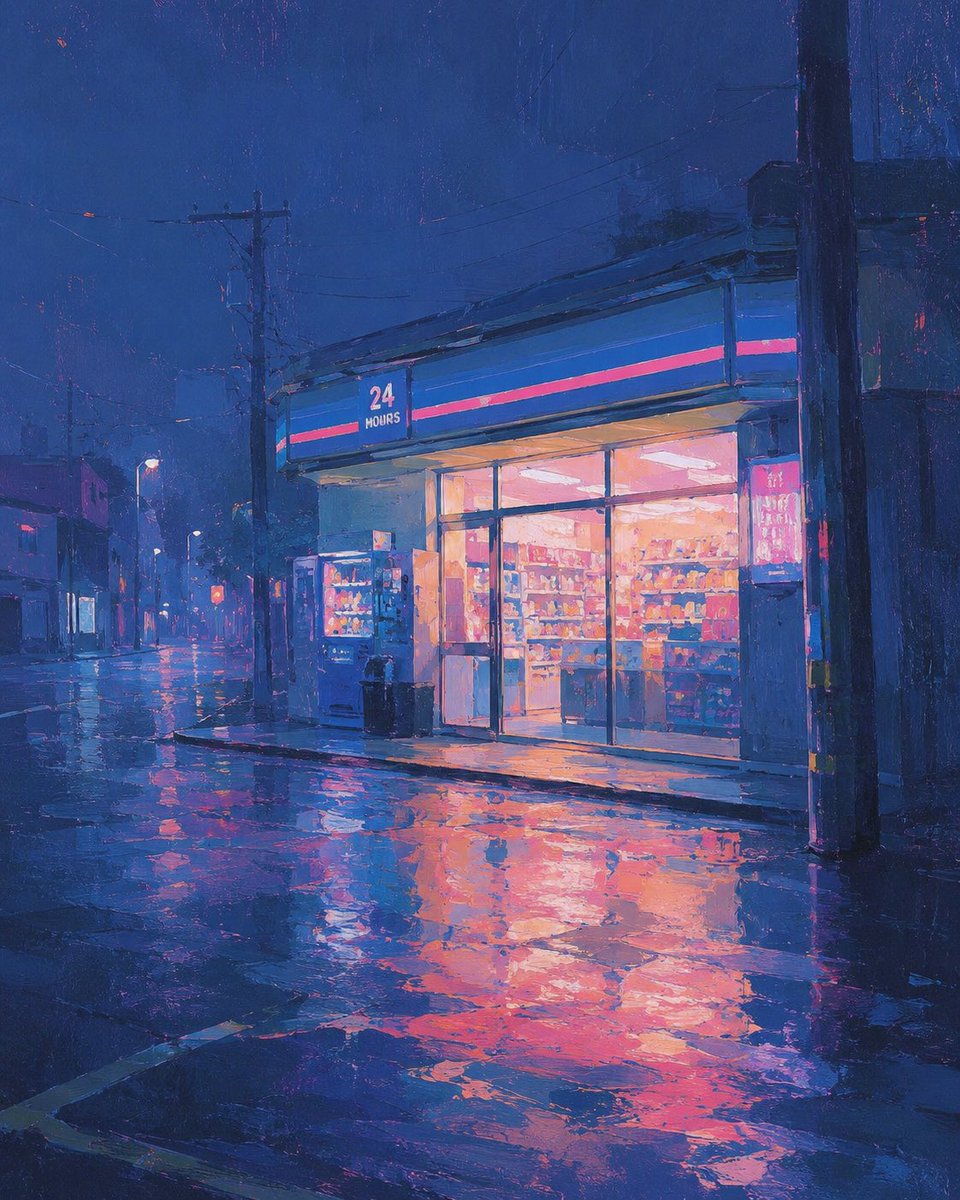
Rainy 24-Hour Convenience Store
A cinematic painterly prompt for generating a quiet neon-lit convenience store on a rainy night street.
Это пример использования шаблона GPT Image 2 для Иллюстрация и искусство . Используйте приведенный ниже шаблон, готовый к копированию, чтобы создать аналогичные визуальные элементы, и перед повторным использованием проверьте указание авторства Awesome GPT Image 2 Prompts и права на коммерческое использование.
Нужен полный набор подсказок? Воспользуйтесь Иллюстрация и искусство Для получения дополнительных примеров по теме, или откройте раздел "Обзор тем" GPT Image 2 быстрый каталог Полный список примеров, многократно используемых структур и указание источников см. здесь.
Free 1K preview
Generate one preview image instantly, no sign-up required.
1119/4000
Промпт
Подсказка для копирования
Create a painterly nighttime city street scene in a cinematic square composition. The focal point is a small modern convenience store on the right side of the frame, glowing warmly through large glass windows and sliding doors, with shelves of colorful products visible inside. Above the entrance is a blue fascia sign with a thin hot-pink stripe and the readable text “24 HOURS” in white. Place exactly 2 vending machines just outside the store near the entrance, plus exactly 2 dark trash bins beside them. The street is empty of people and cars, quiet after rain, with wet asphalt and puddles reflecting the store’s orange-pink light and the deep blue sky. Include utility poles, overhead power lines, dim streetlights, low buildings fading into mist on the left, and one large dark pole in the foreground on the right edge. Use an impressionistic digital oil-painting style with visible brush texture, rich ultramarine and indigo shadows, neon magenta accents, warm peach interior lighting, soft haze, and dramatic reflections. Keep the mood melancholic, calm, and atmospheric; no extra text besides the store sign.
Best for
- - Иллюстрация и искусство visual exploration
- - Image generation and reference-image edits
- - Reusable briefs that keep source attribution visible
Change these parts
- - Subject, product, character, or scene
- - Aspect ratio, camera, lighting, and background
- - Brand, text, color, and output constraints
Recommended model and settings
- - Model: gpt-image-2
- - Input mode: Текст в изображение
- - Aspect ratio: source
- - Commercial status: review original source
How to use this prompt
- 1. Copy the prompt and preserve its structure for the first test.
- 2. Replace the subject, context, and publishing channel.
- 3. Change one camera, lighting, or style variable per iteration.
- 4. Inspect the output, source, text, and rights before reuse.
Limitations, source, and reuse cautions
- - Generated output is an editable draft, not factual, legal, or rights evidence.
- - Review the linked source, people, brands, logos, text, and third-party media before commercial use.
Импортировано из Awesome GPT Image 2 Prompts . Требуется указание авторства. Статус коммерческого использования: allowed ; перед платным использованием ознакомьтесь с правами на источник.
Больше случаев в этой категории
Приоритет отдается категориям, совместимости с режимами ввода, качеству и низкому уровню риска.

Cute Focus Desk Flat Lay and Kawaii Illustration
Текст в изображение

Tuxedo Cat Photo and Line Art Diptych
Текст в изображение

GPT Image 2 Real-Life Character Street Snap
Текст в изображение

Matte Black B.AI Keyboard Keycap
Текст в изображение

MotoGP POV Cornering Shot
Текст в изображение

Boisterous Shrimpers Entering Pub
Текст в изображение
Примечания по повторному использованию и источникам
Используйте это подсказку безопасно после предварительного просмотра дела.
- 1.Скопируйте подсказку или откройте ее непосредственно в Dovoo с помощью кнопки генерации.
- 2.Настройте переменные, соотношение сторон и эталонные изображения в соответствии с вашими потребностями.
- 3.Перед публикацией или платным использованием проверьте права на источник, требования к указанию авторства, а также риски, связанные с использованием товарного знака или изображения.