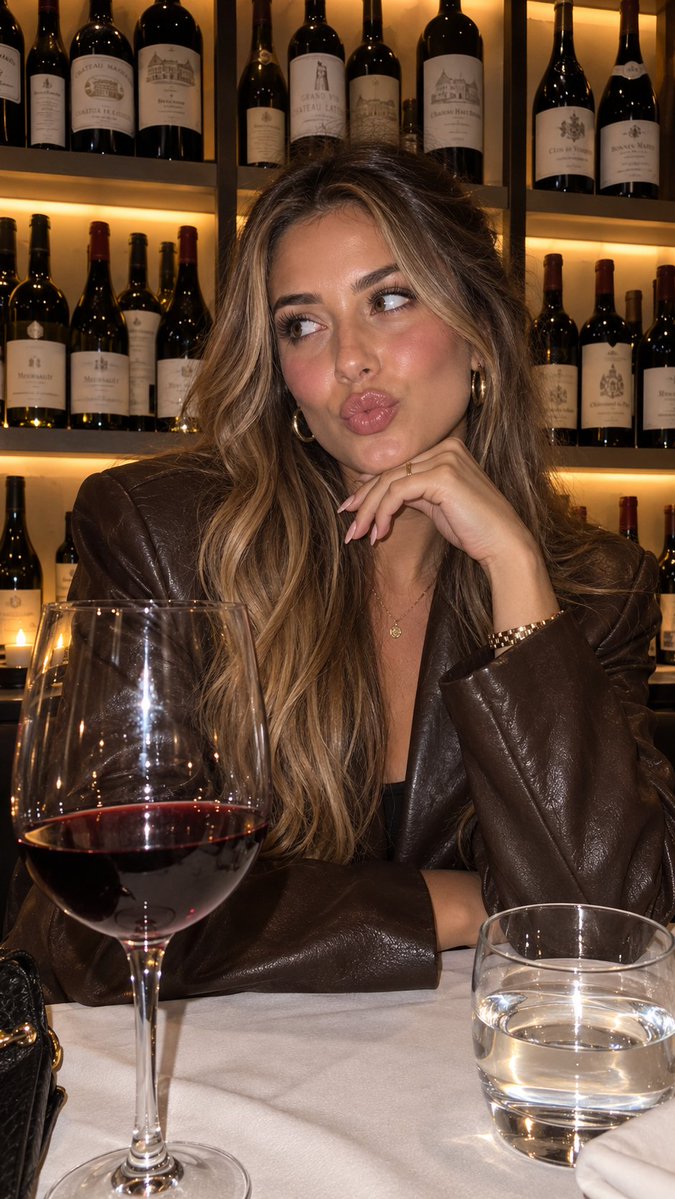
Product Placement Lifestyle Generation
A workflow for creating consistent lifestyle images of characters holding a specific product by referencing a detailed visual style JSON.
Это пример использования шаблона GPT Image 2 для Продукт и коммерция . Используйте приведенный ниже шаблон, готовый к копированию, чтобы создать аналогичные визуальные элементы, и перед повторным использованием проверьте указание авторства Awesome GPT Image 2 Prompts и права на коммерческое использование.
Нужен полный набор подсказок? Воспользуйтесь Продукт и коммерция Для получения дополнительных примеров по теме, или откройте раздел "Обзор тем" GPT Image 2 быстрый каталог Полный список примеров, многократно используемых структур и указание источников см. здесь.
Free 1K preview
Generate one preview image instantly, no sign-up required.
1444/4000
Промпт
Подсказка для копирования
“using this json as reference, generate a person holding my product [attach product image]”

> GPT-Image 2.5 generates the photo with that person holding your product

compare it with a version generated without the reference and look at the difference in the lighting and color grading

> save the generated character photo you’re happy with as your reference

> for future generations, attach the character photo each time and ask it to preserve the same facial features

now you have a reference character you can use across multiple product photos

you can also iterate the base json prompt and chat back and forth with GPT-6 Astra based on what you want, then repeat the same process..

i like this because it gives you much more direction over the color grading instead of leaving everything up to the model

the basic colours and grainy look are some of the things that can make an image feel AI-generated, so pay attention to those when comparing your results

this is how you can start building a library of high quality ugc images around your own products

the json gives GPT-Image 2.5 the lighting and color direction, your character reference helps with consistency, and you control the product placement

once you have that starting point, you can keep creating variations without writing everything from scratch

GPT-Image 2.5 Sunburst & Flare are available on Higgsfield. try this with your own product and reference images there
Best for
- - Продукт и коммерция visual exploration
- - Image generation and reference-image edits
- - Reusable briefs that keep source attribution visible
Change these parts
- - Subject, product, character, or scene
- - Aspect ratio, camera, lighting, and background
- - Brand, text, color, and output constraints
Recommended model and settings
- - Model: gpt-image-2
- - Input mode: Текст в изображение
- - Aspect ratio: source
- - Commercial status: review original source
How to use this prompt
- 1. Copy the prompt and preserve its structure for the first test.
- 2. Replace the subject, context, and publishing channel.
- 3. Change one camera, lighting, or style variable per iteration.
- 4. Inspect the output, source, text, and rights before reuse.
Limitations, source, and reuse cautions
- - Generated output is an editable draft, not factual, legal, or rights evidence.
- - Review the linked source, people, brands, logos, text, and third-party media before commercial use.
Импортировано из Awesome GPT Image 2 Prompts . Требуется указание авторства. Статус коммерческого использования: allowed ; перед платным использованием ознакомьтесь с правами на источник.
Больше случаев в этой категории
Приоритет отдается категориям, совместимости с режимами ввода, качеству и низкому уровню риска.

Matte Black B.AI Keyboard Keycap
Текст в изображение

GPT Image 2 Real-Life Character Street Snap
Текст в изображение

MotoGP POV Cornering Shot
Текст в изображение

Orange Rooftop Fashion Photo Prompt
Текст в изображение

Luxury Travel Fashion Portrait Prompt
Текст в изображение

Cute Focus Desk Flat Lay and Kawaii Illustration
Текст в изображение
Примечания по повторному использованию и источникам
Используйте это подсказку безопасно после предварительного просмотра дела.
- 1.Скопируйте подсказку или откройте ее непосредственно в Dovoo с помощью кнопки генерации.
- 2.Настройте переменные, соотношение сторон и эталонные изображения в соответствии с вашими потребностями.
- 3.Перед публикацией или платным использованием проверьте права на источник, требования к указанию авторства, а также риски, связанные с использованием товарного знака или изображения.