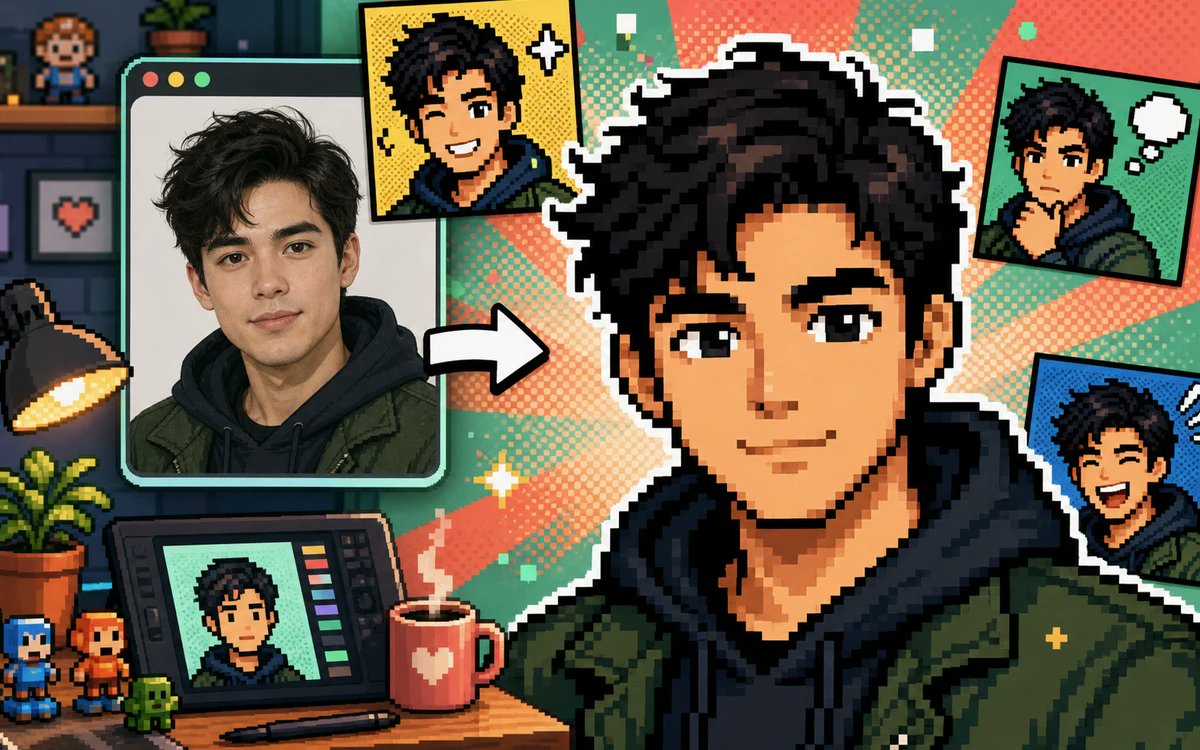
Фотоколлаж в пиксельном формате
Красочный 16-битный баннер студии для создателей контента, демонстрирующий портрет, преобразованный в несколько пиксельных аватаров в комиксном стиле для генератора аватаров на основе фотографий.
Это пример использования шаблона GPT Image 2 для Продукт и коммерция . Используйте приведенный ниже шаблон, готовый к копированию, чтобы создать аналогичные визуальные элементы, и перед повторным использованием проверьте указание авторства Awesome GPT Image 2 Prompts и права на коммерческое использование.
Free 1K preview
Generate one preview image instantly, no sign-up required.
Free text preview doesn’t preserve reference-image consistency.
Промпт
Подсказка для копирования
Create a vibrant pixel-art promotional collage showing a real portrait being transformed into a gaming-style pixel avatar. Canvas: wide 16:9 landscape banner, approximately 1200×675. Visual style: crisp retro 16-bit pixel art mixed with one realistic photo panel, thick black outlines, white sticker borders, halftone comic dots, teal and coral radial burst background, playful creator-studio atmosphere. Main subject: a large central pixel-art bust of {argument name="character name" default="a young man"} with {argument name="hair color" default="messy black hair"}, wearing a dark navy hoodie under an olive green jacket, facing forward; Show every face clearly with natural, detailed facial features, not a detailed identity. Left side: one large rounded-corner computer/photo window with three small circular window buttons at the top left, containing a realistic portrait of the same person in the same hoodie and jacket, with a thick mint-green frame. Between the photo window and the central avatar, place one bold white arrow pointing right to show transformation. Count the visible generated avatar outputs exactly: 5 total — 1 large central pixel avatar, 1 yellow comic-style square portrait near the top center-left with sparkle icons, 1 green comic-style square portrait at the top right with a white thought bubble, 1 blue comic-style square portrait at the right middle with expressive motion marks, and 1 small portrait displayed on a drawing tablet at the bottom left. Desk and studio details: include exactly 10 notable props — 1 black desk lamp glowing warm yellow on the far left, 1 potted leafy plant on the desk, 1 drawing tablet with colored tool bars, 1 stylus lying in front of it, 1 red mug with a white heart and steam, 2 small pixel figurines at the bottom left, 1 tiny green pixel creature, 1 wall shelf with a small pixel character figure, and 1 framed pixel heart picture on the wall. Background: dark cozy room on the far left with shelves and brick wall, transitioning into bright comic halftone rays behind the central avatar. Palette: saturated teal, mint, coral, yellow, navy, olive green, and black. Composition: dynamic, busy but readable, with the central avatar dominating the right half and the source photo dominating the left. Constraints: no readable text or logos, no watermark, no extra panels beyond the five counted avatar outputs, maintain a cheerful before-and-after transformation theme suitable for a free photo-to-pixel-avatar generator ad.Переменные подсказки
Редактируемые заполнители аргументов, найденные в подсказке, с их значениями по умолчанию.
Best for
- - Продукт и коммерция visual exploration
- - Image generation and reference-image edits
- - Reusable briefs that keep source attribution visible
Change these parts
- - Subject, product, character, or scene
- - Aspect ratio, camera, lighting, and background
- - Brand, text, color, and output constraints
Recommended model and settings
- - Model: gpt-image-2
- - Input mode: Изображение в изображение
- - Aspect ratio: source
- - Commercial status: review original source
How to use this prompt
- 1. Copy the prompt and preserve its structure for the first test.
- 2. Replace the subject, context, and publishing channel.
- 3. Change one camera, lighting, or style variable per iteration.
- 4. Inspect the output, source, text, and rights before reuse.
Limitations, source, and reuse cautions
- - Generated output is an editable draft, not factual, legal, or rights evidence.
- - Review the linked source, people, brands, logos, text, and third-party media before commercial use.
Больше случаев в этой категории
Приоритет отдается категориям, совместимости с режимами ввода, качеству и низкому уровню риска.






Примечания по повторному использованию и источникам
Используйте это подсказку безопасно после предварительного просмотра дела.
- 1.Скопируйте подсказку или откройте ее непосредственно в Dovoo с помощью кнопки генерации.
- 2.Настройте переменные, соотношение сторон и эталонные изображения в соответствии с вашими потребностями.
- 3.Перед публикацией или платным использованием проверьте права на источник, требования к указанию авторства, а также риски, связанные с использованием товарного знака или изображения.