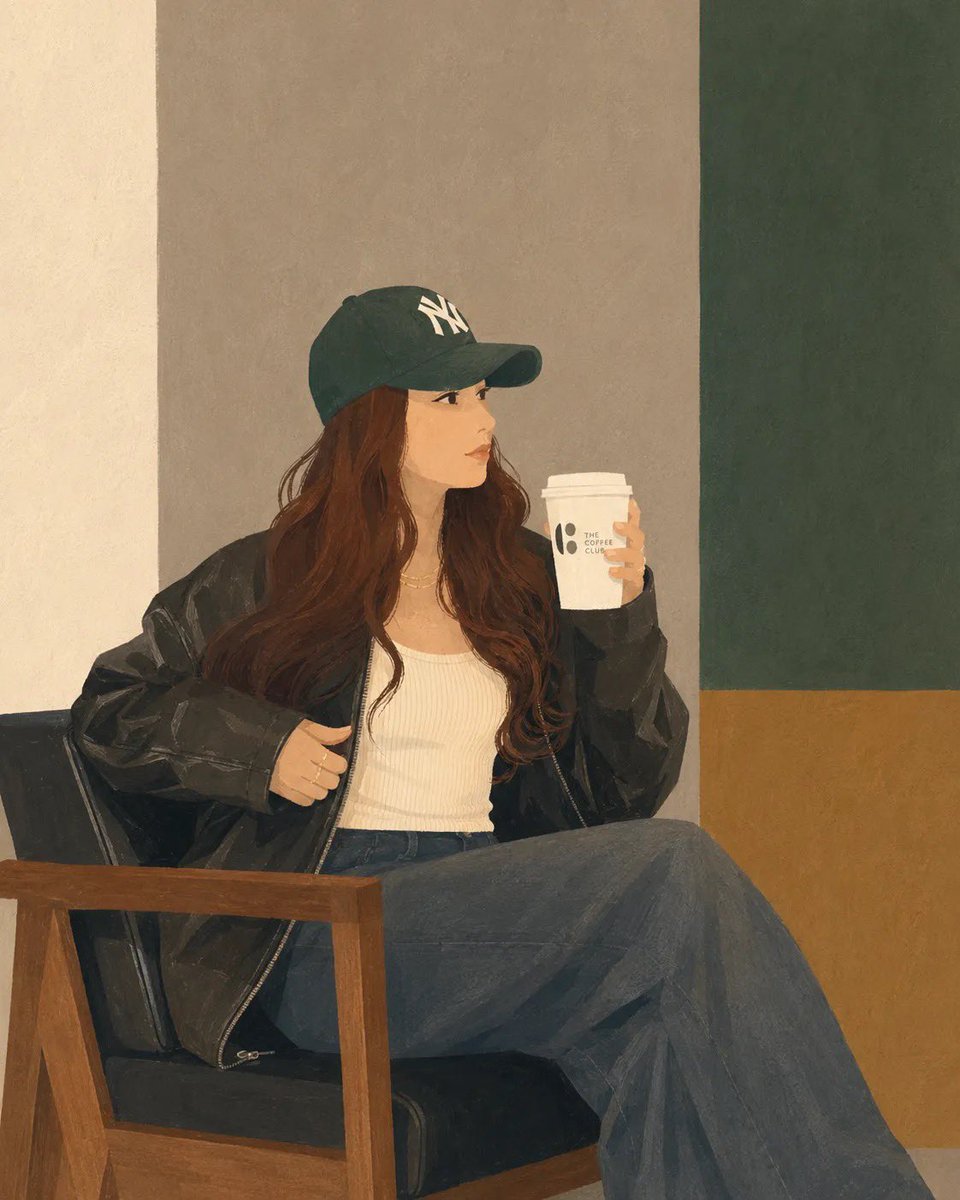
Minimalist Digital Illustration Transformation
A transformation prompt for GPT Image 2 that converts uploaded photos into clean, semi-realistic digital illustrations while maintaining the original composition and styling.
Это пример использования шаблона GPT Image 2 для Иллюстрация и искусство . Используйте приведенный ниже шаблон, готовый к копированию, чтобы создать аналогичные визуальные элементы, и перед повторным использованием проверьте указание авторства Awesome GPT Image 2 Prompts и права на коммерческое использование.
Free 1K preview
Generate one preview image instantly, no sign-up required.
Free text preview doesn’t preserve reference-image consistency.
Промпт
Подсказка для копирования
Transform the uploaded photo into a clean, minimalist semi-realistic digital illustration while preserving the original composition, pose, outfit, chair, coffee cup, and overall framing. Simplify facial features with smooth vector-like shapes, soft painterly shading, and subtle linework. Use {argument name="color palette" default="muted earthy tones, warm beige, olive green, charcoal black, and soft brown"}. Replace the detailed café background with simple geometric color-blocked walls and minimal interior elements. Maintain {argument name="clothing and accessories" default="natural long wavy hair, oversized black leather jacket, white ribbed tank top, dark wide-leg jeans, and green baseball cap"}. Create a calm, cozy coffeehouse atmosphere with soft ambient lighting, smooth textures, flat-color rendering, elegant minimalism, modern editorial illustration style, high detail, clean edges, balanced composition, premium lifestyle artwork, 4K quality.Переменные подсказки
Редактируемые заполнители аргументов, найденные в подсказке, с их значениями по умолчанию.
Best for
- - Иллюстрация и искусство visual exploration
- - Image generation and reference-image edits
- - Reusable briefs that keep source attribution visible
Change these parts
- - Subject, product, character, or scene
- - Aspect ratio, camera, lighting, and background
- - Brand, text, color, and output constraints
Recommended model and settings
- - Model: gpt-image-2
- - Input mode: Изображение в изображение
- - Aspect ratio: source
- - Commercial status: review original source
How to use this prompt
- 1. Copy the prompt and preserve its structure for the first test.
- 2. Replace the subject, context, and publishing channel.
- 3. Change one camera, lighting, or style variable per iteration.
- 4. Inspect the output, source, text, and rights before reuse.
Limitations, source, and reuse cautions
- - Generated output is an editable draft, not factual, legal, or rights evidence.
- - Review the linked source, people, brands, logos, text, and third-party media before commercial use.
Больше случаев в этой категории
Приоритет отдается категориям, совместимости с режимами ввода, качеству и низкому уровню риска.






Примечания по повторному использованию и источникам
Используйте это подсказку безопасно после предварительного просмотра дела.
- 1.Скопируйте подсказку или откройте ее непосредственно в Dovoo с помощью кнопки генерации.
- 2.Настройте переменные, соотношение сторон и эталонные изображения в соответствии с вашими потребностями.
- 3.Перед публикацией или платным использованием проверьте права на источник, требования к указанию авторства, а также риски, связанные с использованием товарного знака или изображения.