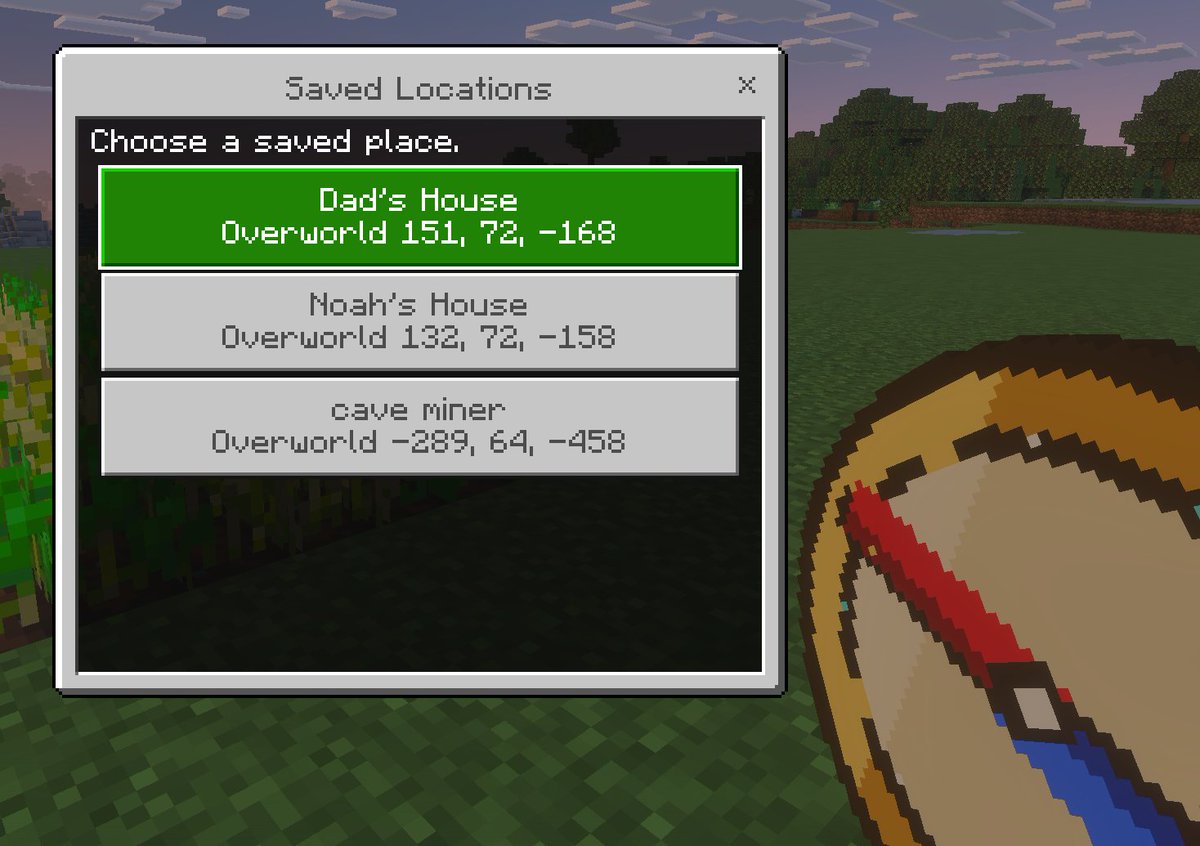
Макет интерфейса сохраненных локаций Minecraft
Скриншот в стиле пиксельной графики Minecraft от первого лица, демонстрирующий пользовательское меню сохраненных локаций, полезное для демонстрации концепций игрового интерфейса, дополнений или инструментов телепортации.
Это пример использования шаблона GPT Image 2 для Аниме и игры . Используйте приведенный ниже шаблон, готовый к копированию, чтобы создать аналогичные визуальные элементы, и перед повторным использованием проверьте указание авторства Awesome GPT Image 2 Prompts и права на коммерческое использование.
Free 1K preview
Generate one preview image instantly, no sign-up required.
Промпт
Подсказка для копирования
A clean Minecraft Bedrock-style game UI mockup shown as a first-person in-game screenshot at dusk. The background is a blocky grassy field with pixelated trees, a soft purple-blue evening sky, and a small patch of crops on the far left edge. In the lower right foreground, show a large pixel-art compass item held in the player’s hand, angled diagonally upward, with a tan face, dark brown rim, red needle, and blue tip. Center-left, overlay a rectangular Minecraft menu window with a light gray frame, thin dark border, and a black translucent interior panel. At the top of the window, a title bar reads {argument name="window title" default="Saved Locations"} in a Minecraft-inspired pixel font, with a small x close button on the top right. Inside the panel, add the instruction text {argument name="instruction text" default="Choose a saved place."} near the top left. Below it, display exactly 3 stacked destination buttons, each wide and centered. The first button is highlighted bright green with white pixel text and contains 2 lines: {argument name="location 1 name" default="Dad's House"} and "Overworld 151, 72, -168". The second button is light gray with darker gray text and contains 2 lines: "Noah's House" and "Overworld 132, 72, -158". The third button is light gray with darker gray text and contains 2 lines: {argument name="location 3 name" default="cave miner"} and "Overworld -289, 64, -458". Use crisp pixel edges, retro voxel-game aesthetics, subtle screen depth, and an authentic Minecraft Bedrock menu look.Переменные подсказки
Редактируемые заполнители аргументов, найденные в подсказке, с их значениями по умолчанию.
Best for
- - Аниме и игры visual exploration
- - Image generation and reference-image edits
- - Reusable briefs that keep source attribution visible
Change these parts
- - Subject, product, character, or scene
- - Aspect ratio, camera, lighting, and background
- - Brand, text, color, and output constraints
Recommended model and settings
- - Model: gpt-image-2
- - Input mode: Текст в изображение
- - Aspect ratio: source
- - Commercial status: review original source
How to use this prompt
- 1. Copy the prompt and preserve its structure for the first test.
- 2. Replace the subject, context, and publishing channel.
- 3. Change one camera, lighting, or style variable per iteration.
- 4. Inspect the output, source, text, and rights before reuse.
Limitations, source, and reuse cautions
- - Generated output is an editable draft, not factual, legal, or rights evidence.
- - Review the linked source, people, brands, logos, text, and third-party media before commercial use.
Больше случаев в этой категории
Приоритет отдается категориям, совместимости с режимами ввода, качеству и низкому уровню риска.






Примечания по повторному использованию и источникам
Используйте это подсказку безопасно после предварительного просмотра дела.
- 1.Скопируйте подсказку или откройте ее непосредственно в Dovoo с помощью кнопки генерации.
- 2.Настройте переменные, соотношение сторон и эталонные изображения в соответствии с вашими потребностями.
- 3.Перед публикацией или платным использованием проверьте права на источник, требования к указанию авторства, а также риски, связанные с использованием товарного знака или изображения.