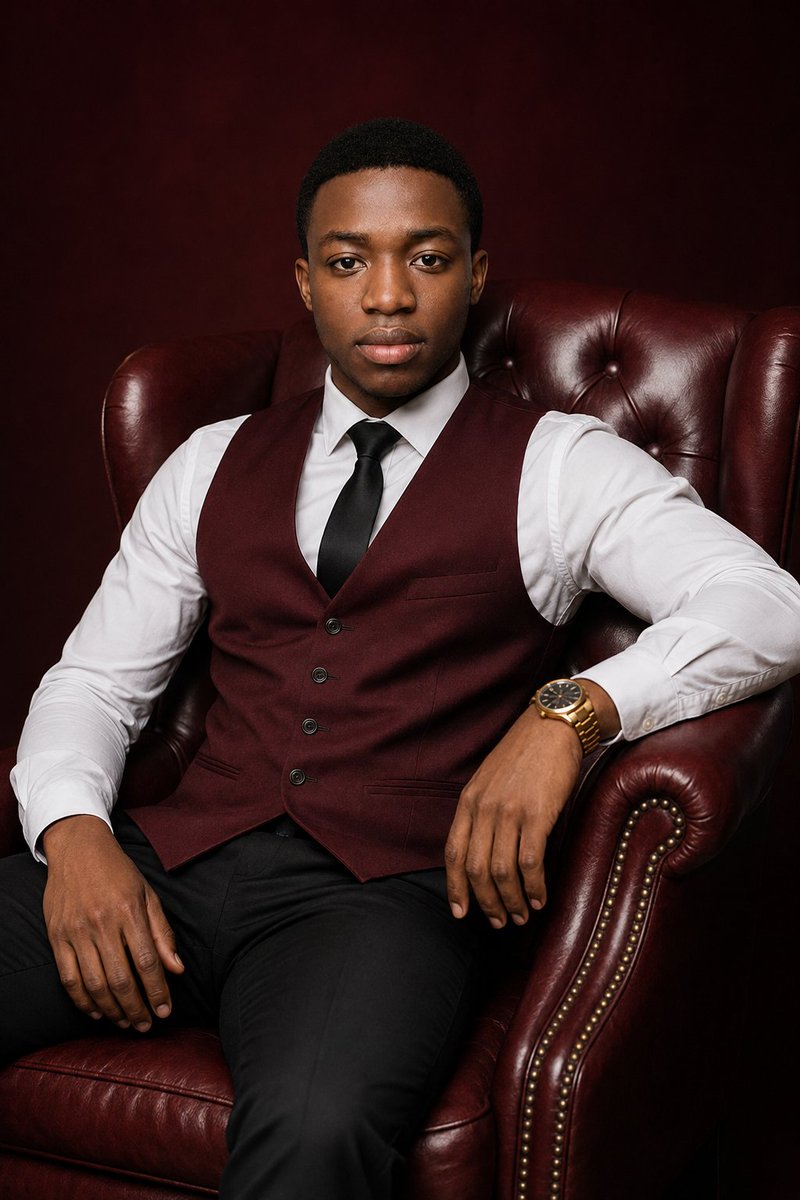
Luxury Burgundy Studio Portrait
Generates a realistic editorial studio portrait of a well-dressed man seated in a burgundy leather armchair for professional branding or profile imagery.
Это пример использования шаблона GPT Image 2 для Портрет и характер . Используйте приведенный ниже шаблон, готовый к копированию, чтобы создать аналогичные визуальные элементы, и перед повторным использованием проверьте указание авторства Awesome GPT Image 2 Prompts и права на коммерческое использование.
Free 1K preview
Generate one preview image instantly, no sign-up required.
Промпт
Подсказка для копирования
Create an ultra-realistic luxury studio portrait of {argument name="subject" default="a young adult Black man"} seated confidently in a deep burgundy tufted leather wingback armchair with rolled arms and brass nailhead trim. He faces the camera directly with a calm, composed expression, relaxed posture, one hand resting on the chair arm and the other on his thigh. He has short neatly trimmed black hair, smooth natural skin tone, and sharp realistic facial detail. Dress him in {argument name="outfit" default="a crisp white dress shirt, burgundy buttoned waistcoat, black satin tie, black trousers, and a gold wristwatch"}. Use a dark {argument name="background color" default="burgundy"} studio backdrop that blends with the leather chair for a refined monochrome luxury feel. Lighting should be professional editorial portrait lighting: soft key light from front-left, subtle fill, gentle highlights on the leather texture, natural catchlights in the eyes, realistic shadows, high dynamic range, polished but not overly retouched. Frame as a vertical three-quarter seated portrait from head to upper legs, centered composition, 2:3 aspect ratio, shallow depth of field, premium magazine cover quality, no text, no logo, no watermark.Переменные подсказки
Редактируемые заполнители аргументов, найденные в подсказке, с их значениями по умолчанию.
Best for
- - Портрет и характер visual exploration
- - Image generation and reference-image edits
- - Reusable briefs that keep source attribution visible
Change these parts
- - Subject, product, character, or scene
- - Aspect ratio, camera, lighting, and background
- - Brand, text, color, and output constraints
Recommended model and settings
- - Model: gpt-image-2
- - Input mode: Текст в изображение
- - Aspect ratio: source
- - Commercial status: review original source
How to use this prompt
- 1. Copy the prompt and preserve its structure for the first test.
- 2. Replace the subject, context, and publishing channel.
- 3. Change one camera, lighting, or style variable per iteration.
- 4. Inspect the output, source, text, and rights before reuse.
Limitations, source, and reuse cautions
- - Generated output is an editable draft, not factual, legal, or rights evidence.
- - Review the linked source, people, brands, logos, text, and third-party media before commercial use.
Больше случаев в этой категории
Приоритет отдается категориям, совместимости с режимами ввода, качеству и низкому уровню риска.






Примечания по повторному использованию и источникам
Используйте это подсказку безопасно после предварительного просмотра дела.
- 1.Скопируйте подсказку или откройте ее непосредственно в Dovoo с помощью кнопки генерации.
- 2.Настройте переменные, соотношение сторон и эталонные изображения в соответствии с вашими потребностями.
- 3.Перед публикацией или платным использованием проверьте права на источник, требования к указанию авторства, а также риски, связанные с использованием товарного знака или изображения.