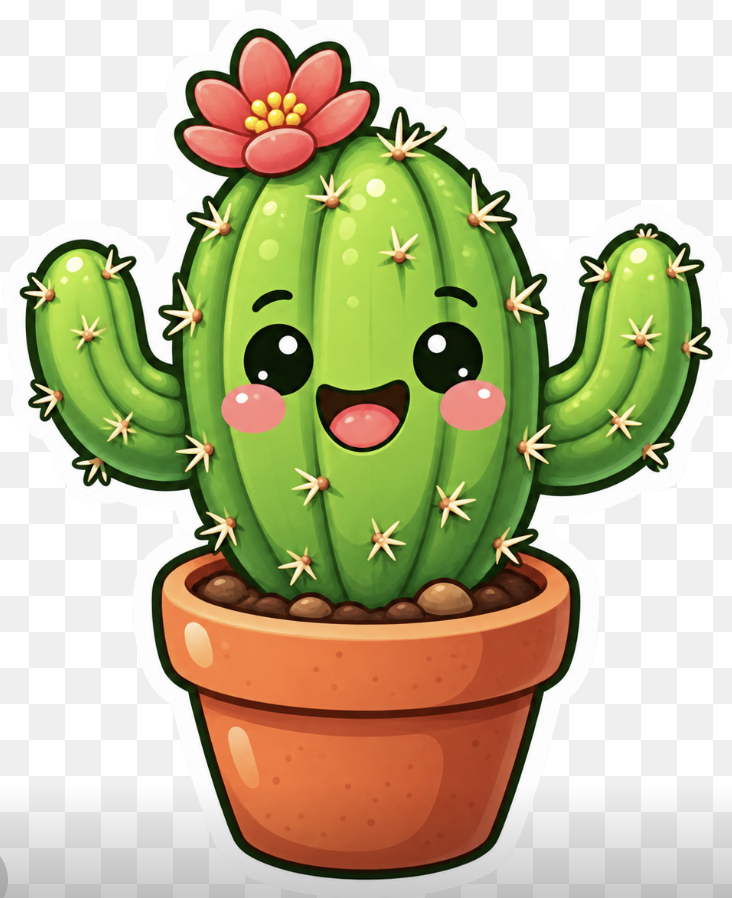
Kawaii Cactus Sticker
A cheerful sticker-style potted cactus mascot illustration for cute icons, decals, posters, or pet-themed graphic workflows.
Это пример использования шаблона GPT Image 2 для Портрет и характер . Используйте приведенный ниже шаблон, готовый к копированию, чтобы создать аналогичные визуальные элементы, и перед повторным использованием проверьте указание авторства Awesome GPT Image 2 Prompts и права на коммерческое использование.
Нужен полный набор подсказок? Воспользуйтесь Портрет и характер Для получения дополнительных примеров по теме, или откройте раздел "Обзор тем" GPT Image 2 быстрый каталог Полный список примеров, многократно используемых структур и указание источников см. здесь.
Free 1K preview
Generate one preview image instantly, no sign-up required.
1295/4000
Промпт
Подсказка для копирования
Create a cute kawaii sticker-style illustration of a smiling green cactus in a terracotta flower pot on a transparent checkerboard background. The cactus should have one large rounded central barrel body with vertical ribbing and two raised curved arms, one on each side. Give it a happy face with two glossy black oval eyes with white highlights, pink circular blush cheeks, and an open smiling mouth with a dark interior and pink tongue. Add many small pale yellow star-shaped spines with orange bases across the cactus: 28 visible spine clusters total, including 11 on the central cactus body, 9 on the left arm/left side, and 8 on the right arm/right side. Place a large red-pink flower on the upper left of the cactus crown with 7 rounded petals and a cluster of 8 yellow pollen dots in the center. The pot should be warm orange terracotta with a thick rounded rim, darker orange shading, glossy white highlight spots, tiny speckles, and visible brown pebbles/soil at the top. Use bright saturated colors, soft gradients, shiny highlights, thick dark green/black cartoon outlines, and a clean white sticker border around the whole cactus and pot. Center the subject, crop close but keep the entire pot and arms visible, square composition, cheerful mascot icon style, no text, no watermark.
Best for
- - Портрет и характер visual exploration
- - Image generation and reference-image edits
- - Reusable briefs that keep source attribution visible
Change these parts
- - Subject, product, character, or scene
- - Aspect ratio, camera, lighting, and background
- - Brand, text, color, and output constraints
Recommended model and settings
- - Model: gpt-image-2
- - Input mode: Текст в изображение
- - Aspect ratio: source
- - Commercial status: review original source
How to use this prompt
- 1. Copy the prompt and preserve its structure for the first test.
- 2. Replace the subject, context, and publishing channel.
- 3. Change one camera, lighting, or style variable per iteration.
- 4. Inspect the output, source, text, and rights before reuse.
Limitations, source, and reuse cautions
- - Generated output is an editable draft, not factual, legal, or rights evidence.
- - Review the linked source, people, brands, logos, text, and third-party media before commercial use.
Импортировано из Awesome GPT Image 2 Prompts . Требуется указание авторства. Статус коммерческого использования: allowed ; перед платным использованием ознакомьтесь с правами на источник.
Больше случаев в этой категории
Приоритет отдается категориям, совместимости с режимами ввода, качеству и низкому уровню риска.

GPT Image 2 Real-Life Character Street Snap
Текст в изображение

Studio Portrait of Woman with Sunglasses
Текст в изображение

Street Selfie with Cat in Matching Cap
Текст в изображение

Cinematic Blue Backlit Portrait
Текст в изображение

Matte Black B.AI Keyboard Keycap
Текст в изображение

Morning Bed Stretching Legs Prompt
Текст в изображение
Примечания по повторному использованию и источникам
Используйте это подсказку безопасно после предварительного просмотра дела.
- 1.Скопируйте подсказку или откройте ее непосредственно в Dovoo с помощью кнопки генерации.
- 2.Настройте переменные, соотношение сторон и эталонные изображения в соответствии с вашими потребностями.
- 3.Перед публикацией или платным использованием проверьте права на источник, требования к указанию авторства, а также риски, связанные с использованием товарного знака или изображения.