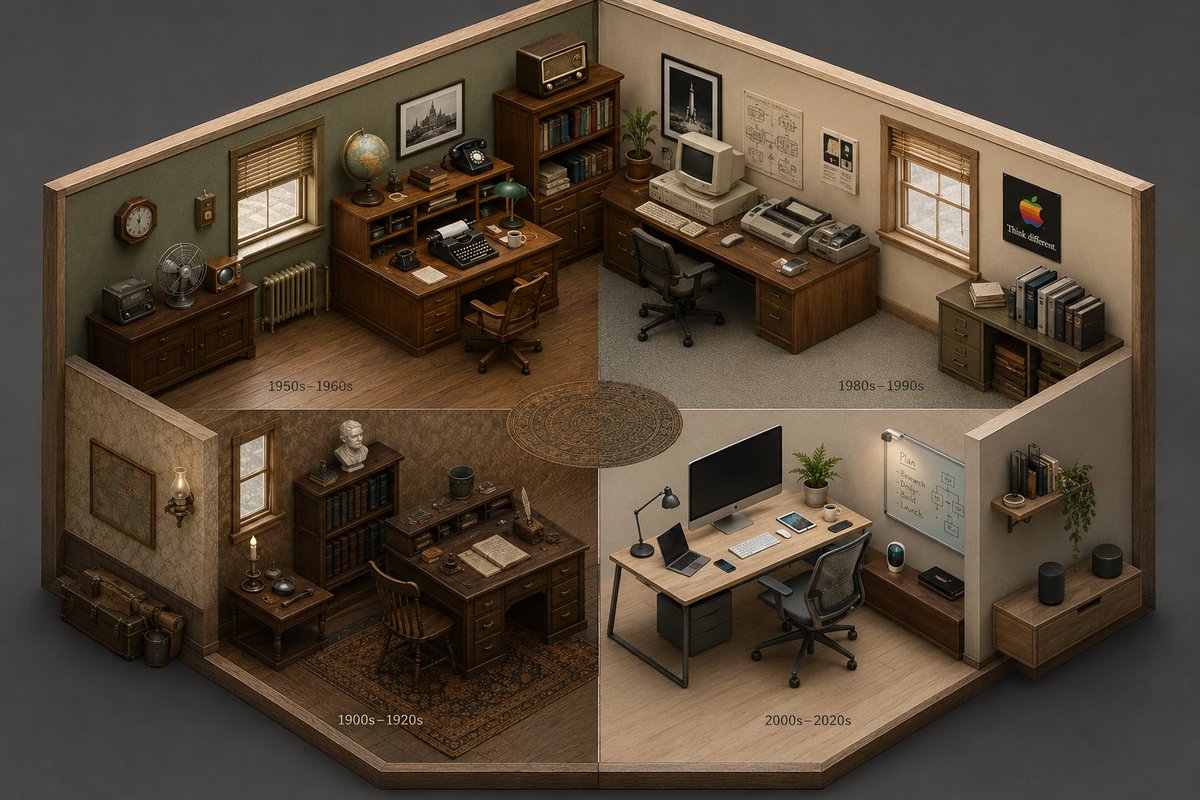
Isometric Room History Timeline
An advanced prompt that generates an isometric cutaway of a room showing the evolution of objects across different time periods in a four-quadrant layout.
Это пример использования шаблона GPT Image 2 для Иллюстрация и искусство . Используйте приведенный ниже шаблон, готовый к копированию, чтобы создать аналогичные визуальные элементы, и перед повторным использованием проверьте указание авторства Awesome GPT Image 2 Prompts и права на коммерческое использование.
Free 1K preview
Generate one preview image instantly, no sign-up required.
Промпт
Подсказка для копирования
2x2 grid, 16:9, AI infers: An isometric cutaway of a single room (like a {argument name="room type" default="study or kitchen"}) divided into four seamless quadrants. The bottom-left quadrant is furnished with the earliest era’s {argument name="theme" default="[THEME]"} objects, the top-left is a middle period, the top-right is late period, and the bottom-right is the most modern. The room’s architecture morphs subtly but stays consistent; the objects tell the time shift ::5 Time Logic: AI_INFER 25–30 objects distributed across the four time quadrants, each zone historically consistent. Quadrants flow clockwise like a time-loop ::5 Composition: Isometric view (no perspective distortion), seamless quadrant transitions, no clutter, objects neatly arranged on surfaces ::3 Material Physics: Real materials, period-appropriate aging, soft shadows, no glowing items ::2 Illumination: Neutral ambient light across all zones, no dramatic shadows ::2 Typography: Small year range subtly placed on the floor of each quadrant ::2 Render Stack: Isometric time-room, evolutionary diorama, interior timeline, 8k ::1 Negative: [perspective, broken room geometry, anachronistic mixing across quadrants, excavation, moss, bioluminescence] ::-1Переменные подсказки
Редактируемые заполнители аргументов, найденные в подсказке, с их значениями по умолчанию.
Best for
- - Иллюстрация и искусство visual exploration
- - Image generation and reference-image edits
- - Reusable briefs that keep source attribution visible
Change these parts
- - Subject, product, character, or scene
- - Aspect ratio, camera, lighting, and background
- - Brand, text, color, and output constraints
Recommended model and settings
- - Model: gpt-image-2
- - Input mode: Текст в изображение
- - Aspect ratio: source
- - Commercial status: review original source
How to use this prompt
- 1. Copy the prompt and preserve its structure for the first test.
- 2. Replace the subject, context, and publishing channel.
- 3. Change one camera, lighting, or style variable per iteration.
- 4. Inspect the output, source, text, and rights before reuse.
Limitations, source, and reuse cautions
- - Generated output is an editable draft, not factual, legal, or rights evidence.
- - Review the linked source, people, brands, logos, text, and third-party media before commercial use.
Больше случаев в этой категории
Приоритет отдается категориям, совместимости с режимами ввода, качеству и низкому уровню риска.






Примечания по повторному использованию и источникам
Используйте это подсказку безопасно после предварительного просмотра дела.
- 1.Скопируйте подсказку или откройте ее непосредственно в Dovoo с помощью кнопки генерации.
- 2.Настройте переменные, соотношение сторон и эталонные изображения в соответствии с вашими потребностями.
- 3.Перед публикацией или платным использованием проверьте права на источник, требования к указанию авторства, а также риски, связанные с использованием товарного знака или изображения.