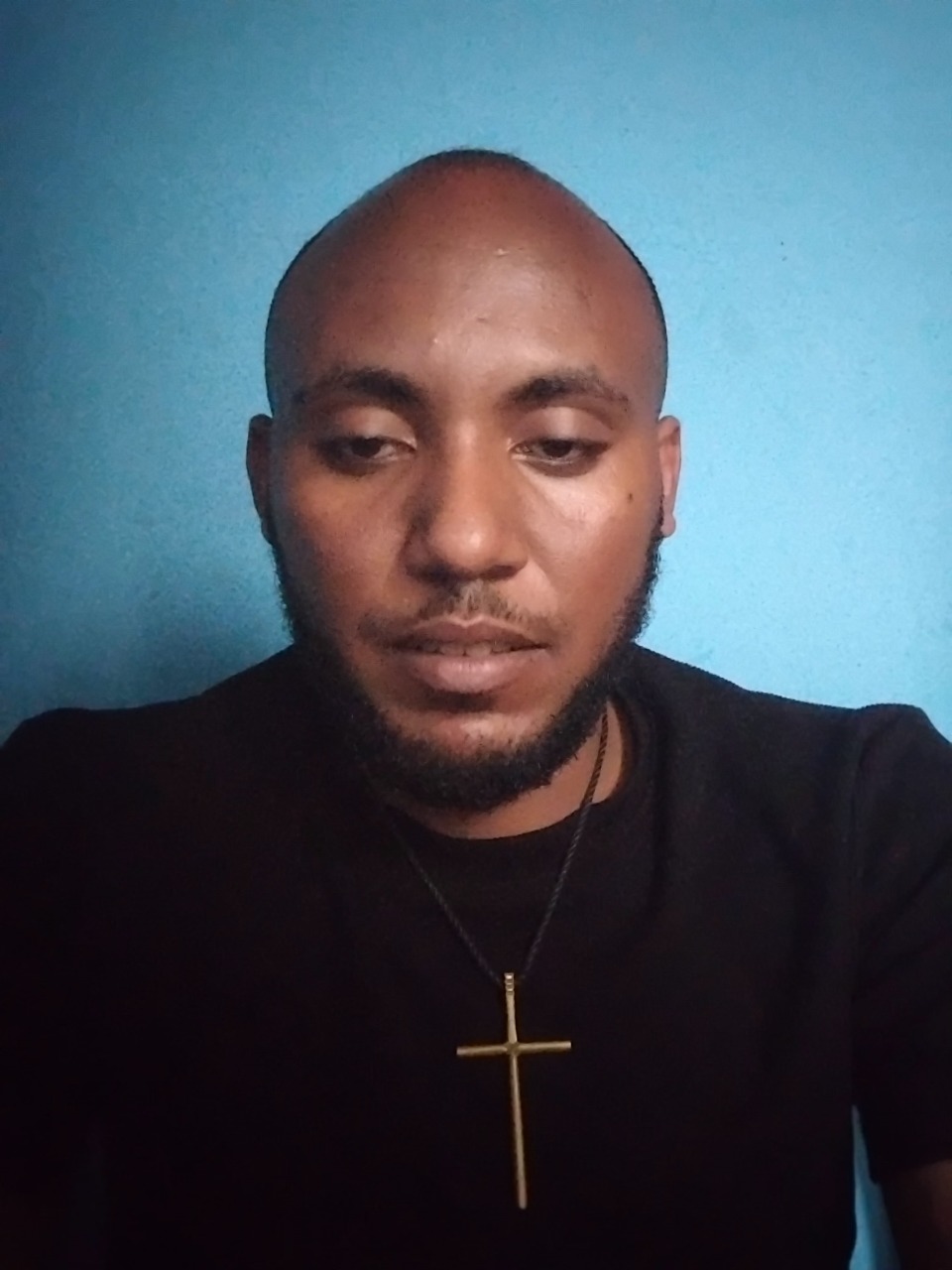
Изображение
Изображение для Nano Banana Pro, предоставленное автором, взято из репозитория Awesome Nano Banana Pro Prompts, с предварительным просмотром изображения и примечаниями по проверке на повторное использование.
Это пример использования шаблона Nano Banana Pro для Портрет и характер . Используйте приведенный ниже шаблон, готовый к копированию, чтобы создать аналогичные визуальные элементы, и перед повторным использованием проверьте указание авторства Awesome Nano Banana Pro Prompts и права на коммерческое использование.
Нужен полный набор подсказок? Воспользуйтесь Портрет и характер Для получения дополнительных примеров по теме, или откройте раздел "Обзор тем" Nano Banana Pro быстрый каталог Полный список примеров, многократно используемых структур и указание источников см. здесь.
Промпт
Подсказка для копирования
1. Professional Retouch

“ Professionally retouch this image while keeping the person’s identity, facial features, skin texture, body proportions, hairstyle, clothing, and overall appearance natural and recognizable. Improve the lighting, sharpness, colour balance, exposure, contrast, and overall image quality. Remove small distractions or imperfections only where necessary, but avoid making the skin look plastic, overly smooth, or obviously edited.”
2/ Remove Anything

“ Remove [OBJECT/PERSON] from this image completely and realistically reconstruct the area behind it. Match the original background, lighting, shadows, textures, reflections, depth, perspective, and surrounding details so the edited area blends naturally with the rest of the image. Make sure there are no strange gaps, duplicated objects, blurry patches, or obvious signs that something was removed.”
3. Change the Background

“Replace the current background with [NEW BACKGROUND] while keeping the main subject exactly the same. Preserve the person’s face, body, clothing, hairstyle, pose, proportions, and fine details. Blend the subject naturally into the new environment by matching the lighting direction, shadows, reflections, colour tones, depth of field, scale, and perspective so the final image looks like it was originally photographed there.”
4. Upgrade Image Quality to 8k

“ Enhance this image to 8k so it looks sharper, cleaner, clearer, and more professional while preserving the original composition and content. Improve fine details, lighting, exposure, colour accuracy, contrast, sharpness, and overall clarity. Reduce visible noise, blur, compression artifacts, or dull colours without changing the person’s face, objects, text, proportions, background, or natural appearance.”
5. Change the Outfit

“Replace the current outfit with [OUTFIT DESCRIPTION] while keeping the person’s identity completely unchanged. Preserve the face, hairstyle, body shape, pose, hands, skin tone, proportions, expression, and background. Make the new clothing fit naturally on the body with realistic fabric texture, folds, stitching, shadows, lighting, and movement so it looks like the person was genuinely wearing it in the original photo.”
6. Expand the Photo

“Expand this image beyond its current borders to [ASPECT RATIO/SIZE] while keeping everything inside the original image unchanged. Naturally continue the existing background, environment, floor, walls, sky, scenery, objects, lighting, textures, patterns, depth, and perspective into the new space. Make the expansion seamless so it looks like the wider image was captured that way originally.”
7. Recreate a Different Time of Day

“Change this scene from [CURRENT TIME OF DAY] to [SUNRISE / GOLDEN HOUR / SUNSET / NIGHT]. Adjust the sky, light direction, colour temperature, reflection
8. Fix Closed Eyes

“Correct the person’s closed or half-closed eyes so they look naturally open and consistent with their face, expression, gaze direction, lighting, and eye shape. Keep the edit subtle and realistic, without changing the person’s identity or
9. Fix Wrinkled Clothing

“Smooth out distracting wrinkles, creases, bunching, and uneven fabric in the clothing while keeping the material, fit, seams, texture, and natural folds realistic. Make the outfit look neat and well-presented without making it appear digitally painted.” overall expression.” and change tishrt meskel Ethiopia culture
Best for
- - Портрет и характер visual exploration
- - Image generation and reference-image edits
- - Reusable briefs that keep source attribution visible
Change these parts
- - Subject, product, character, or scene
- - Aspect ratio, camera, lighting, and background
- - Brand, text, color, and output constraints
Recommended model and settings
- - Model: nano-banana-pro
- - Input mode: Изображение в изображение
- - Aspect ratio: square
- - Commercial status: restricted
How to use this prompt
- 1. Copy the prompt and preserve its structure for the first test.
- 2. Replace the subject, context, and publishing channel.
- 3. Change one camera, lighting, or style variable per iteration.
- 4. Inspect the output, source, text, and rights before reuse.
Limitations, source, and reuse cautions
- - Generated output is an editable draft, not factual, legal, or rights evidence.
- - Review the linked source, people, brands, logos, text, and third-party media before commercial use.
Импортировано из Awesome Nano Banana Pro Prompts . Требуется указание авторства. Статус коммерческого использования: restricted ; перед платным использованием ознакомьтесь с правами на источник.
Больше случаев в этой категории
Приоритет отдается категориям, совместимости с режимами ввода, качеству и низкому уровню риска.
Примечания по повторному использованию и источникам
Используйте это подсказку безопасно после предварительного просмотра дела.
- 1.Скопируйте подсказку или откройте ее непосредственно в Dovoo с помощью кнопки генерации.
- 2.Настройте переменные, соотношение сторон и эталонные изображения в соответствии с вашими потребностями.
- 3.Перед публикацией или платным использованием проверьте права на источник, требования к указанию авторства, а также риски, связанные с использованием товарного знака или изображения.