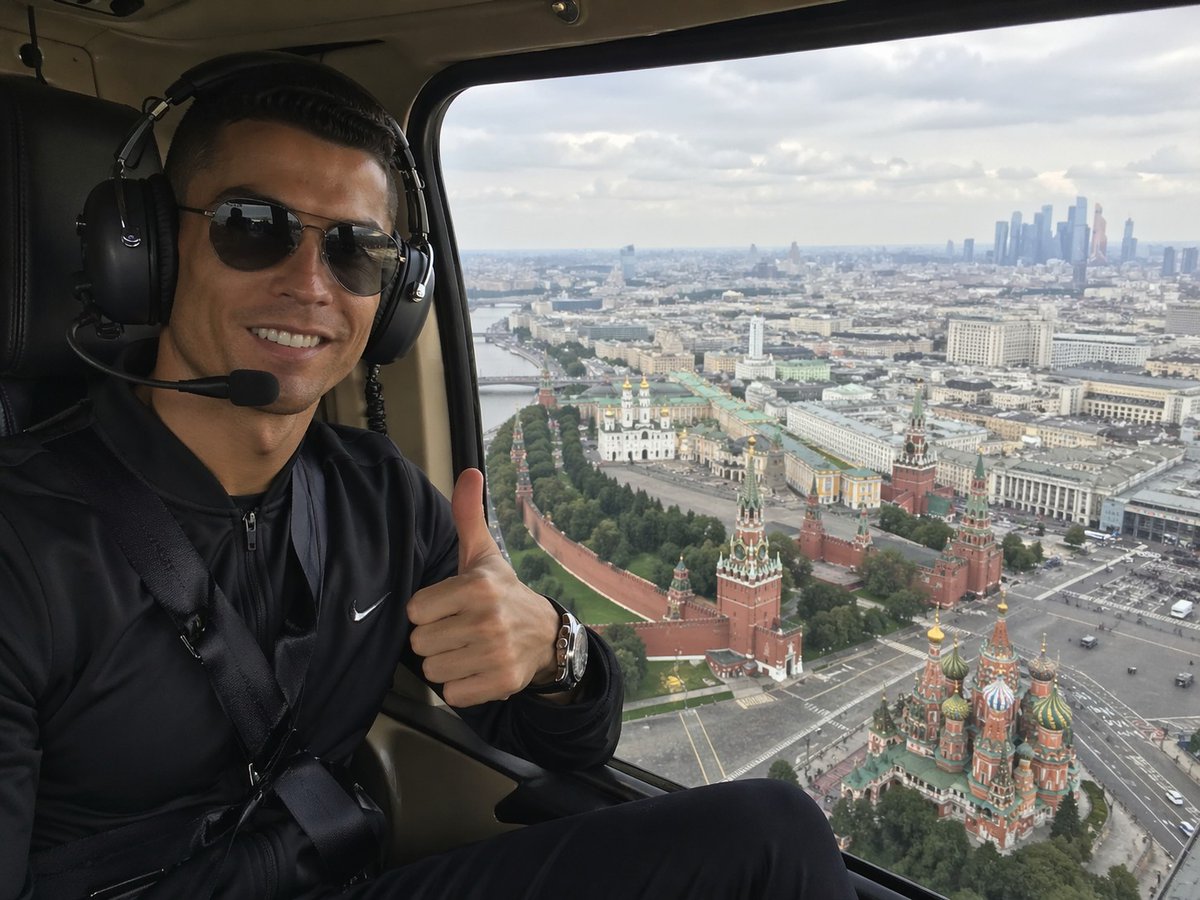
Селфи с вертолета над Москвой
Этот запрос генерирует реалистичное селфи из вертолета, на котором пассажир показывает большой палец вверх, а на снимке — вид на Кремль и собор Василия Блаженного с высоты птичьего полета. Идеально подходит для туристических или лайфстайл-съемок.
Это пример использования шаблона GPT Image 2 для Портрет и характер . Используйте приведенный ниже шаблон, готовый к копированию, чтобы создать аналогичные визуальные элементы, и перед повторным использованием проверьте указание авторства Awesome GPT Image 2 Prompts и права на коммерческое использование.
Free 1K preview
Generate one preview image instantly, no sign-up required.
Промпт
Подсказка для копирования
A realistic smartphone-style travel photo taken inside a helicopter cabin, showing a seated passenger on the left side of the frame and a sweeping aerial view of Moscow through a large window on the right. The person is wearing a black zip-up athletic jacket with a small white swoosh logo, a seatbelt across the chest, a metallic wristwatch, and large black aviation headphones with a microphone boom. Show every face clearly with natural, detailed facial features, and they are giving a thumbs-up gesture toward the camera. The helicopter interior is dark, with black leather seating and beige cabin trim framing the window. Outside the window, capture an overcast daytime panorama of central Moscow from above, with the Kremlin walls and towers clearly visible, the colorful onion domes of Saint Basil's Cathedral in the lower right, a broad cityscape stretching into the distance, and a cluster of modern skyscrapers on the far right horizon. Use natural diffused light, realistic urban detail, mild atmospheric haze, and the candid composition of a tourist selfie shot from a helicopter ride, wide-angle but not distorted.
Best for
- - Портрет и характер visual exploration
- - Image generation and reference-image edits
- - Reusable briefs that keep source attribution visible
Change these parts
- - Subject, product, character, or scene
- - Aspect ratio, camera, lighting, and background
- - Brand, text, color, and output constraints
Recommended model and settings
- - Model: gpt-image-2
- - Input mode: Текст в изображение
- - Aspect ratio: source
- - Commercial status: review original source
How to use this prompt
- 1. Copy the prompt and preserve its structure for the first test.
- 2. Replace the subject, context, and publishing channel.
- 3. Change one camera, lighting, or style variable per iteration.
- 4. Inspect the output, source, text, and rights before reuse.
Limitations, source, and reuse cautions
- - Generated output is an editable draft, not factual, legal, or rights evidence.
- - Review the linked source, people, brands, logos, text, and third-party media before commercial use.
Больше случаев в этой категории
Приоритет отдается категориям, совместимости с режимами ввода, качеству и низкому уровню риска.






Примечания по повторному использованию и источникам
Используйте это подсказку безопасно после предварительного просмотра дела.
- 1.Скопируйте подсказку или откройте ее непосредственно в Dovoo с помощью кнопки генерации.
- 2.Настройте переменные, соотношение сторон и эталонные изображения в соответствии с вашими потребностями.
- 3.Перед публикацией или платным использованием проверьте права на источник, требования к указанию авторства, а также риски, связанные с использованием товарного знака или изображения.