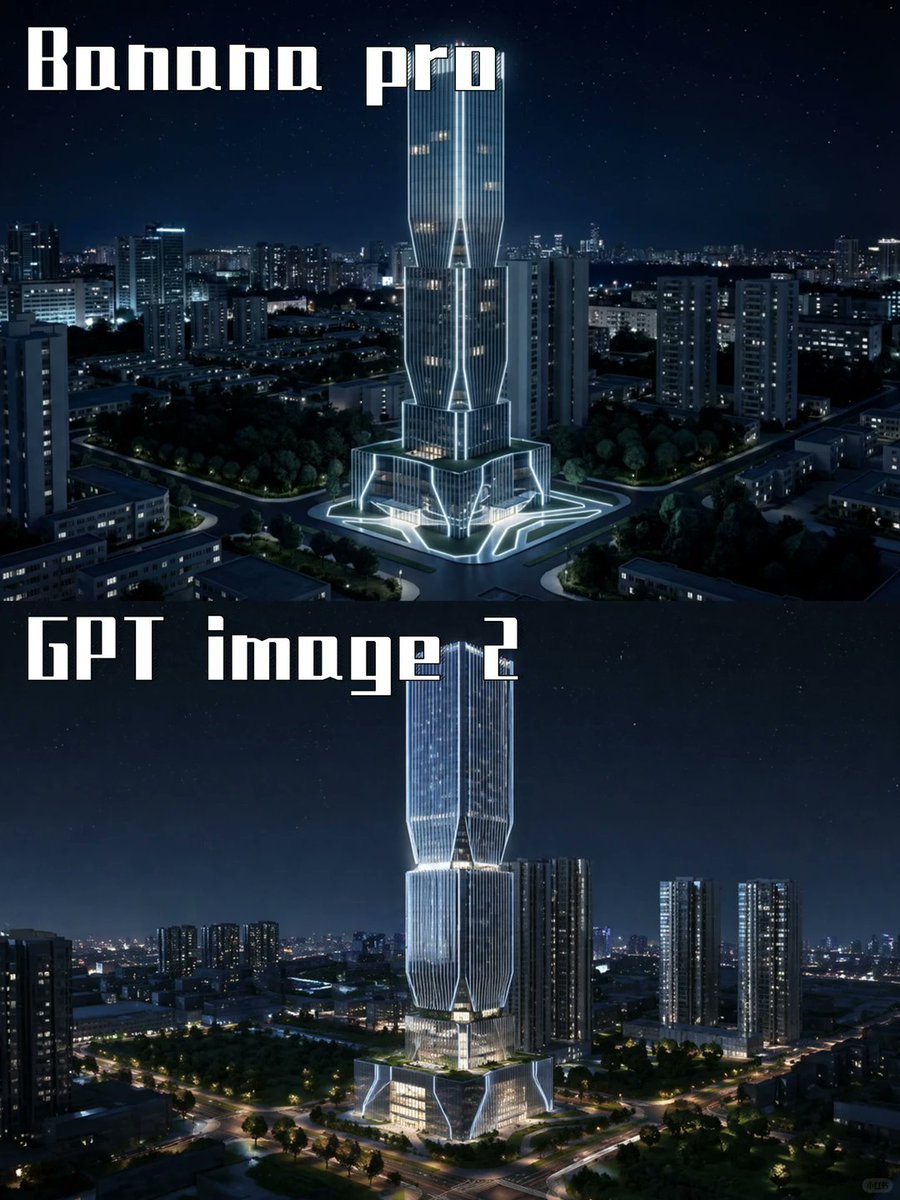
Сравнение моделей ИИ для ночного небоскреба
Создает двухпанельное архитектурное изображение, сравнивающее результаты работы двух моделей, созданных с помощью ИИ, с футуристическими освещенными небоскребами в ночном городе.
Это пример использования шаблона GPT Image 2 для Интерьер и архитектура . Используйте приведенный ниже шаблон, готовый к копированию, чтобы создать аналогичные визуальные элементы, и перед повторным использованием проверьте указание авторства Awesome GPT Image 2 Prompts и права на коммерческое использование.
Free 1K preview
Generate one preview image instantly, no sign-up required.
Промпт
Подсказка для копирования
Goal: Create a two-panel vertical comparison image showing the same futuristic skyscraper concept rendered by two different image models at night.

Canvas: Portrait 3:4 aspect ratio, 768×1024 feel, split horizontally into exactly 2 equal stacked panels with no visible border line. Both panels show a dark blue nighttime cityscape with a starry sky and glowing urban lights.

Panel 1: Top half labeled {argument name="top label" default="Banana pro"} in large white blocky stencil/gothic display lettering at the upper left. Show a futuristic illuminated skyscraper centered in a dense city district, surrounded by mid-rise apartment towers, roads, trees, and a plaza. The tower has a tall twin-volume form with vertical ribbed glass, bright white outline lighting, warm lit windows, angular cutouts, and a glowing geometric base/plaza. Camera angle is elevated aerial view, looking slightly downward, crisp cinematic night lighting.

Panel 2: Bottom half labeled {argument name="bottom label" default="GPT image 2"} in the same large white blocky display lettering at the upper left. Show a similar but more refined futuristic skyscraper centered in a nighttime urban landscape, taller and sleeker, with stacked faceted glass sections, luminous vertical lines, bright white edge lighting, warm interior floors, and a glowing multi-level podium. Surround it with high-rise residential towers, tree-lined roads, intersections, and distant city lights. Camera angle is elevated aerial view, cinematic and realistic.

Visual style: Photorealistic architectural visualization, dramatic blue-black night palette, crisp high contrast, cool white neon accents, realistic city depth, subtle stars, polished glass reflections, high detail, no people visible.

Text content: Use exactly 2 visible text labels: {argument name="top label" default="Banana pro"} and {argument name="bottom label" default="GPT image 2"}. Keep the typography large, white, angular, and slightly retro-futuristic.

Constraints: Include exactly 2 comparison panels, exactly 2 central skyscraper subjects, and exactly 2 large labels. Do not add logos, watermarks, captions, UI elements, arrows, or extra explanatory text.
Переменные подсказки
Редактируемые заполнители аргументов, найденные в подсказке, с их значениями по умолчанию.
Best for
- - Интерьер и архитектура visual exploration
- - Image generation and reference-image edits
- - Reusable briefs that keep source attribution visible
Change these parts
- - Subject, product, character, or scene
- - Aspect ratio, camera, lighting, and background
- - Brand, text, color, and output constraints
Recommended model and settings
- - Model: gpt-image-2
- - Input mode: Текст в изображение
- - Aspect ratio: source
- - Commercial status: review original source
How to use this prompt
- 1. Copy the prompt and preserve its structure for the first test.
- 2. Replace the subject, context, and publishing channel.
- 3. Change one camera, lighting, or style variable per iteration.
- 4. Inspect the output, source, text, and rights before reuse.
Limitations, source, and reuse cautions
- - Generated output is an editable draft, not factual, legal, or rights evidence.
- - Review the linked source, people, brands, logos, text, and third-party media before commercial use.
Related prompt packs
Больше случаев в этой категории
Приоритет отдается категориям, совместимости с режимами ввода, качеству и низкому уровню риска.






Примечания по повторному использованию и источникам
Используйте это подсказку безопасно после предварительного просмотра дела.
- 1.Скопируйте подсказку или откройте ее непосредственно в Dovoo с помощью кнопки генерации.
- 2.Настройте переменные, соотношение сторон и эталонные изображения в соответствии с вашими потребностями.
- 3.Перед публикацией или платным использованием проверьте права на источник, требования к указанию авторства, а также риски, связанные с использованием товарного знака или изображения.