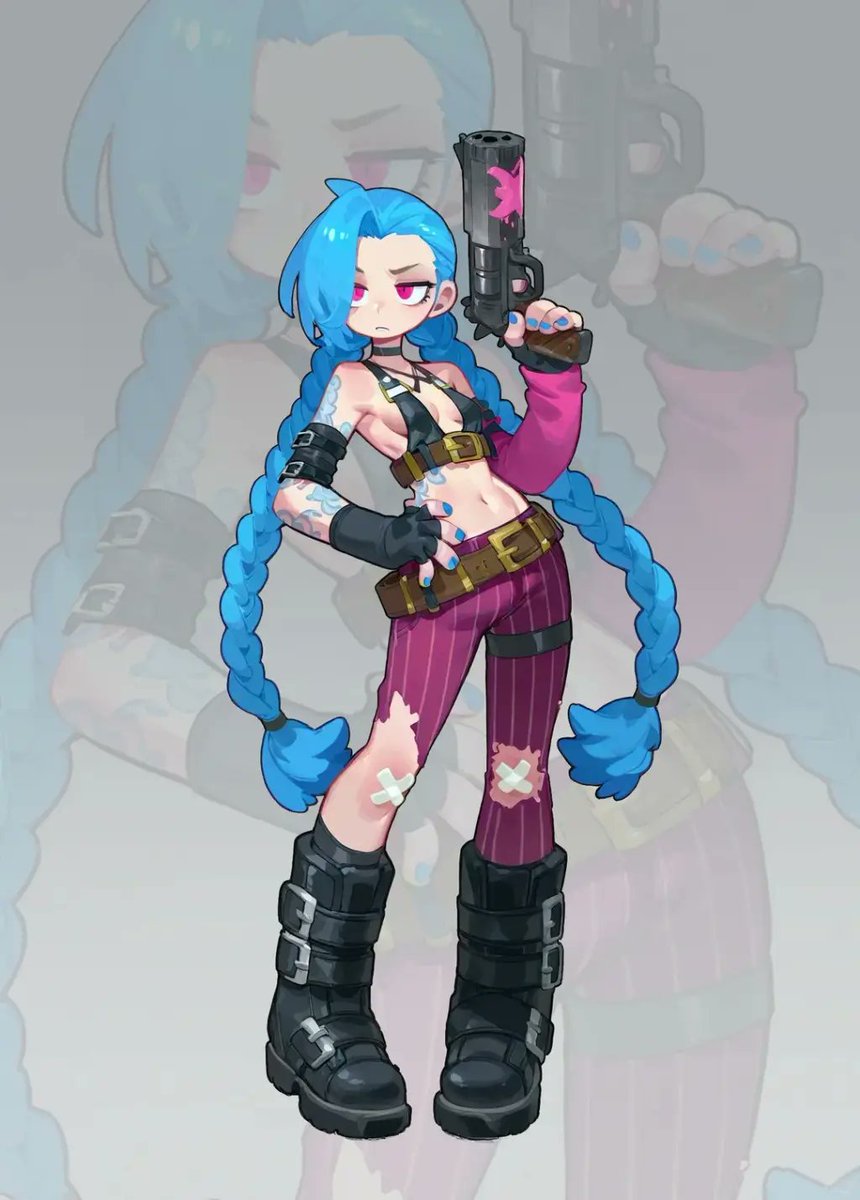
Cosplay to Chibi Game Character
Transforms a cosplay reference photo into a clean chibi anime game-character illustration with a faded silhouette backdrop.
Это пример использования шаблона GPT Image 2 для Аниме и игры . Используйте приведенный ниже шаблон, готовый к копированию, чтобы создать аналогичные визуальные элементы, и перед повторным использованием проверьте указание авторства Awesome GPT Image 2 Prompts и права на коммерческое использование.
Free 1K preview
Generate one preview image instantly, no sign-up required.
Free text preview doesn’t preserve reference-image consistency.
Промпт
Подсказка для копирования
Using the provided reference image as the character base, transform the cosplay photo into a polished 2D chibi game-character illustration. Keep the same recognizable costume, blue twin braids, weapon, tattoos, gloves, belts, torn purple pants with bandage patches, and black boots, but redraw everything as cute stylized anime art with clean linework, simplified proportions, a large head, small body, and glossy cel-shaded coloring. Change the pose from sitting on the floor to a confident full-body standing pose: one hand on the hip and the other hand raised holding the pistol upright. Replace the gritty alley/photo environment with a soft light gray studio background, and add one large, semi-transparent faded silhouette of the same illustrated character behind the main figure as a backdrop. Composition should show exactly 1 main chibi character, 1 raised pistol, and 1 oversized faded background silhouette. Make the image vertical, centered, crisp, high-resolution, and suitable as a character sticker or game asset. Avoid photorealism, avoid extra characters, avoid added text, and do not include a watermark. Optional customization: render in {argument name="art style" default="polished 2D chibi anime game-character style"} with a {argument name="background color" default="soft light gray"} background.Переменные подсказки
Редактируемые заполнители аргументов, найденные в подсказке, с их значениями по умолчанию.
Best for
- - Аниме и игры visual exploration
- - Image generation and reference-image edits
- - Reusable briefs that keep source attribution visible
Change these parts
- - Subject, product, character, or scene
- - Aspect ratio, camera, lighting, and background
- - Brand, text, color, and output constraints
Recommended model and settings
- - Model: gpt-image-2
- - Input mode: Изображение в изображение
- - Aspect ratio: source
- - Commercial status: review original source
How to use this prompt
- 1. Copy the prompt and preserve its structure for the first test.
- 2. Replace the subject, context, and publishing channel.
- 3. Change one camera, lighting, or style variable per iteration.
- 4. Inspect the output, source, text, and rights before reuse.
Limitations, source, and reuse cautions
- - Generated output is an editable draft, not factual, legal, or rights evidence.
- - Review the linked source, people, brands, logos, text, and third-party media before commercial use.
Больше случаев в этой категории
Приоритет отдается категориям, совместимости с режимами ввода, качеству и низкому уровню риска.






Примечания по повторному использованию и источникам
Используйте это подсказку безопасно после предварительного просмотра дела.
- 1.Скопируйте подсказку или откройте ее непосредственно в Dovoo с помощью кнопки генерации.
- 2.Настройте переменные, соотношение сторон и эталонные изображения в соответствии с вашими потребностями.
- 3.Перед публикацией или платным использованием проверьте права на источник, требования к указанию авторства, а также риски, связанные с использованием товарного знака или изображения.