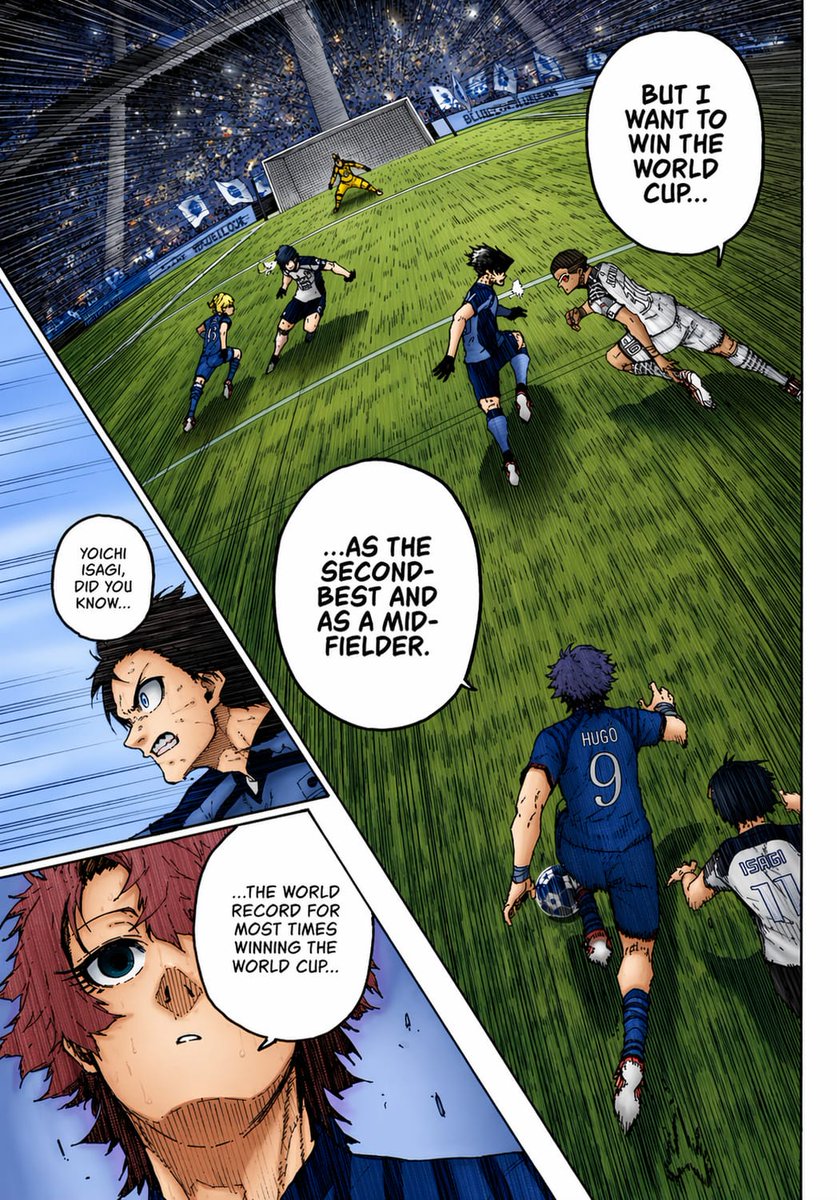
Раскрашенная страница манги о футболе
Это позволяет создать эффектную полноцветную страницу спортивной манги с наклонной сценой футбольного стадиона, вставками с крупными планами и яркими диалогами, идеально подходящую для пробных раскрасок манги или для создания комиксов в стиле аниме.
Это пример использования шаблона GPT Image 2 для Аниме и игры . Используйте приведенный ниже шаблон, готовый к копированию, чтобы создать аналогичные визуальные элементы, и перед повторным использованием проверьте указание авторства Awesome GPT Image 2 Prompts и права на коммерческое использование.
Free 1K preview
Generate one preview image instantly, no sign-up required.
Промпт
Подсказка для копирования
A full-color manga page in the style of a dramatic sports manga, showing an intense soccer match inside a huge domed stadium packed with a blue-and-white crowd. Use sharp ink lines, dense crosshatching, screentone texture, dynamic speed lines, and vivid anime coloring as if a black-and-white manga page has been professionally colorized. The composition is a single page with 3 panels: 1 large main panel covering most of the page, plus 2 narrow diagonal inset panels stacked along the left side. In the main panel, show a steeply tilted wide-angle view of the penalty area and goal from an elevated sideline perspective, with the green grass stretched by perspective and filled with directional hatching. Count 6 visible players in the main panel: 4 blue-uniform players and 2 white-uniform players, plus 1 goalkeeper in yellow at the goal. The most prominent player is seen from behind in the lower center-right wearing a blue jersey with “HUGO” and the number 9, running toward the play with one arm extended. Near him on the lower right edge, show another player in a white jersey labeled “ISAGI” with the number 11, also running forward. In the midground, show 4 more field players contesting the ball: 3 in blue and 1 in white, with one white-uniform player diving or lunging horizontally from the right toward the center. The goal stands near the top center-left, with the yellow goalkeeper bracing in front of the net. Add 3 speech bubbles in the main panel, large white manga balloons with hand-lettered uppercase English text: “BUT I WANT TO WIN THE WORLD CUP...”, “...AS THE SECOND-BEST AND AS A MID-FIELDER.”, and “...THE WORLD RECORD FOR MOST TIMES WINNING THE WORLD CUP...”. In the left-side inset area, create 2 diagonal panels. The upper inset panel shows a close-up of a dark-haired character in blue, partly obscured by a soft rectangular blur over the center of the face and torso area, with a small speech bubble that says, “YOICHI ISAGI, DID YOU KNOW...”. The lower inset panel shows a close-up of a reddish-haired character with a wide blue eye, sweat on the face, and a pale blue background, looking surprised or stunned. Maintain bold black panel borders, dramatic foreshortening, and a high-energy tournament atmosphere. Use a blue, green, white, and yellow palette with strong contrast and authentic manga-page coloring aesthetics.
Best for
- - Аниме и игры visual exploration
- - Image generation and reference-image edits
- - Reusable briefs that keep source attribution visible
Change these parts
- - Subject, product, character, or scene
- - Aspect ratio, camera, lighting, and background
- - Brand, text, color, and output constraints
Recommended model and settings
- - Model: gpt-image-2
- - Input mode: Текст в изображение
- - Aspect ratio: source
- - Commercial status: review original source
How to use this prompt
- 1. Copy the prompt and preserve its structure for the first test.
- 2. Replace the subject, context, and publishing channel.
- 3. Change one camera, lighting, or style variable per iteration.
- 4. Inspect the output, source, text, and rights before reuse.
Limitations, source, and reuse cautions
- - Generated output is an editable draft, not factual, legal, or rights evidence.
- - Review the linked source, people, brands, logos, text, and third-party media before commercial use.
Больше случаев в этой категории
Приоритет отдается категориям, совместимости с режимами ввода, качеству и низкому уровню риска.






Примечания по повторному использованию и источникам
Используйте это подсказку безопасно после предварительного просмотра дела.
- 1.Скопируйте подсказку или откройте ее непосредственно в Dovoo с помощью кнопки генерации.
- 2.Настройте переменные, соотношение сторон и эталонные изображения в соответствии с вашими потребностями.
- 3.Перед публикацией или платным использованием проверьте права на источник, требования к указанию авторства, а также риски, связанные с использованием товарного знака или изображения.