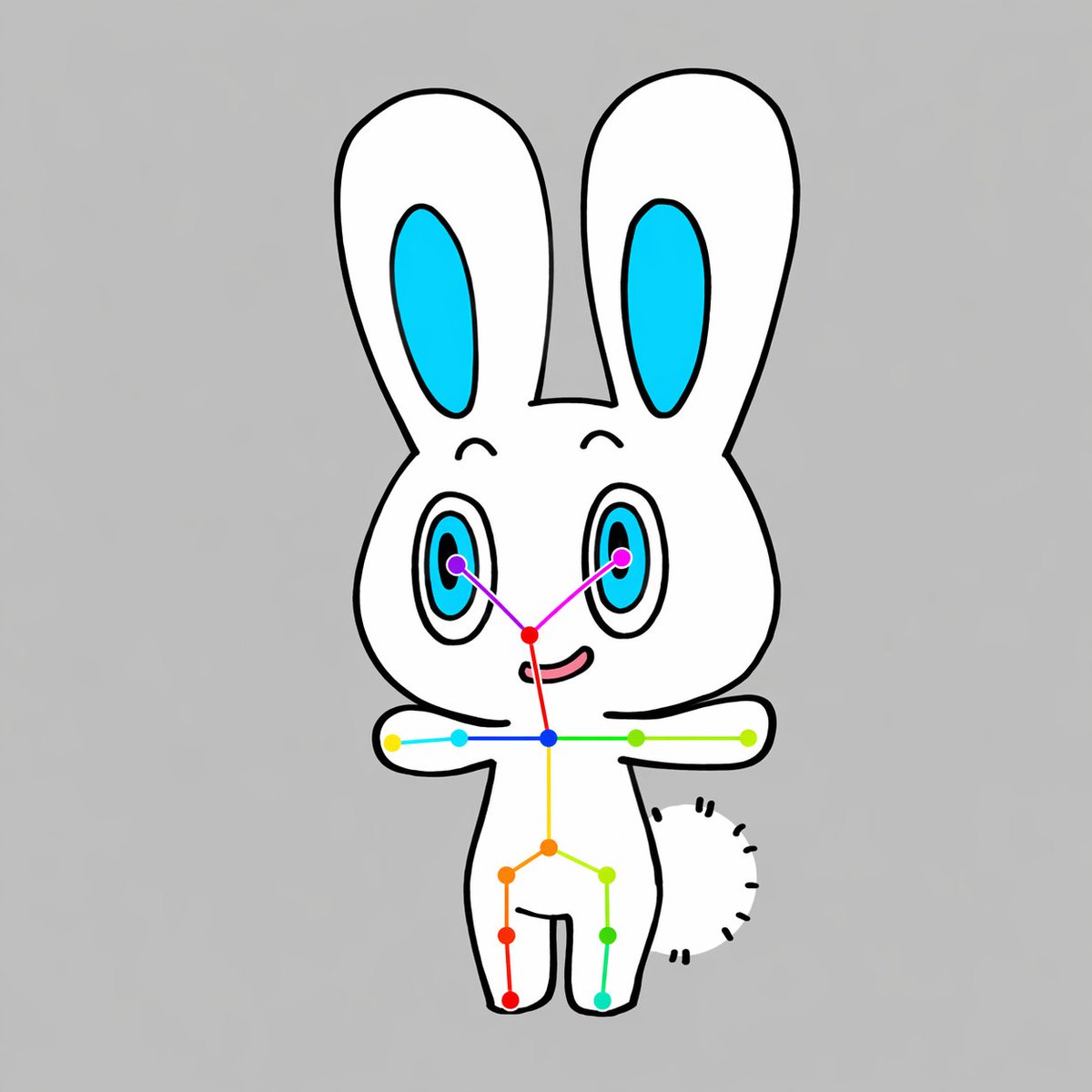
Схема открытого положения кролика Чиби
Простой мультяшный шаблон для создания персонажа-животного в стиле чиби, смотрящего в анфас, с видимым скелетом ключевых точек в стиле OpenPose, полезный для демонстраций оценки позы, примеров наборов данных или иллюстраций для компьютерного зрения.
Это пример использования шаблона GPT Image 2 для Иллюстрация и искусство . Используйте приведенный ниже шаблон, готовый к копированию, чтобы создать аналогичные визуальные элементы, и перед повторным использованием проверьте указание авторства Awesome GPT Image 2 Prompts и права на коммерческое использование.
Free 1K preview
Generate one preview image instantly, no sign-up required.
Промпт
Подсказка для копирования
A simple centered full-body illustration of a cute chibi {argument name="animal type" default="rabbit"} character on a plain {argument name="background color" default="light gray"} background, drawn in a flat cartoon style with thick clean black outlines and minimal shading. The character has a white body, a large rounded head, 2 tall upright ears with bright cyan inner ear shapes, 2 large oval eyes with cyan irises, black pupils, and small highlights, tiny curved eyebrows, a small red-pink nose area, and a slight smiling mouth. The pose is front-facing with both arms stretched straight out horizontally to the sides, legs apart in a simple standing pose, and a short fluffy tail visible on the right side of the body as a curved semicircle made of short black dash marks. Overlay a clear OpenPose-style skeleton marker system on top of the character: 2 purple eye keypoints, 1 red nose keypoint, 1 blue neck keypoint, 2 shoulder keypoints, 2 elbow keypoints, 2 wrist keypoints, 1 yellow spine or pelvis center point, 2 hip keypoints, 2 knee keypoints, and 2 ankle keypoints, for a total of 17 colored points connected by thin colored lines across the face, shoulders, torso, arms, and legs. Use vivid point colors including purple, magenta, red, blue, cyan, green, yellow, orange, and teal so the pose overlay is clearly visible. Keep the composition vertically centered, symmetrical, clean, and diagram-like, with the cute mascot character and pose-estimation overlay as the sole subject.Переменные подсказки
Редактируемые заполнители аргументов, найденные в подсказке, с их значениями по умолчанию.
Best for
- - Иллюстрация и искусство visual exploration
- - Image generation and reference-image edits
- - Reusable briefs that keep source attribution visible
Change these parts
- - Subject, product, character, or scene
- - Aspect ratio, camera, lighting, and background
- - Brand, text, color, and output constraints
Recommended model and settings
- - Model: gpt-image-2
- - Input mode: Текст в изображение
- - Aspect ratio: source
- - Commercial status: review original source
How to use this prompt
- 1. Copy the prompt and preserve its structure for the first test.
- 2. Replace the subject, context, and publishing channel.
- 3. Change one camera, lighting, or style variable per iteration.
- 4. Inspect the output, source, text, and rights before reuse.
Limitations, source, and reuse cautions
- - Generated output is an editable draft, not factual, legal, or rights evidence.
- - Review the linked source, people, brands, logos, text, and third-party media before commercial use.
Больше случаев в этой категории
Приоритет отдается категориям, совместимости с режимами ввода, качеству и низкому уровню риска.






Примечания по повторному использованию и источникам
Используйте это подсказку безопасно после предварительного просмотра дела.
- 1.Скопируйте подсказку или откройте ее непосредственно в Dovoo с помощью кнопки генерации.
- 2.Настройте переменные, соотношение сторон и эталонные изображения в соответствии с вашими потребностями.
- 3.Перед публикацией или платным использованием проверьте права на источник, требования к указанию авторства, а также риски, связанные с использованием товарного знака или изображения.