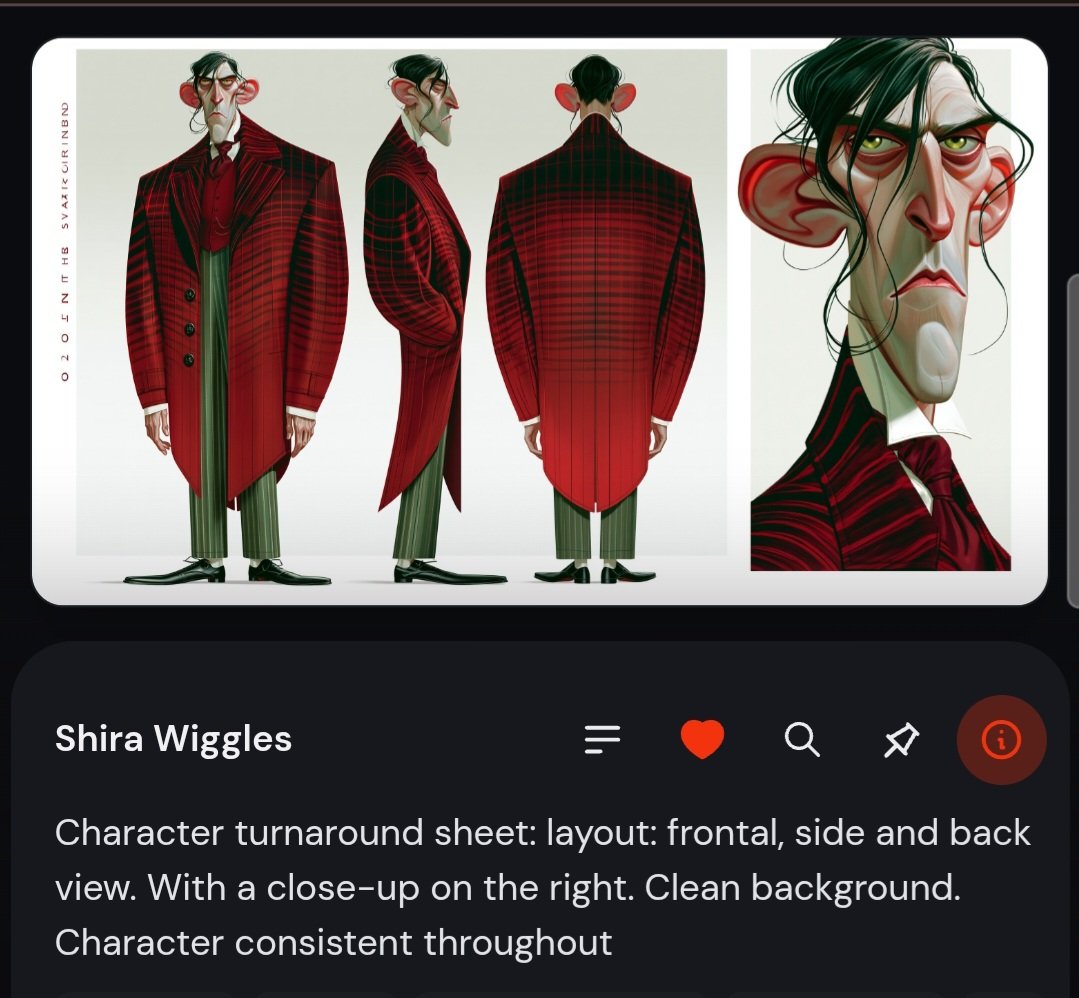
Dark App Character Turnaround Sheet
Generates a dark mobile UI mockup showcasing a stylized caricature character turnaround sheet with three full-body views and a close-up portrait.
Это пример использования шаблона GPT Image 2 для Портрет и характер . Используйте приведенный ниже шаблон, готовый к копированию, чтобы создать аналогичные визуальные элементы, и перед повторным использованием проверьте указание авторства Awesome GPT Image 2 Prompts и права на коммерческое использование.
Free 1K preview
Generate one preview image instantly, no sign-up required.
Промпт
Подсказка для копирования
Goal: Create a dark mobile app-style screenshot featuring a stylized character turnaround sheet for {argument name="character name" default="Shira Wiggles"}, as if displayed in a character inspiration feed.

Canvas: Square-ish mobile screenshot, dark charcoal background, rounded app cards, high-contrast white text, with the main artwork card occupying the top half and an information card below.

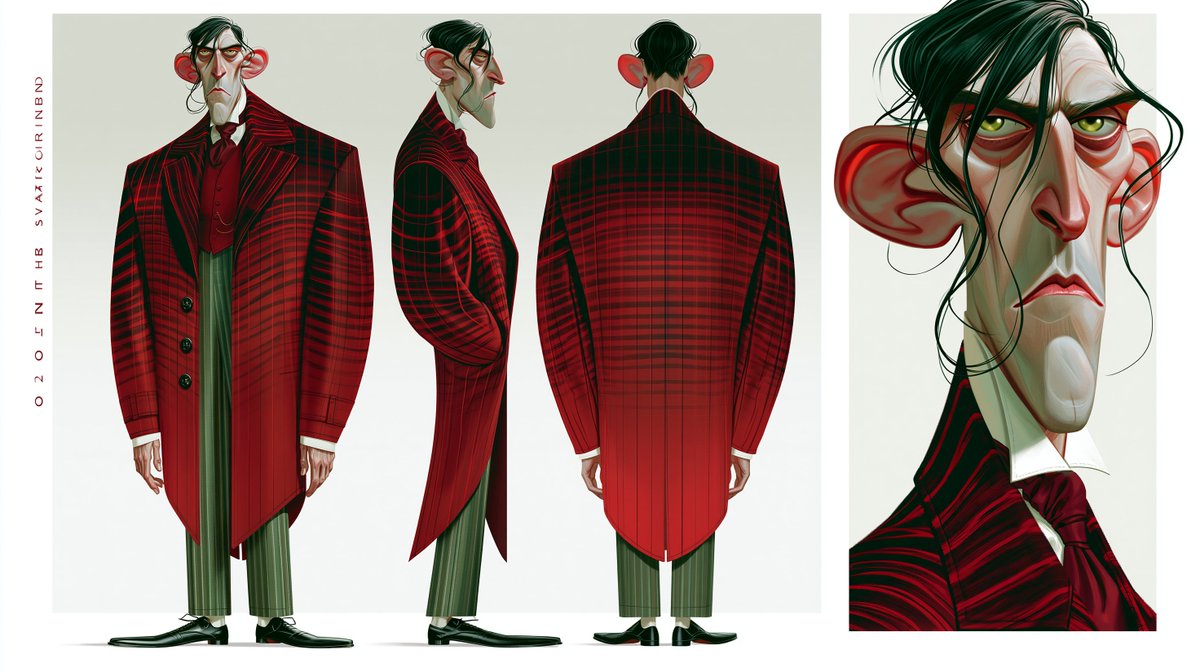
Main artwork card: A large rounded white card with a clean pale gray background contains exactly 4 character depictions: 1 full-body frontal view on the left, 1 full-body side view in the center-left, 1 full-body back view in the center-right, and 1 large close-up portrait panel on the far right. The character must remain consistent across all views: a tall, thin, exaggerated caricature man with a long angular face, large protruding red ears, hooked nose, drooping eyelids, narrow tired eyes, pale greenish skin, black messy side-parted hair with loose strands, and a stern frown.

Character design: Dress him in a dramatic {argument name="coat color and pattern" default="deep red and black plaid"} long tailcoat with oversized shoulders, black-red striping, a dark red shirt and cravat, slim {argument name="trouser color" default="muted olive green"} vertical-striped trousers, and black pointed shoes. The frontal view shows the long asymmetrical coat, the side view shows the hunched posture and long nose profile, the back view shows the broad plaid coat back and tails, and the portrait close-up emphasizes the ears, sunken eyes, long nose, loose hair strands, and severe expression.

Left margin detail: Add a thin vertical decorative label along the left side of the artwork card, resembling small spaced-out character sheet text.

Bottom information card: Under the artwork, create a large rounded dark card. At the top left place the title text “{argument name="character name" default="Shira Wiggles"}” in bold white. To the right of the title row include exactly 5 UI icons arranged horizontally: a list/menu icon, a red heart icon, a white magnifying-glass search icon, a white magic-wand/sparkle icon, and a circular red-orange info icon.

Description text: Below the title row, add the visible caption in large light-gray text: “Character turnaround sheet: layout: frontal, side and back view. With a close-up on the right. Clean background. Character consistent throughout”.

Visual style: Polished concept art character sheet, caricature animation design, painterly digital illustration, clean studio background, crisp UI mockup, rounded corners, subtle shadows, dark mode interface.

Constraints: Use exactly 4 character views and exactly 5 UI icons. Keep the background clean and uncluttered. No extra characters, no watermark, no additional readable body text beyond the title and caption.
Переменные подсказки
Редактируемые заполнители аргументов, найденные в подсказке, с их значениями по умолчанию.
Best for
- - Портрет и характер visual exploration
- - Image generation and reference-image edits
- - Reusable briefs that keep source attribution visible
Change these parts
- - Subject, product, character, or scene
- - Aspect ratio, camera, lighting, and background
- - Brand, text, color, and output constraints
Recommended model and settings
- - Model: gpt-image-2
- - Input mode: Текст в изображение
- - Aspect ratio: source
- - Commercial status: review original source
How to use this prompt
- 1. Copy the prompt and preserve its structure for the first test.
- 2. Replace the subject, context, and publishing channel.
- 3. Change one camera, lighting, or style variable per iteration.
- 4. Inspect the output, source, text, and rights before reuse.
Limitations, source, and reuse cautions
- - Generated output is an editable draft, not factual, legal, or rights evidence.
- - Review the linked source, people, brands, logos, text, and third-party media before commercial use.
Больше случаев в этой категории
Приоритет отдается категориям, совместимости с режимами ввода, качеству и низкому уровню риска.


Примечания по повторному использованию и источникам
Используйте это подсказку безопасно после предварительного просмотра дела.
- 1.Скопируйте подсказку или откройте ее непосредственно в Dovoo с помощью кнопки генерации.
- 2.Настройте переменные, соотношение сторон и эталонные изображения в соответствии с вашими потребностями.
- 3.Перед публикацией или платным использованием проверьте права на источник, требования к указанию авторства, а также риски, связанные с использованием товарного знака или изображения.