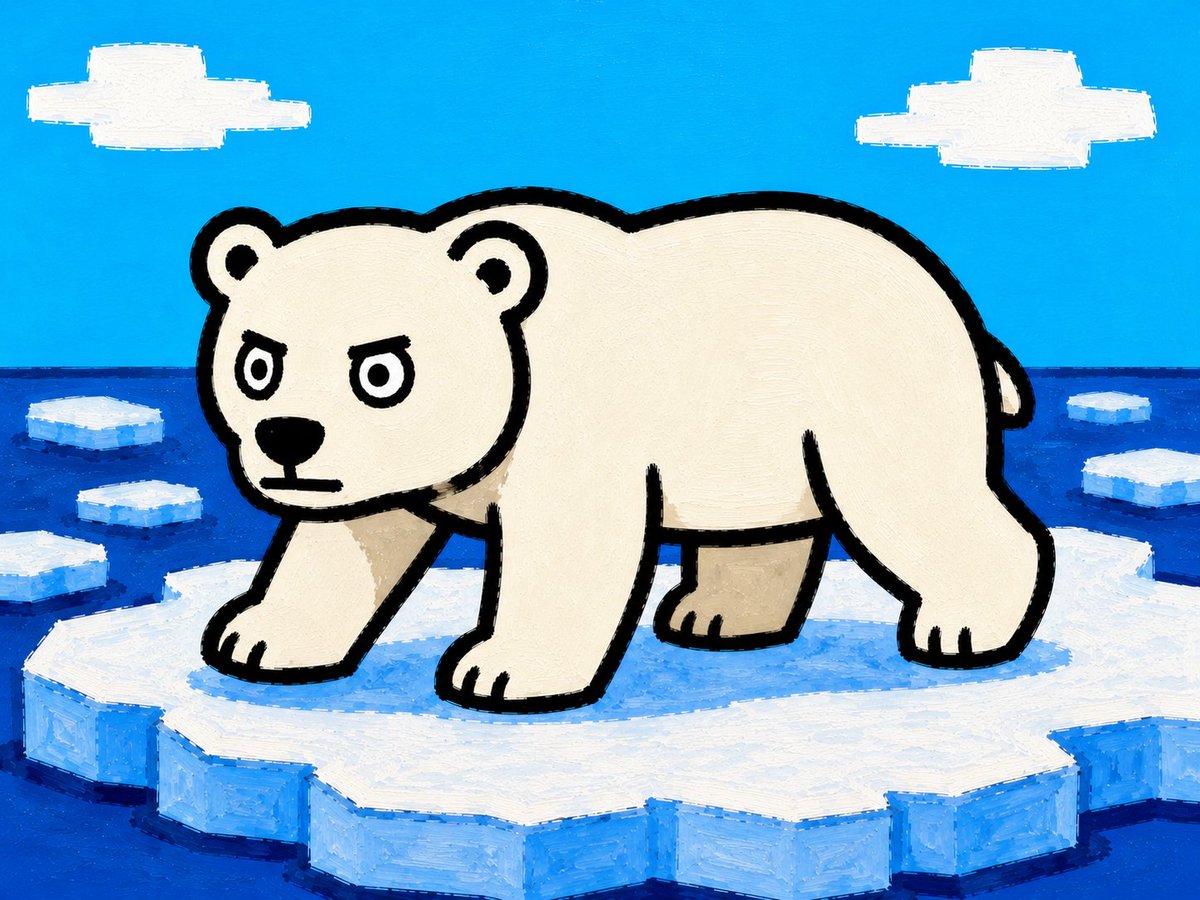
Cartoon Polar Bear on Ice Floe
A bright hand-painted children’s book style illustration of a polar bear standing on Arctic sea ice.
Это пример использования шаблона GPT Image 2 для Иллюстрация и искусство . Используйте приведенный ниже шаблон, готовый к копированию, чтобы создать аналогичные визуальные элементы, и перед повторным использованием проверьте указание авторства Awesome GPT Image 2 Prompts и права на коммерческое использование.
Нужен полный набор подсказок? Воспользуйтесь Иллюстрация и искусство Для получения дополнительных примеров по теме, или откройте раздел "Обзор тем" GPT Image 2 быстрый каталог Полный список примеров, многократно используемых структур и указание источников см. здесь.
Free 1K preview
Generate one preview image instantly, no sign-up required.
1173/4000
Промпт
Подсказка для копирования
Create a simple square-ish children’s picture-book illustration of {argument name="animal" default="a polar bear"} standing on a large floating ice floe in the Arctic Ocean. The animal is shown in side view facing left, occupying most of the frame, with a stout rounded body, short natural neck, four legs visible, small rounded ears, tiny tail, cream-white fur, thick black cartoon outline, and a stern determined face with round eyes, black nose, and flat mouth. Use a naive hand-painted acrylic or oil-pastel style with visible brush strokes, slightly uneven edges, bold black contours, and flat bright colors. The setting is a vivid cyan-blue sky above a dark blue ocean horizon, with exactly 2 simple white blocky clouds in the sky, one at upper left and one at upper right. Include exactly 6 smaller floating ice chunks in the water around the main floe: 3 on the left side, 3 on the right side. The main ice floe should be large, jagged, white on top with light-blue shaded sides, filling the bottom third of the image. Keep the composition playful and graphic, like a handmade children’s book page, with no text, no watermark, no photorealism, and no extra animals.Переменные подсказки
Редактируемые заполнители аргументов, найденные в подсказке, с их значениями по умолчанию.
Переменная
animal
По умолчанию
a polar bear
Best for
- - Иллюстрация и искусство visual exploration
- - Image generation and reference-image edits
- - Reusable briefs that keep source attribution visible
Change these parts
- - Subject, product, character, or scene
- - Aspect ratio, camera, lighting, and background
- - Brand, text, color, and output constraints
Recommended model and settings
- - Model: gpt-image-2
- - Input mode: Текст в изображение
- - Aspect ratio: source
- - Commercial status: review original source
How to use this prompt
- 1. Copy the prompt and preserve its structure for the first test.
- 2. Replace the subject, context, and publishing channel.
- 3. Change one camera, lighting, or style variable per iteration.
- 4. Inspect the output, source, text, and rights before reuse.
Limitations, source, and reuse cautions
- - Generated output is an editable draft, not factual, legal, or rights evidence.
- - Review the linked source, people, brands, logos, text, and third-party media before commercial use.
Импортировано из Awesome GPT Image 2 Prompts . Требуется указание авторства. Статус коммерческого использования: allowed ; перед платным использованием ознакомьтесь с правами на источник.
Больше случаев в этой категории
Приоритет отдается категориям, совместимости с режимами ввода, качеству и низкому уровню риска.
Примечания по повторному использованию и источникам
Используйте это подсказку безопасно после предварительного просмотра дела.
- 1.Скопируйте подсказку или откройте ее непосредственно в Dovoo с помощью кнопки генерации.
- 2.Настройте переменные, соотношение сторон и эталонные изображения в соответствии с вашими потребностями.
- 3.Перед публикацией или платным использованием проверьте права на источник, требования к указанию авторства, а также риски, связанные с использованием товарного знака или изображения.