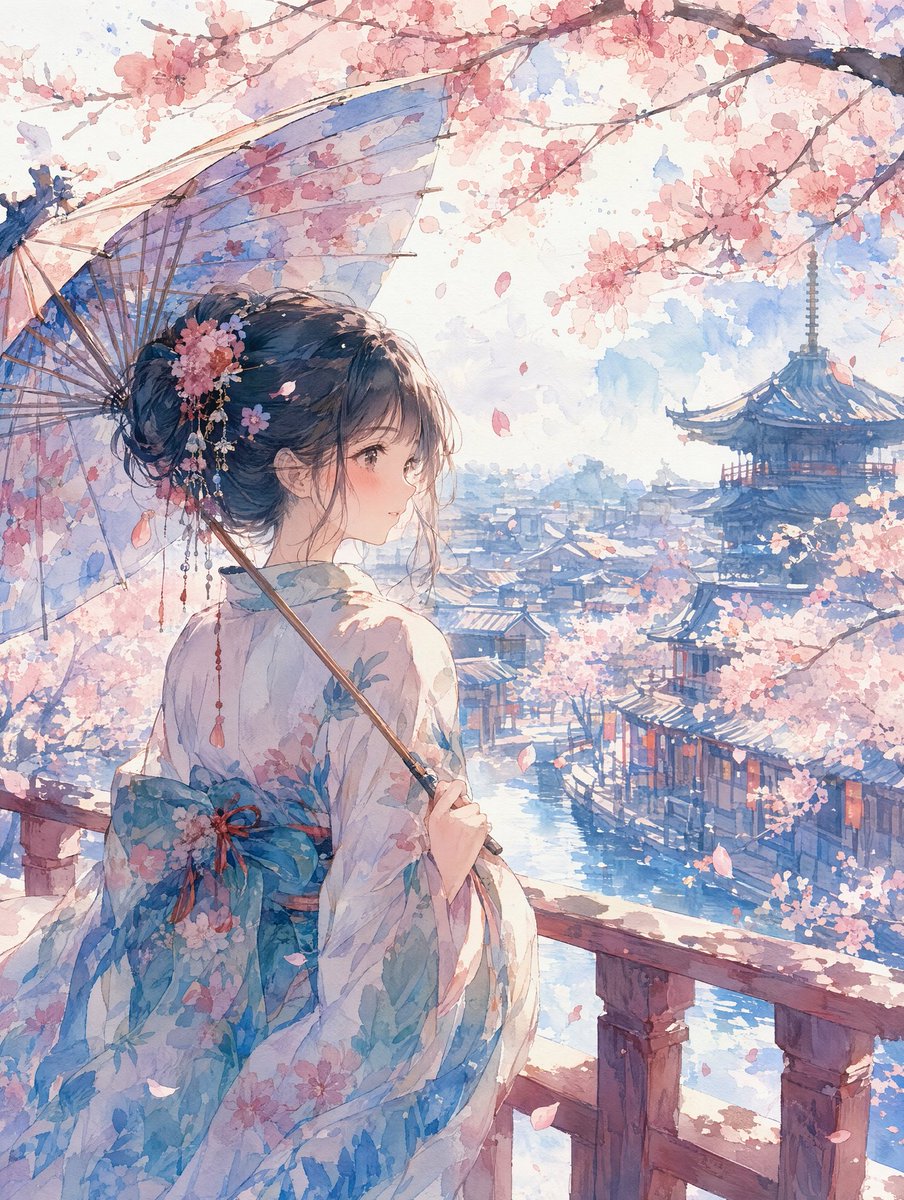
Watercolor Cherry Blossom Anime Scene
Creates a tranquil watercolor anime transformation with a kimono-clad figure overlooking a cherry blossom riverside town.
Este é um exemplo de prompt GPT Image 2 para Anime e Jogo . Use o prompt pronto para copiar abaixo para gerar visuais semelhantes e revise a atribuição Awesome GPT Image 2 Prompts e os direitos de uso comercial antes de reutilizá-los.
Precisa do conjunto completo de instruções? Use o Anime e Jogo Para obter mais exemplos relacionados, acesse o hub de tópicos ou abra o GPT Image 2 catálogo de prompts Para obter o índice completo de exemplos, estruturas reutilizáveis e atribuição de fontes.
Free 1K preview
Generate one preview image instantly, no sign-up required.
Free text preview doesn’t preserve reference-image consistency.
1186/4000
Incitar
prompt pronto para copiar
Using REFERENCE_0 as the source style inspiration, transform the manga-style promotional image into a single serene watercolor anime illustration. Remove all comic panels, speech bubbles, typography, action effects, and advertising layout. Create a vertical scene of {argument name="character subject" default="a young woman in a floral kimono"} viewed from behind in a three-quarter pose, standing on a wooden balcony and looking over a historic riverside Japanese town. Add {argument name="seasonal setting" default="spring cherry blossoms"} with branches framing the top, falling petals, and soft pink blossoms throughout the scene. Give the character an elegant updo with floral hair ornaments and have her hold {argument name="accessory" default="a translucent traditional umbrella"}. Set the background with a blue river canal, traditional rooftops, and a distant pagoda or temple tower. Use {argument name="visual style" default="delicate watercolor anime style"}: pale washes, soft paper texture, gentle blue and pink palette, luminous daylight, fine ink-like detail, and a calm romantic atmosphere. No text, no logos, no speech bubbles, no comic borders, no modern UI elements.Variáveis de prompt
Marcadores de posição editáveis para argumentos encontrados no prompt, com seus valores padrão.
Variável
character subject
Padrão
a young woman in a floral kimono
Variável
seasonal setting
Padrão
spring cherry blossoms
Variável
accessory
Padrão
a translucent traditional umbrella
Variável
visual style
Padrão
delicate watercolor anime style
Best for
- - Anime e Jogo visual exploration
- - Image generation and reference-image edits
- - Reusable briefs that keep source attribution visible
Change these parts
- - Subject, product, character, or scene
- - Aspect ratio, camera, lighting, and background
- - Brand, text, color, and output constraints
Recommended model and settings
- - Model: gpt-image-2
- - Input mode: Imagem para Imagem
- - Aspect ratio: source
- - Commercial status: review original source
How to use this prompt
- 1. Copy the prompt and preserve its structure for the first test.
- 2. Replace the subject, context, and publishing channel.
- 3. Change one camera, lighting, or style variable per iteration.
- 4. Inspect the output, source, text, and rights before reuse.
Limitations, source, and reuse cautions
- - Generated output is an editable draft, not factual, legal, or rights evidence.
- - Review the linked source, people, brands, logos, text, and third-party media before commercial use.
Importado de Awesome GPT Image 2 Prompts . É necessário dar crédito. O uso comercial é permitido allowed ; revise os direitos da fonte antes de utilizá-lo mediante pagamento.
Mais casos nesta categoria
Priorizados por categoria, compatibilidade do modo de entrada, qualidade e menor risco.

Manga Desert Radio Telescope Road Trip
Texto para Imagem

Surreal Macro Fashion Illusion
Imagem para Imagem

Split Face Horror Transformation
Imagem para Imagem

Dax Cinematic Character Bible Sheet
Imagem para Imagem

Multi-Pose Wavy Dark Hair Portrait
Imagem para Imagem

Vintage Digital Camera Mirror Selfie
Imagem para Imagem
Reutilização e notas de origem
Utilize esta instrução com segurança após visualizar o caso.
- 1.Copie o prompt ou abra-o diretamente no Dovoo com o botão de geração.
- 2.Ajuste as variáveis, a proporção e as imagens de referência de acordo com o seu caso específico.
- 3.Antes de publicar ou utilizar o conteúdo mediante pagamento, verifique os direitos da fonte, os requisitos de atribuição e os riscos relacionados à marca ou à imagem.