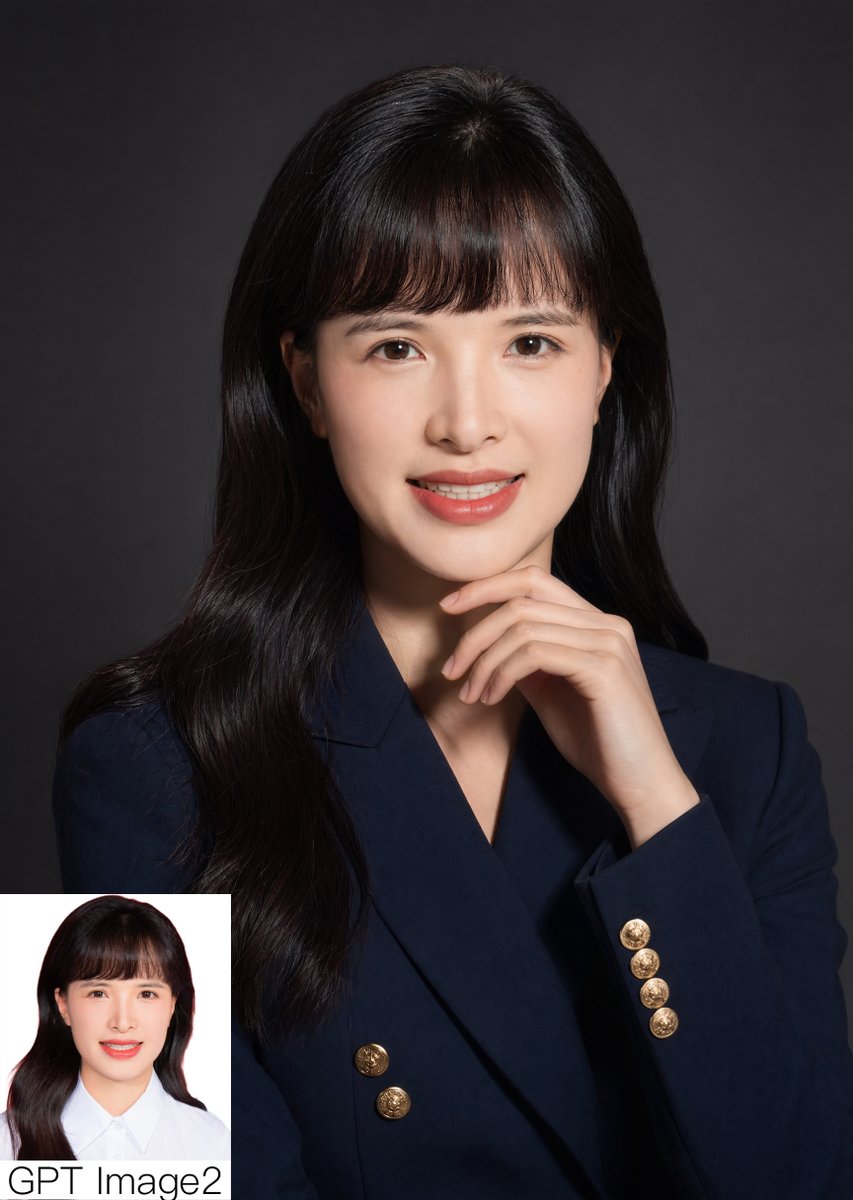
Retrato corporativo de estúdio com detalhe inserido.
Este comando gera um retrato profissional fotorrealista de estúdio com uma pose pensativa e uma pequena imagem comparativa inserida, ideal para publicações de comparação de modelos de IA ou demonstrações com qualidade de retrato.
Este é um exemplo de prompt GPT Image 2 para Retrato e Personagem . Use o prompt pronto para copiar abaixo para gerar visuais semelhantes e revise a atribuição Awesome GPT Image 2 Prompts e os direitos de uso comercial antes de reutilizá-los.
Free 1K preview
Generate one preview image instantly, no sign-up required.
Incitar
prompt pronto para copiar
A polished studio portrait of a {argument name="subject" default="young East Asian woman"} from the chest up, centered and facing forward against a smooth dark charcoal gray backdrop with subtle vignette lighting. She has long, glossy, slightly wavy {argument name="hair color" default="black"} hair falling over both shoulders, with soft straight bangs and a neat center-top part. She wears a tailored double-breasted {argument name="blazer color" default="deep navy"} blazer with 6 visible round gold crest buttons, creating an elegant professional look. Her right hand is raised thoughtfully under her chin with relaxed fingers, forming a poised formal pose. Use soft directional studio lighting from the front-left, high detail skin texture, realistic fabric, gentle shadows, and a premium corporate headshot aesthetic. Compose the image vertically, clean and minimal, with the subject occupying most of the frame. In the bottom-left corner, add 1 small rectangular inset comparison photo on a white background showing the same woman in a simpler ID-style portrait wearing a white collared shirt, and place the text {argument name="corner text" default="GPT Image2"} beneath or overlapping the inset in large black sans-serif letters. Photorealistic, refined, editorial portrait quality.Variáveis de prompt
Marcadores de posição editáveis para argumentos encontrados no prompt, com seus valores padrão.
Best for
- - Retrato e Personagem visual exploration
- - Image generation and reference-image edits
- - Reusable briefs that keep source attribution visible
Change these parts
- - Subject, product, character, or scene
- - Aspect ratio, camera, lighting, and background
- - Brand, text, color, and output constraints
Recommended model and settings
- - Model: gpt-image-2
- - Input mode: Texto para Imagem
- - Aspect ratio: source
- - Commercial status: review original source
How to use this prompt
- 1. Copy the prompt and preserve its structure for the first test.
- 2. Replace the subject, context, and publishing channel.
- 3. Change one camera, lighting, or style variable per iteration.
- 4. Inspect the output, source, text, and rights before reuse.
Limitations, source, and reuse cautions
- - Generated output is an editable draft, not factual, legal, or rights evidence.
- - Review the linked source, people, brands, logos, text, and third-party media before commercial use.
Mais casos nesta categoria
Priorizados por categoria, compatibilidade do modo de entrada, qualidade e menor risco.






Reutilização e notas de origem
Utilize esta instrução com segurança após visualizar o caso.
- 1.Copie o prompt ou abra-o diretamente no Dovoo com o botão de geração.
- 2.Ajuste as variáveis, a proporção e as imagens de referência de acordo com o seu caso específico.
- 3.Antes de publicar ou utilizar o conteúdo mediante pagamento, verifique os direitos da fonte, os requisitos de atribuição e os riscos relacionados à marca ou à imagem.