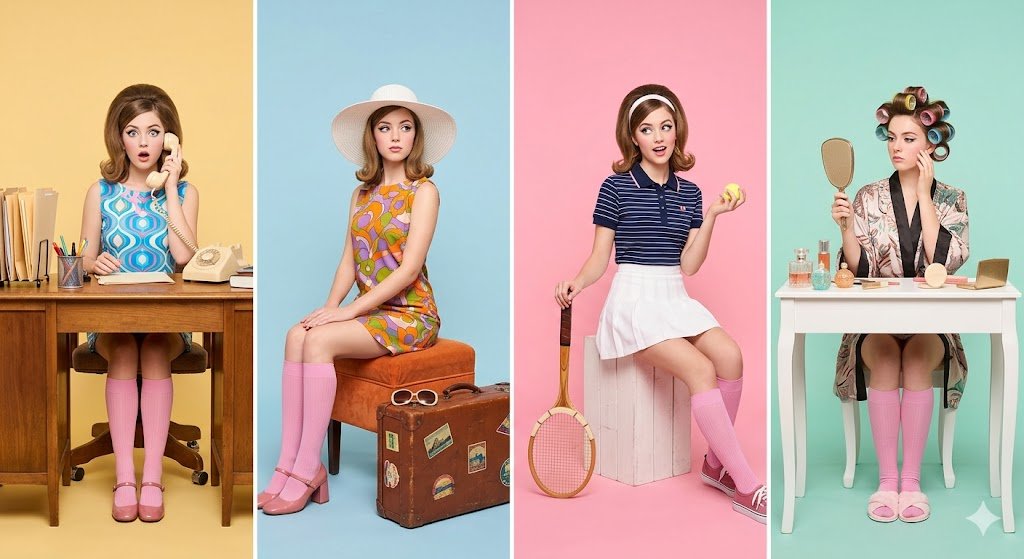
Retro 1960s Four-Panel Fashion Editorial
Generates a vintage-style studio photography grid featuring a single subject in four distinct character roles with bold pastel blocking.
Este é um exemplo de prompt GPT Image 2 para Moda e Beleza . Use o prompt pronto para copiar abaixo para gerar visuais semelhantes e revise a atribuição Awesome GPT Image 2 Prompts e os direitos de uso comercial antes de reutilizá-los.
Precisa do conjunto completo de instruções? Use o Moda e Beleza Para obter mais exemplos relacionados, acesse o hub de tópicos ou abra o GPT Image 2 catálogo de prompts Para obter o índice completo de exemplos, estruturas reutilizáveis e atribuição de fontes.
Free 1K preview
Generate one preview image instantly, no sign-up required.
1367/4000
Incitar
prompt pronto para copiar
Retro studio photography featuring the same woman in four distinct character roles, laid out side by side in a horizontal panel grid. Each panel has its own bold {argument name="colors" default="pastel backdrop (yellow, blue, pink, mint)"}. She's styled in {argument name="era" default="1960s vintage fashion"} throughout, colorful prints, pink knee-high socks, and bold makeup.

Left panel (Office): Seated at a desk surrounded by props, a rotary telephone, file folders, stationery. Patterned dress, expression of surprise while on the phone.
Second panel (Travel): Wide-brimmed hat, vibrant ensemble, posed with a vintage suitcase and travel accessories, elegant posture.
Third panel (Sports): Retro athletic outfit, holding a tennis racket and ball with laid-back playful energy.
Right panel (Home): Wearing a robe with rollers in her hair, holding a hand mirror at a vanity table with beauty products arranged around her.

Panels are neatly divided with symmetrical framing and consistent lighting and camera angle throughout. Soft bright studio light, high-end fashion editorial aesthetic, razor-sharp detail, vivid saturated colors, near-shadowless, no text, no logos, no watermarks.
Style: {argument name="style" default="pop art nostalgia, Wes Anderson symmetry, fashion editorial photography, pastel color blocking"}, high resolution, 8K, clean composition.
Variáveis de prompt
Marcadores de posição editáveis para argumentos encontrados no prompt, com seus valores padrão.
Variável
colors
Padrão
pastel backdrop (yellow, blue, pink, mint)
Variável
era
Padrão
1960s vintage fashion
Variável
style
Padrão
pop art nostalgia, Wes Anderson symmetry, fashion editorial photography, pastel color blocking
Best for
- - Moda e Beleza visual exploration
- - Image generation and reference-image edits
- - Reusable briefs that keep source attribution visible
Change these parts
- - Subject, product, character, or scene
- - Aspect ratio, camera, lighting, and background
- - Brand, text, color, and output constraints
Recommended model and settings
- - Model: gpt-image-2
- - Input mode: Texto para Imagem
- - Aspect ratio: source
- - Commercial status: review original source
How to use this prompt
- 1. Copy the prompt and preserve its structure for the first test.
- 2. Replace the subject, context, and publishing channel.
- 3. Change one camera, lighting, or style variable per iteration.
- 4. Inspect the output, source, text, and rights before reuse.
Limitations, source, and reuse cautions
- - Generated output is an editable draft, not factual, legal, or rights evidence.
- - Review the linked source, people, brands, logos, text, and third-party media before commercial use.
Importado de Awesome GPT Image 2 Prompts . É necessário dar crédito. O uso comercial é permitido allowed ; revise os direitos da fonte antes de utilizá-lo mediante pagamento.
Mais casos nesta categoria
Priorizados por categoria, compatibilidade do modo de entrada, qualidade e menor risco.

Fashion Studio Portrait with Blue Rim Lighting
Texto para Imagem

Spring Editorial Fashion Collage
Texto para Imagem

Luxury Brand Campaign Prompt Template
Texto para Imagem

Pink Hijab Mirror Selfie Portrait
Texto para Imagem
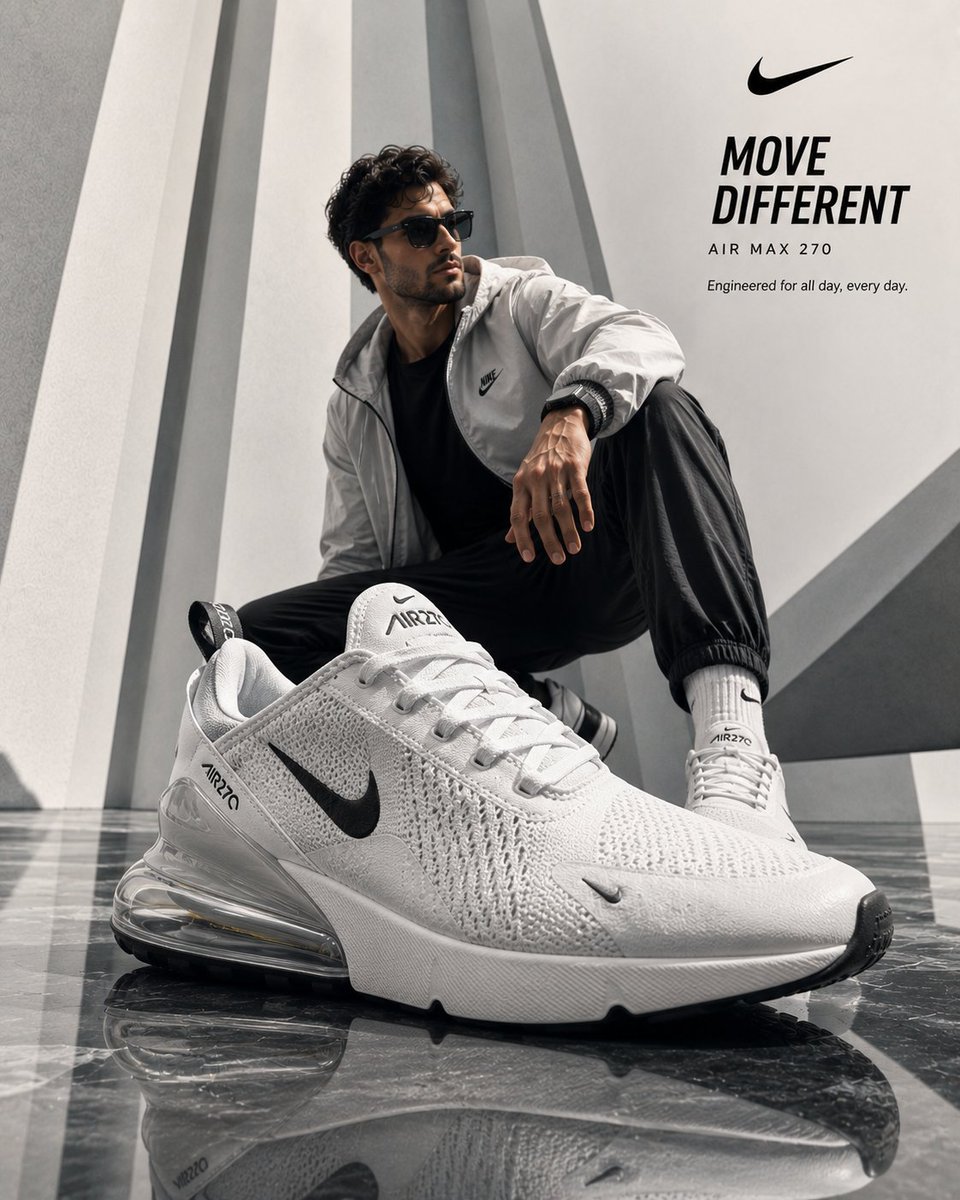
Luxury Product Ad Campaign Template
Texto para Imagem

Overhead Pepperoni Pizza Photo
Texto para Imagem
Reutilização e notas de origem
Utilize esta instrução com segurança após visualizar o caso.
- 1.Copie o prompt ou abra-o diretamente no Dovoo com o botão de geração.
- 2.Ajuste as variáveis, a proporção e as imagens de referência de acordo com o seu caso específico.
- 3.Antes de publicar ou utilizar o conteúdo mediante pagamento, verifique os direitos da fonte, os requisitos de atribuição e os riscos relacionados à marca ou à imagem.