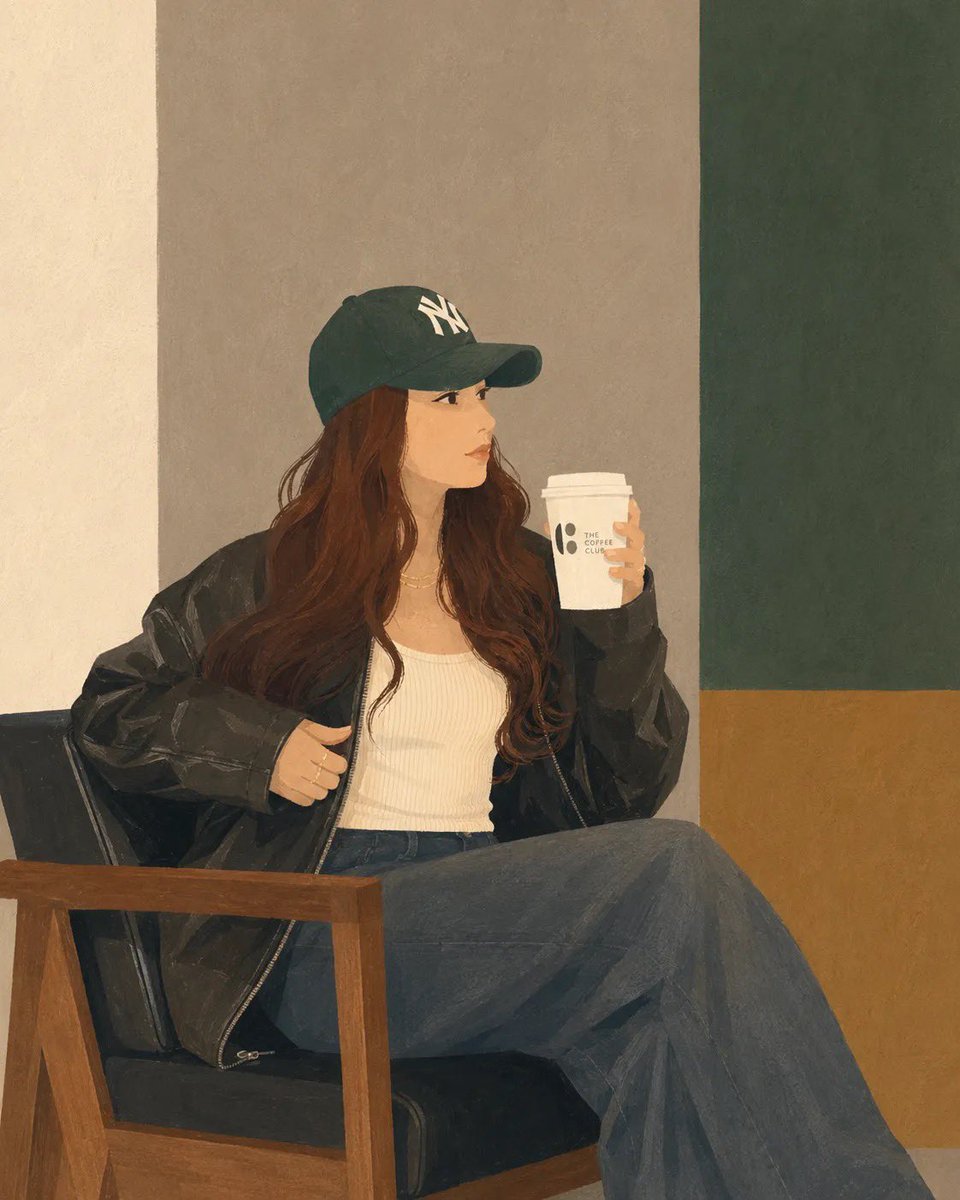
Minimalist Digital Illustration Transformation
A transformation prompt for GPT Image 2 that converts uploaded photos into clean, semi-realistic digital illustrations while maintaining the original composition and styling.
Este é um exemplo de prompt GPT Image 2 para Ilustração e Arte . Use o prompt pronto para copiar abaixo para gerar visuais semelhantes e revise a atribuição Awesome GPT Image 2 Prompts e os direitos de uso comercial antes de reutilizá-los.
Free 1K preview
Generate one preview image instantly, no sign-up required.
Free text preview doesn’t preserve reference-image consistency.
Incitar
prompt pronto para copiar
Transform the uploaded photo into a clean, minimalist semi-realistic digital illustration while preserving the original composition, pose, outfit, chair, coffee cup, and overall framing. Simplify facial features with smooth vector-like shapes, soft painterly shading, and subtle linework. Use {argument name="color palette" default="muted earthy tones, warm beige, olive green, charcoal black, and soft brown"}. Replace the detailed café background with simple geometric color-blocked walls and minimal interior elements. Maintain {argument name="clothing and accessories" default="natural long wavy hair, oversized black leather jacket, white ribbed tank top, dark wide-leg jeans, and green baseball cap"}. Create a calm, cozy coffeehouse atmosphere with soft ambient lighting, smooth textures, flat-color rendering, elegant minimalism, modern editorial illustration style, high detail, clean edges, balanced composition, premium lifestyle artwork, 4K quality.Variáveis de prompt
Marcadores de posição editáveis para argumentos encontrados no prompt, com seus valores padrão.
Best for
- - Ilustração e Arte visual exploration
- - Image generation and reference-image edits
- - Reusable briefs that keep source attribution visible
Change these parts
- - Subject, product, character, or scene
- - Aspect ratio, camera, lighting, and background
- - Brand, text, color, and output constraints
Recommended model and settings
- - Model: gpt-image-2
- - Input mode: Imagem para Imagem
- - Aspect ratio: source
- - Commercial status: review original source
How to use this prompt
- 1. Copy the prompt and preserve its structure for the first test.
- 2. Replace the subject, context, and publishing channel.
- 3. Change one camera, lighting, or style variable per iteration.
- 4. Inspect the output, source, text, and rights before reuse.
Limitations, source, and reuse cautions
- - Generated output is an editable draft, not factual, legal, or rights evidence.
- - Review the linked source, people, brands, logos, text, and third-party media before commercial use.
Mais casos nesta categoria
Priorizados por categoria, compatibilidade do modo de entrada, qualidade e menor risco.






Reutilização e notas de origem
Utilize esta instrução com segurança após visualizar o caso.
- 1.Copie o prompt ou abra-o diretamente no Dovoo com o botão de geração.
- 2.Ajuste as variáveis, a proporção e as imagens de referência de acordo com o seu caso específico.
- 3.Antes de publicar ou utilizar o conteúdo mediante pagamento, verifique os direitos da fonte, os requisitos de atribuição e os riscos relacionados à marca ou à imagem.