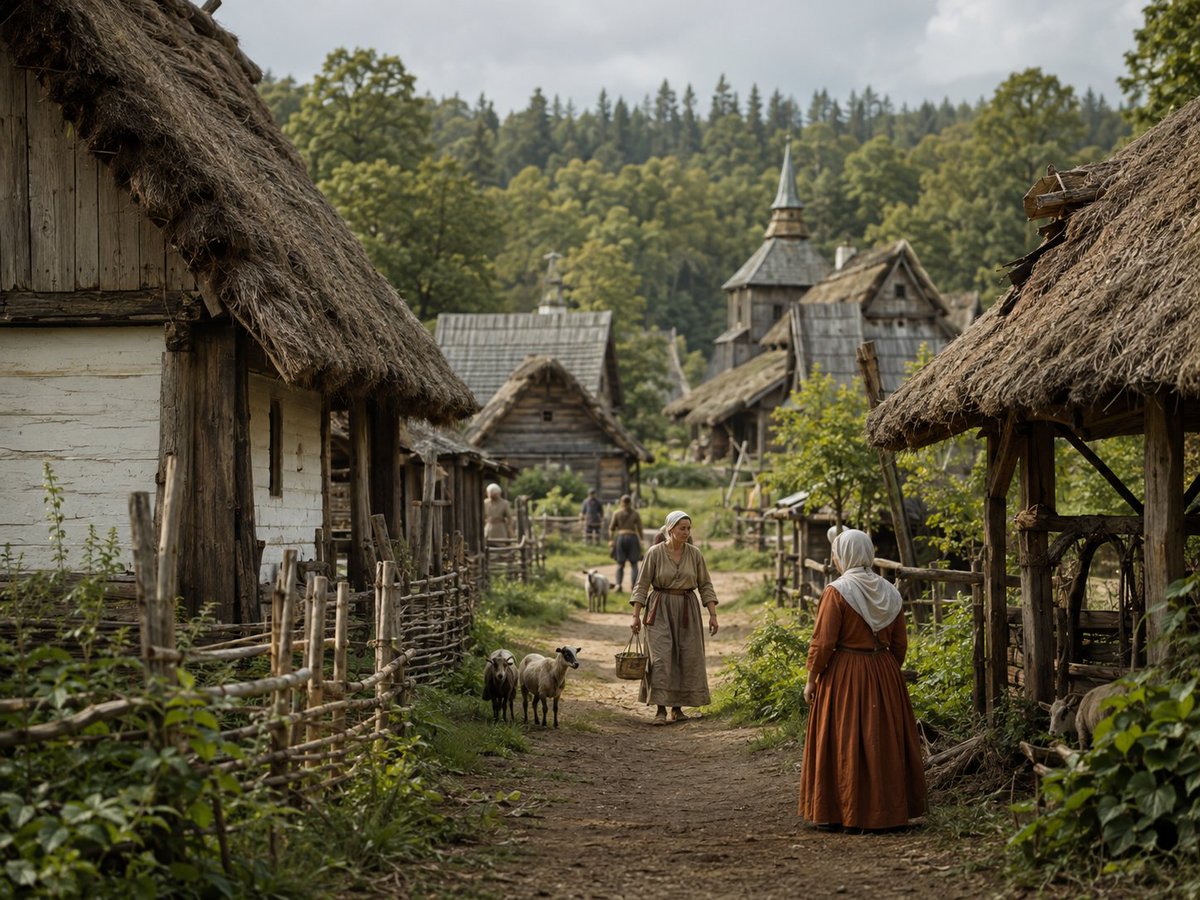
Photorealistic Medieval Village Lane
Generates a cinematic historical village scene suitable for worldbuilding, period drama concept art, or realistic medieval environment design.
Este é um exemplo de prompt GPT Image 2 para Paisagem e Natureza . Use o prompt pronto para copiar abaixo para gerar visuais semelhantes e revise a atribuição Awesome GPT Image 2 Prompts e os direitos de uso comercial antes de reutilizá-los.
Precisa do conjunto completo de instruções? Use o Paisagem e Natureza Para obter mais exemplos relacionados, acesse o hub de tópicos ou abra o GPT Image 2 catálogo de prompts Para obter o índice completo de exemplos, estruturas reutilizáveis e atribuição de fontes.
Free 1K preview
Generate one preview image instantly, no sign-up required.
1767/4000
Incitar
prompt pronto para copiar
Create a photorealistic cinematic wide shot of a quiet medieval rural village in {argument name="season" default="late spring"}, viewed from eye level along a muddy dirt lane that leads into the settlement. The scene is framed by two large thatched-roof wooden cottages in the extreme foreground, one on the left with pale plaster walls and weathered timber, and one on the right with an open rustic shelter structure; both roofs are rough straw with dark, aged texture. Add woven stick fences, wooden posts, small gardens, leafy weeds, and dense greenery along both sides of the path. In the middle ground, show exactly 5 visible villagers: 1 woman in the center walking toward the viewer in a simple beige linen dress and headscarf carrying a basket, 1 woman in the right foreground seen from behind wearing a rust-brown dress with a white head covering, 1 pale-clothed figure near the left fence, and 2 smaller distant figures on the lane. Include exactly 3 small livestock animals near the center-left of the path, resembling sheep or goats, one dark and two light. The village should contain about 7 visible structures: 2 dominant foreground thatched buildings, 3 smaller timber cottages in the middle distance, 1 tall wooden church or watchtower with a pointed spire, and 1 additional thatched roof partly visible behind it. Background: a lush green forested hillside with mixed deciduous and conifer trees under an overcast gray sky. Use natural muted colors, soft diffused daylight, shallow depth of field with the foreground and central figures sharp and the far background slightly softened, highly detailed historical textures, realistic fabric, straw, timber, mud, and foliage. No modern objects, no text, no fantasy elements, no vehicles, no power lines.Variáveis de prompt
Marcadores de posição editáveis para argumentos encontrados no prompt, com seus valores padrão.
Variável
season
Padrão
late spring
Best for
- - Paisagem e Natureza visual exploration
- - Image generation and reference-image edits
- - Reusable briefs that keep source attribution visible
Change these parts
- - Subject, product, character, or scene
- - Aspect ratio, camera, lighting, and background
- - Brand, text, color, and output constraints
Recommended model and settings
- - Model: gpt-image-2
- - Input mode: Texto para Imagem
- - Aspect ratio: source
- - Commercial status: review original source
How to use this prompt
- 1. Copy the prompt and preserve its structure for the first test.
- 2. Replace the subject, context, and publishing channel.
- 3. Change one camera, lighting, or style variable per iteration.
- 4. Inspect the output, source, text, and rights before reuse.
Limitations, source, and reuse cautions
- - Generated output is an editable draft, not factual, legal, or rights evidence.
- - Review the linked source, people, brands, logos, text, and third-party media before commercial use.
Importado de Awesome GPT Image 2 Prompts . É necessário dar crédito. O uso comercial é permitido allowed ; revise os direitos da fonte antes de utilizá-lo mediante pagamento.
Mais casos nesta categoria
Priorizados por categoria, compatibilidade do modo de entrada, qualidade e menor risco.

MotoGP POV Cornering Shot
Texto para Imagem

Luxury Travel Fashion Portrait Prompt
Texto para Imagem

Street Selfie with Cat in Matching Cap
Texto para Imagem

Gray Denim Lace-Up Top Prompt for GPT Image 2
Texto para Imagem

Hell Hound Character Sheet Infographic
Texto para Imagem

Hiker in Red Jacket
Texto para Imagem
Reutilização e notas de origem
Utilize esta instrução com segurança após visualizar o caso.
- 1.Copie o prompt ou abra-o diretamente no Dovoo com o botão de geração.
- 2.Ajuste as variáveis, a proporção e as imagens de referência de acordo com o seu caso específico.
- 3.Antes de publicar ou utilizar o conteúdo mediante pagamento, verifique os direitos da fonte, os requisitos de atribuição e os riscos relacionados à marca ou à imagem.