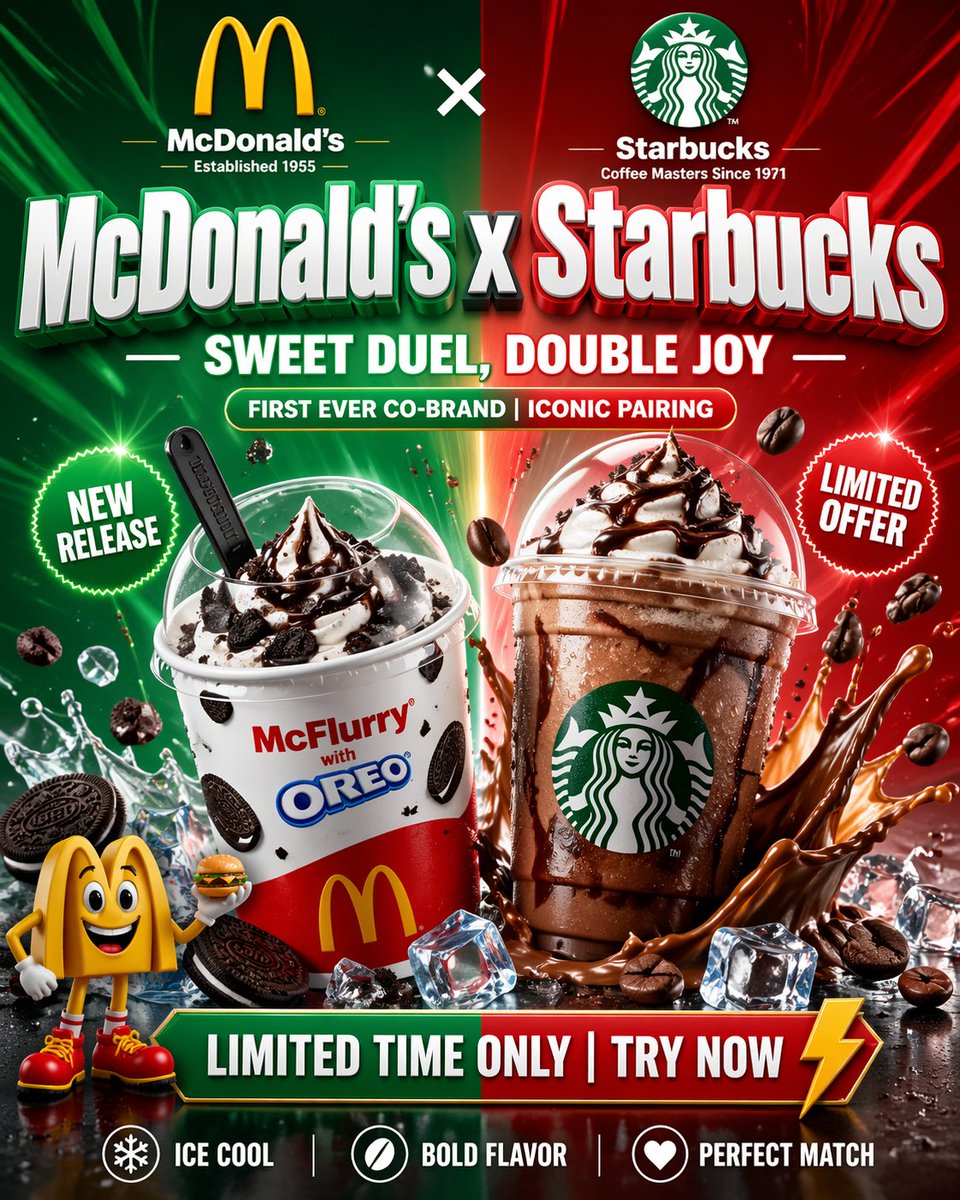
Pôster promocional McDonald's x Starbucks
Um pôster publicitário vertical arrojado com duas marcas, mostrando duas sobremesas geladas lado a lado, ideal para campanhas em redes sociais, anúncios de lançamento e materiais promocionais de redes de fast-food.
Este é um exemplo de prompt GPT Image 2 para Produto e Comercial . Use o prompt pronto para copiar abaixo para gerar visuais semelhantes e revise a atribuição Awesome GPT Image 2 Prompts e os direitos de uso comercial antes de reutilizá-los.
Precisa do conjunto completo de instruções? Use o Produto e Comercial Para obter mais exemplos relacionados, acesse o hub de tópicos ou abra o GPT Image 2 catálogo de prompts Para obter o índice completo de exemplos, estruturas reutilizáveis e atribuição de fontes.
Free 1K preview
Generate one preview image instantly, no sign-up required.
3993/4000
Incitar
prompt pronto para copiar
{
  "type": "promotional fast-food crossover poster",
  "style": "hyper-polished commercial advertising, glossy 3D product render, high contrast, dramatic lighting, ultra-detailed, social media ad design, near-photoreal with stylized brand graphics",
  "format": "vertical poster",
  "aspect_ratio": "2:3",
  "scene": {
    "background": "split vertically down the middle, left half glowing green and right half glowing red, with radiant light streaks, lens flares, floating particles, and a bright seam of light at the center",
    "surface": "wet reflective black tabletop with scattered ice cubes, coffee beans, cookie pieces, splashes, and condensation"
  },
  "branding": {
    "top_left": {
      "logo": "McDonald's golden arches",
      "subtext": "McDonald’s",
      "small_text": "Established 1955"
    },
    "top_right": {
      "logo": "Starbucks siren logo",
      "subtext": "Starbucks",
      "small_text": "Coffee Masters Since 1971"
    },
    "top_center": "white x symbol between the two brands"
  },
  "headline": {
    "main": "{argument name=\"headline text\" default=\"McDonald’s x Starbucks\"}",
    "subheadline": "SWEET DUEL, DOUBLE JOY",
    "banner_text": "FIRST EVER CO-BRAND | ICONIC PAIRING"
  },
  "products": {
    "count": 2,
    "items": [
      {
        "position": "left foreground",
        "name": "McFlurry with Oreo",
        "cup": "white and red McDonald's McFlurry cup with Oreo cookie graphics and yellow arches logo",
        "topping": "swirl of vanilla soft serve with glossy chocolate sauce",
        "mix_ins": "visible Oreo cookie chunks around and on the cup",
        "spoon": "black McFlurry spoon inserted into the dessert dome area",
        "temperature": "cold with ice and splash effects"
      },
      {
        "position": "right foreground",
        "name": "iced Starbucks chocolate drink",
        "cup": "clear plastic Starbucks cup with domed lid and green siren logo",
        "drink": "rich blended or iced chocolate coffee beverage with dark chocolate drizzle coating the inside of the cup",
        "topping": "whipped cream topped with chocolate syrup",
        "temperature": "cold with condensation, ice cubes nearby, dramatic chocolate splash around the base"
      }
    ]
  },
  "badges": {
    "count": 2,
    "items": [
      {
        "position": "left mid",
        "shape": "green starburst seal",
        "text": "NEW RELEASE"
      },
      {
        "position": "right mid",
        "shape": "red starburst seal",
        "text": "LIMITED OFFER"
      }
    ]
  },
  "character": {
    "count": 1,
    "position": "bottom left corner",
    "description": "small cheerful McDonald's mascot-style golden arches character with big cartoon eyes, smiling face, white gloves, red shoes, posing while holding a tiny burger"
  },
  "bottom_cta": {
    "main_bar": "LIMITED TIME ONLY | TRY NOW",
    "accent": "yellow lightning bolt at the right end"
  },
  "feature_row": {
    "count": 3,
    "items": [
      {
        "icon": "snowflake in circle",
        "text": "ICE COOL"
      },
      {
        "icon": "coffee bean in circle",
        "text": "BOLD FLAVOR"
      },
      {
        "icon": "heart in circle",
        "text": "PERFECT MATCH"
      }
    ]
  },
  "floating_elements": {
    "count": 6,
    "types": [
      "coffee beans",
      "Oreo cookies",
      "ice cubes",
      "water splashes",
      "chocolate splashes",
      "spark particles"
    ]
  },
  "color_palette": {
    "primary": [
      "McDonald's green branding glow",
      "Starbucks red promotional glow",
      "white text",
      "yellow accents",
      "dark brown chocolate",
      "black coffee",
      "icy blue highlights"
    ]
  },
  "composition": "symmetrical versus-style layout with both drinks dominating the center, oversized embossed typography across the upper middle, energetic splash effects around each beverage, dense commercial poster layering, crisp readable text, premium co-branded launch aesthetic"
}
Variáveis de prompt
Marcadores de posição editáveis para argumentos encontrados no prompt, com seus valores padrão.
Variável
headline text
Padrão
McDonald’s x Starbucks
Best for
- - Produto e Comercial visual exploration
- - Image generation and reference-image edits
- - Reusable briefs that keep source attribution visible
Change these parts
- - Subject, product, character, or scene
- - Aspect ratio, camera, lighting, and background
- - Brand, text, color, and output constraints
Recommended model and settings
- - Model: gpt-image-2
- - Input mode: Texto para Imagem
- - Aspect ratio: source
- - Commercial status: review original source
How to use this prompt
- 1. Copy the prompt and preserve its structure for the first test.
- 2. Replace the subject, context, and publishing channel.
- 3. Change one camera, lighting, or style variable per iteration.
- 4. Inspect the output, source, text, and rights before reuse.
Limitations, source, and reuse cautions
- - Generated output is an editable draft, not factual, legal, or rights evidence.
- - Review the linked source, people, brands, logos, text, and third-party media before commercial use.
Importado de Awesome GPT Image 2 Prompts . É necessário dar crédito. O uso comercial é permitido allowed ; revise os direitos da fonte antes de utilizá-lo mediante pagamento.
Mais casos nesta categoria
Priorizados por categoria, compatibilidade do modo de entrada, qualidade e menor risco.

Transparent Earbuds on Stone Pedestal
Texto para Imagem

Overhead Pepperoni Pizza Photo
Texto para Imagem

Wet Transparent Earbud Macro
Texto para Imagem

Fashion Studio Portrait with Blue Rim Lighting
Texto para Imagem

Android Quantum Lab Workstation
Texto para Imagem

Spring Editorial Fashion Collage
Texto para Imagem
Reutilização e notas de origem
Utilize esta instrução com segurança após visualizar o caso.
- 1.Copie o prompt ou abra-o diretamente no Dovoo com o botão de geração.
- 2.Ajuste as variáveis, a proporção e as imagens de referência de acordo com o seu caso específico.
- 3.Antes de publicar ou utilizar o conteúdo mediante pagamento, verifique os direitos da fonte, os requisitos de atribuição e os riscos relacionados à marca ou à imagem.