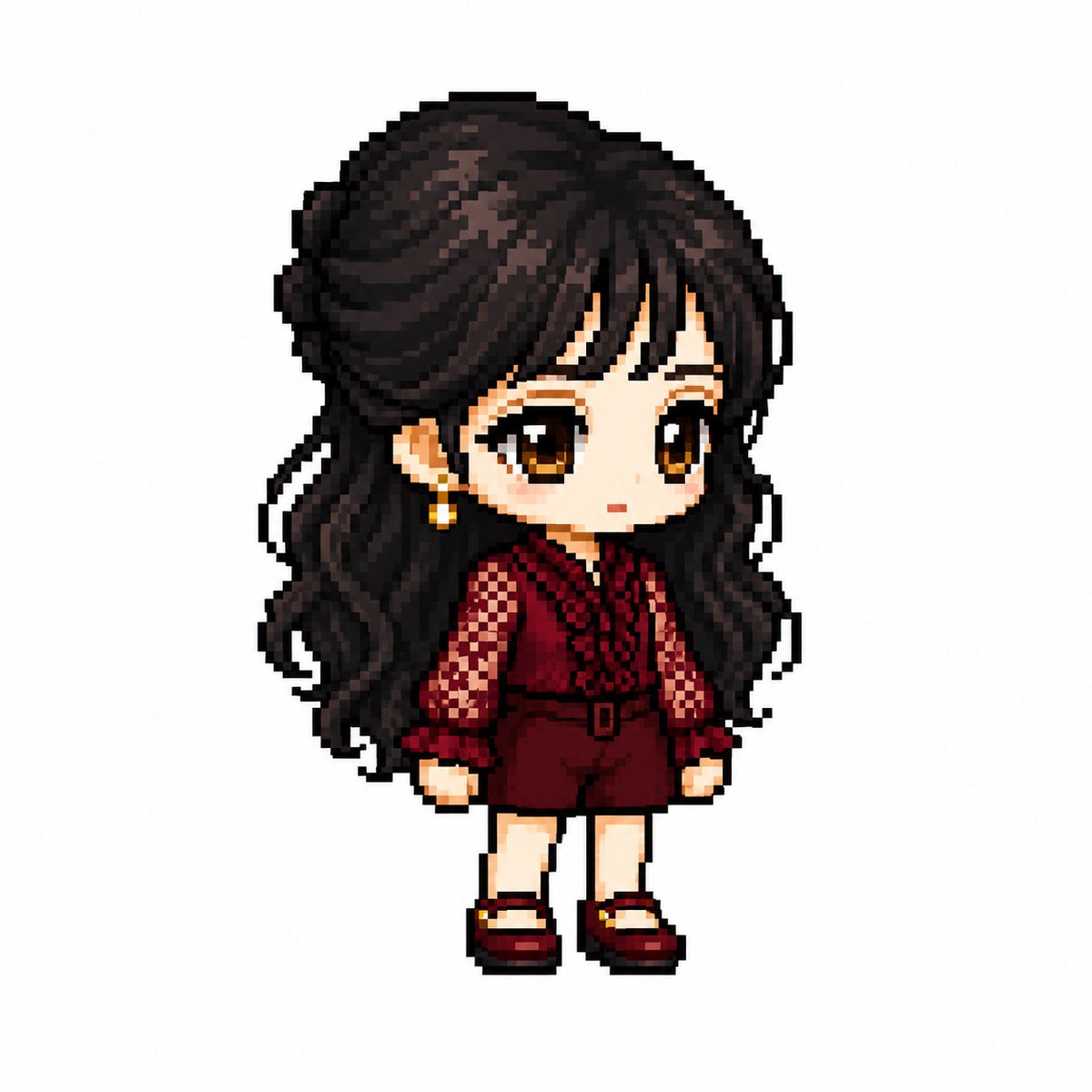
MapleStory Style Pixel Avatar Generator
A specialized prompt that transforms images of characters into MapleStory-style pixel art sprites with specific technical constraints on proportions and rendering.
Este é um exemplo de prompt GPT Image 2 para Anime e Jogo . Use o prompt pronto para copiar abaixo para gerar visuais semelhantes e revise a atribuição Awesome GPT Image 2 Prompts e os direitos de uso comercial antes de reutilizá-los.
Precisa do conjunto completo de instruções? Use o Anime e Jogo Para obter mais exemplos relacionados, acesse o hub de tópicos ou abra o GPT Image 2 catálogo de prompts Para obter o índice completo de exemplos, estruturas reutilizáveis e atribuição de fontes.
Free 1K preview
Generate one preview image instantly, no sign-up required.
2525/4000
Incitar
prompt pronto para copiar
You are a specialized pixel art director who converts anime, game, and manga characters into MapleStory-style player avatar sprites.

[Tasks]
1. Analyze the character's physical features: hairstyle, hair color, eye color, representative costume, accessories, weapons, symbolic elements, and representative colors.
2. Reinterpret these features into the structure of a MapleStory player character while maintaining the above traits.
3. Ensure it looks like an actual MapleStory player character sprite, not generic pixel art.
────────────────────
[Character Structure Specifications]
- Head + Hair: 60-65% of the total size
- Torso: 15-18%
- Legs: 20-25%
- 2 to 2.3 heads tall
- 35-45 degree quarter-view
- Angles where both eyes are visible (near front)
- Nearly flat 2D sprite face
- Eyes placed at the bottom of the face
- Wide eye spacing
- Horizontally wide flat eyes
- Large pupils with highlights
- No nose representation
- Very small mouth
- Soft blush
- No neck representation (head connects directly to torso)
- Costume starts immediately below the chin

Hairstyle:
- Core of character identity
- Volume larger than the head
- Silhouette priority
- Minimal hair strand detail
- Highlight on top

Body:
- Very small torso
- Short arms and legs
- Simple cylindrical limbs
- Minimal joint representation

Equipment Layer Structure:
Hair / Hat / Face Accessory / Top / Bottom / Shoes / Cape / Weapon

Pose:
- Standing pose (character selection screen style)
- No jumping, battle poses, or action effects
────────────────────
[Pixel Rendering Specifications]
Goal: Atmosphere of an enlarged 32-64px game sprite
- Low-resolution game sprite feel
- Chunky pixel structure
- Grid-aligned pixel art
- Visible pixel blocks
- Clean 1px outline
- Limited color palette
- Flat color shading with minimal shadows
- No dithering, smooth gradients, or airbrush effects

[Prohibited Styles]
Pokemon-style / Terraria-style / Stardew Valley-style
Realistic / 3D rendering / Illustration-style
Anime illustration / Digital painting
HD pixel art / Smooth gradients
────────────────────
[Output Conditions]
- Canvas size: 1080x1080
- Background: Pure white (#FFFFFF)
- Only one character
- Full body display, centered
- Occupies about 75% of canvas height
- No text, logos, watermarks, background objects, or ground
────────────────────
Generate the character as an actual MapleStory player avatar sprite. Ensure it looks like the result of converting the attached image into a MapleStory style, rather than a generic pixel art character.
Best for
- - Anime e Jogo visual exploration
- - Image generation and reference-image edits
- - Reusable briefs that keep source attribution visible
Change these parts
- - Subject, product, character, or scene
- - Aspect ratio, camera, lighting, and background
- - Brand, text, color, and output constraints
Recommended model and settings
- - Model: gpt-image-2
- - Input mode: Texto para Imagem
- - Aspect ratio: source
- - Commercial status: review original source
How to use this prompt
- 1. Copy the prompt and preserve its structure for the first test.
- 2. Replace the subject, context, and publishing channel.
- 3. Change one camera, lighting, or style variable per iteration.
- 4. Inspect the output, source, text, and rights before reuse.
Limitations, source, and reuse cautions
- - Generated output is an editable draft, not factual, legal, or rights evidence.
- - Review the linked source, people, brands, logos, text, and third-party media before commercial use.
Importado de Awesome GPT Image 2 Prompts . É necessário dar crédito. O uso comercial é permitido allowed ; revise os direitos da fonte antes de utilizá-lo mediante pagamento.
Mais casos nesta categoria
Priorizados por categoria, compatibilidade do modo de entrada, qualidade e menor risco.

Anime Girl Heterochromia Portrait
Texto para Imagem

Cute Speech Bubble Mascot Profile Icon
Texto para Imagem

Autumn Cozy Casual Outfit Prompt
Texto para Imagem

Cute Focus Desk Flat Lay and Kawaii Illustration
Texto para Imagem

Street Selfie with Cat in Matching Cap
Texto para Imagem

Morning Bed Stretching Legs Prompt
Texto para Imagem
Reutilização e notas de origem
Utilize esta instrução com segurança após visualizar o caso.
- 1.Copie o prompt ou abra-o diretamente no Dovoo com o botão de geração.
- 2.Ajuste as variáveis, a proporção e as imagens de referência de acordo com o seu caso específico.
- 3.Antes de publicar ou utilizar o conteúdo mediante pagamento, verifique os direitos da fonte, os requisitos de atribuição e os riscos relacionados à marca ou à imagem.