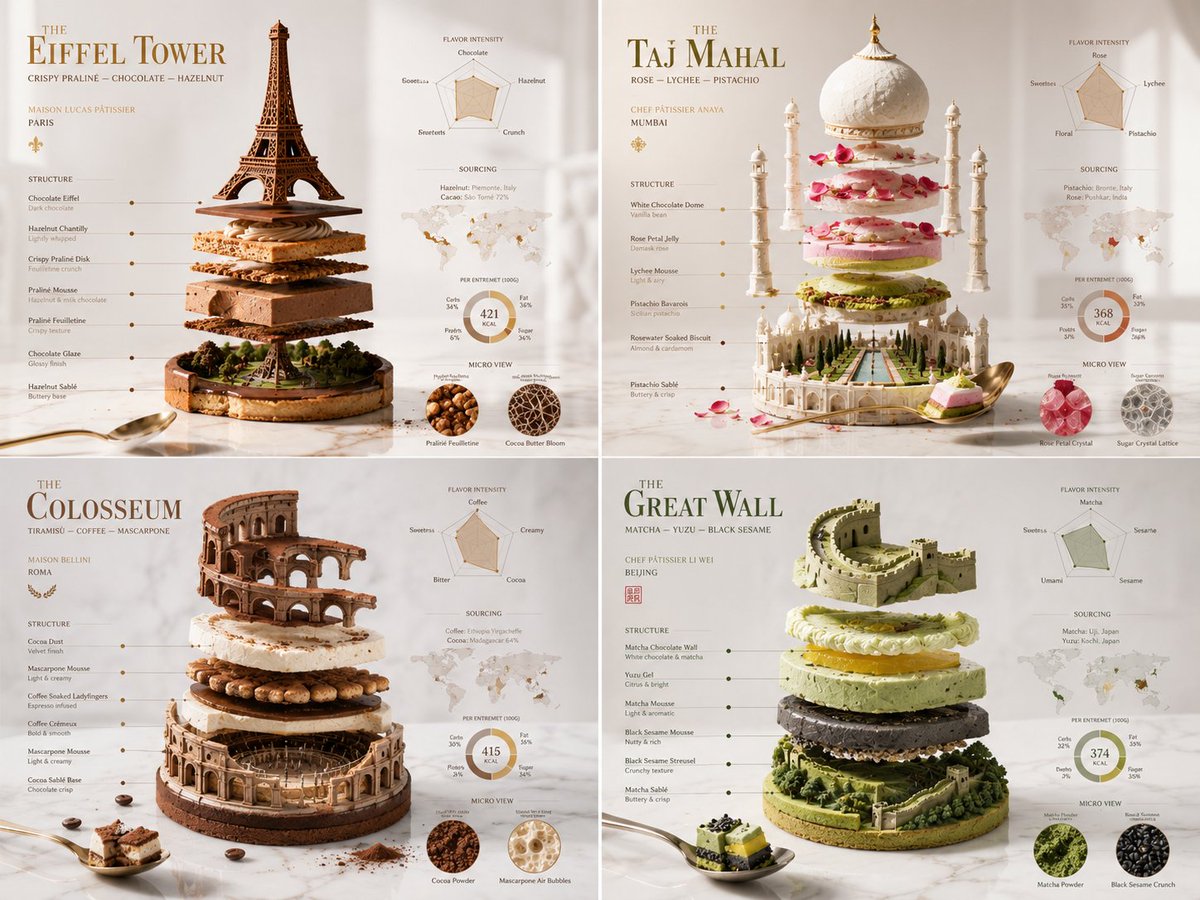
Exploded Monument Pastry Art
A creative structured prompt that uses a Python-style class format to generate architectural monument-inspired pastry art.
Este é um exemplo de prompt GPT Image 2 para Alimentos e bebidas . Use o prompt pronto para copiar abaixo para gerar visuais semelhantes e revise a atribuição Awesome GPT Image 2 Prompts e os direitos de uso comercial antes de reutilizá-los.
Precisa do conjunto completo de instruções? Use o Alimentos e bebidas Para obter mais exemplos relacionados, acesse o hub de tópicos ou abra o GPT Image 2 catálogo de prompts Para obter o índice completo de exemplos, estruturas reutilizáveis e atribuição de fontes.
Free 1K preview
Generate one preview image instantly, no sign-up required.
1749/4000
Incitar
prompt pronto para copiar
2x2 grid, do this for 4 famous world monuments in pastry class Grande_Patisserie_DNA: def __init__(self): self.subject = "{argument name="pastry" default="[PASTRY CREATION]"}" self.parents = { "composition_parent": "Exploded entremet with layers, glazes, and decorations levitating", "material_parent": "Mirror glaze, velvet chocolate spray, gold leaf, edible flowers", "graphic_parent": "Luxury pâtisserie boutique window card", "atmosphere_parent": "Bright morning light on a Carrara marble countertop" } self.mutations = { "semantic_mutation": "The cake slice reveals a tiny orchard where its fruits grew", "information_mutation": "Flavor intensity graph, texture layers diagram, sourcing map for cocoa and vanilla, calorie composition ring", "medium_mutation": "Smooth uncoated paper with spot gloss on the glaze drips", "scale_mutation": "Microscopic view of a sugar crystal lattice and cocoa butter bloom" } self. style_mix = [0.30, 0.30, 0.25, 0.10, 0.05] def generate_subject(self): subject = """ {argument name="pastry_name" default="[PASTRY CREATION]"} floating in a bright, clean space. All layers — mousse, biscuit, insert, glaze — are gently separated to expose the architecture of taste. A single perfect spoonful hovers nearby. """ return render( subject, format="luxury pâtisserie menu feature", title="{argument name="monument" default="[PASTRY NAME]"}", subtitle="[CHEF PÂTISSIER / MAISON]", constraints="bright, appetizing, high precision, modern dessert art" )Variáveis de prompt
Marcadores de posição editáveis para argumentos encontrados no prompt, com seus valores padrão.
Variável
pastry
Padrão
[PASTRY CREATION]
Variável
pastry_name
Padrão
[PASTRY CREATION]
Variável
monument
Padrão
[PASTRY NAME]
Best for
- - Alimentos e bebidas visual exploration
- - Image generation and reference-image edits
- - Reusable briefs that keep source attribution visible
Change these parts
- - Subject, product, character, or scene
- - Aspect ratio, camera, lighting, and background
- - Brand, text, color, and output constraints
Recommended model and settings
- - Model: gpt-image-2
- - Input mode: Texto para Imagem
- - Aspect ratio: source
- - Commercial status: review original source
How to use this prompt
- 1. Copy the prompt and preserve its structure for the first test.
- 2. Replace the subject, context, and publishing channel.
- 3. Change one camera, lighting, or style variable per iteration.
- 4. Inspect the output, source, text, and rights before reuse.
Limitations, source, and reuse cautions
- - Generated output is an editable draft, not factual, legal, or rights evidence.
- - Review the linked source, people, brands, logos, text, and third-party media before commercial use.
Importado de Awesome GPT Image 2 Prompts . É necessário dar crédito. O uso comercial é permitido allowed ; revise os direitos da fonte antes de utilizá-lo mediante pagamento.
Mais casos nesta categoria
Priorizados por categoria, compatibilidade do modo de entrada, qualidade e menor risco.

Orange Rooftop Fashion Photo Prompt
Texto para Imagem

Luxury Travel Fashion Portrait Prompt
Texto para Imagem

Studio Portrait of Woman with Sunglasses
Texto para Imagem

Matte Black B.AI Keyboard Keycap
Texto para Imagem

Gray Denim Lace-Up Top Prompt for GPT Image 2
Texto para Imagem

Hiker in Red Jacket
Texto para Imagem
Reutilização e notas de origem
Utilize esta instrução com segurança após visualizar o caso.
- 1.Copie o prompt ou abra-o diretamente no Dovoo com o botão de geração.
- 2.Ajuste as variáveis, a proporção e as imagens de referência de acordo com o seu caso específico.
- 3.Antes de publicar ou utilizar o conteúdo mediante pagamento, verifique os direitos da fonte, os requisitos de atribuição e os riscos relacionados à marca ou à imagem.