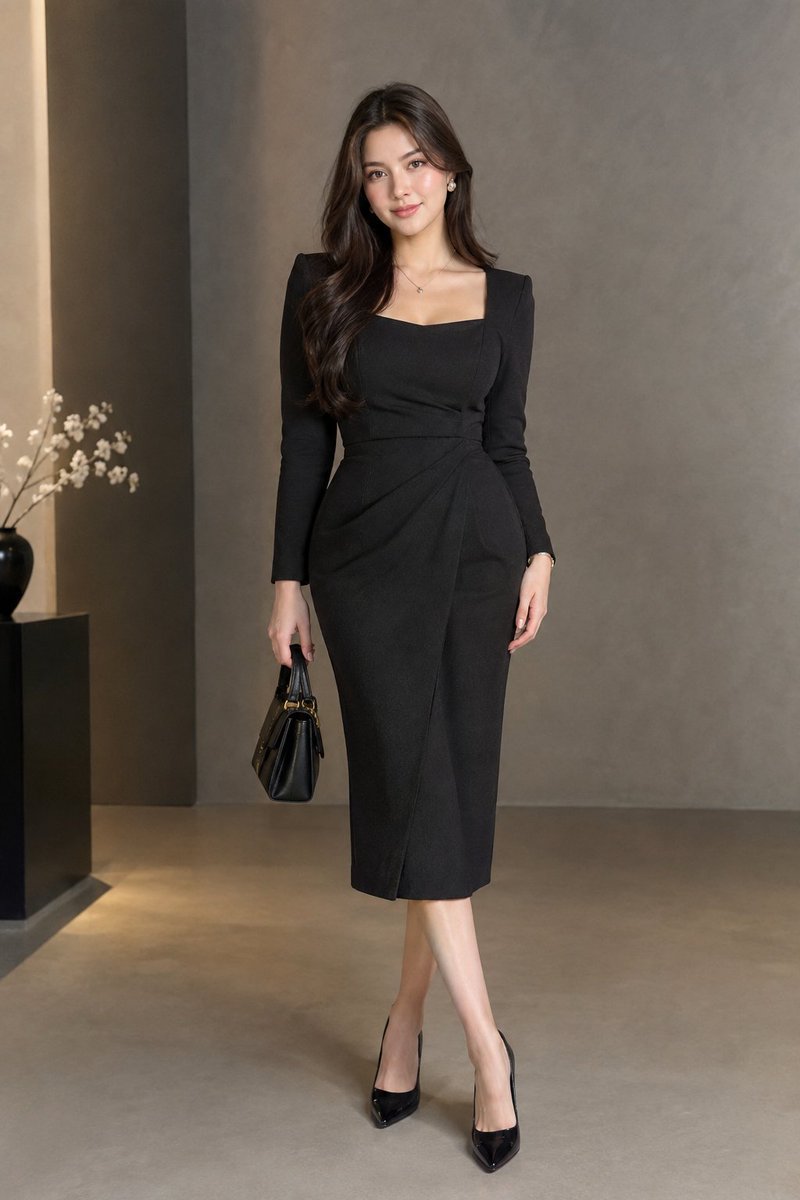
Elegant Studio Portrait Prompt
A prompt for generating a photorealistic full-body studio portrait of a woman in a black formal dress, emphasizing luxury fashion aesthetics and soft lighting.
Este é um exemplo de prompt GPT Image 2 para Retrato e Personagem . Use o prompt pronto para copiar abaixo para gerar visuais semelhantes e revise a atribuição Awesome GPT Image 2 Prompts e os direitos de uso comercial antes de reutilizá-los.
Precisa do conjunto completo de instruções? Use o Retrato e Personagem Para obter mais exemplos relacionados, acesse o hub de tópicos ou abra o GPT Image 2 catálogo de prompts Para obter o índice completo de exemplos, estruturas reutilizáveis e atribuição de fontes.
Free 1K preview
Generate one preview image instantly, no sign-up required.
502/4000
Incitar
prompt pronto para copiar
Create a highly photorealistic full-body studio portrait of an elegant adult woman wearing a sophisticated black midi formal dress with long sleeves, a tailored waist, premium fabric, and subtle texture. Minimal jewelry, elegant pointed heels, sleek polished hair, soft natural makeup, confident gentle expression. Luxury fashion studio backdrop, soft diffused lighting, realistic skin texture, natural proportions, cinematic editorial photography, 85mm lens, ultra-detailed, 8K, no text, no watermark.
Best for
- - Retrato e Personagem visual exploration
- - Image generation and reference-image edits
- - Reusable briefs that keep source attribution visible
Change these parts
- - Subject, product, character, or scene
- - Aspect ratio, camera, lighting, and background
- - Brand, text, color, and output constraints
Recommended model and settings
- - Model: gpt-image-2
- - Input mode: Texto para Imagem
- - Aspect ratio: source
- - Commercial status: review original source
How to use this prompt
- 1. Copy the prompt and preserve its structure for the first test.
- 2. Replace the subject, context, and publishing channel.
- 3. Change one camera, lighting, or style variable per iteration.
- 4. Inspect the output, source, text, and rights before reuse.
Limitations, source, and reuse cautions
- - Generated output is an editable draft, not factual, legal, or rights evidence.
- - Review the linked source, people, brands, logos, text, and third-party media before commercial use.
Importado de Awesome GPT Image 2 Prompts . É necessário dar crédito. O uso comercial é permitido allowed ; revise os direitos da fonte antes de utilizá-lo mediante pagamento.
Mais casos nesta categoria
Priorizados por categoria, compatibilidade do modo de entrada, qualidade e menor risco.

Studio Portrait of Woman with Sunglasses
Texto para Imagem

Cinematic Blue Backlit Portrait
Texto para Imagem

Luxury Travel Fashion Portrait Prompt
Texto para Imagem

Hiker in Red Jacket
Texto para Imagem

GPT Image 2 Prompt: Garden Dappled Light
Texto para Imagem

GPT Image 2 Real-Life Character Street Snap
Texto para Imagem
Reutilização e notas de origem
Utilize esta instrução com segurança após visualizar o caso.
- 1.Copie o prompt ou abra-o diretamente no Dovoo com o botão de geração.
- 2.Ajuste as variáveis, a proporção e as imagens de referência de acordo com o seu caso específico.
- 3.Antes de publicar ou utilizar o conteúdo mediante pagamento, verifique os direitos da fonte, os requisitos de atribuição e os riscos relacionados à marca ou à imagem.