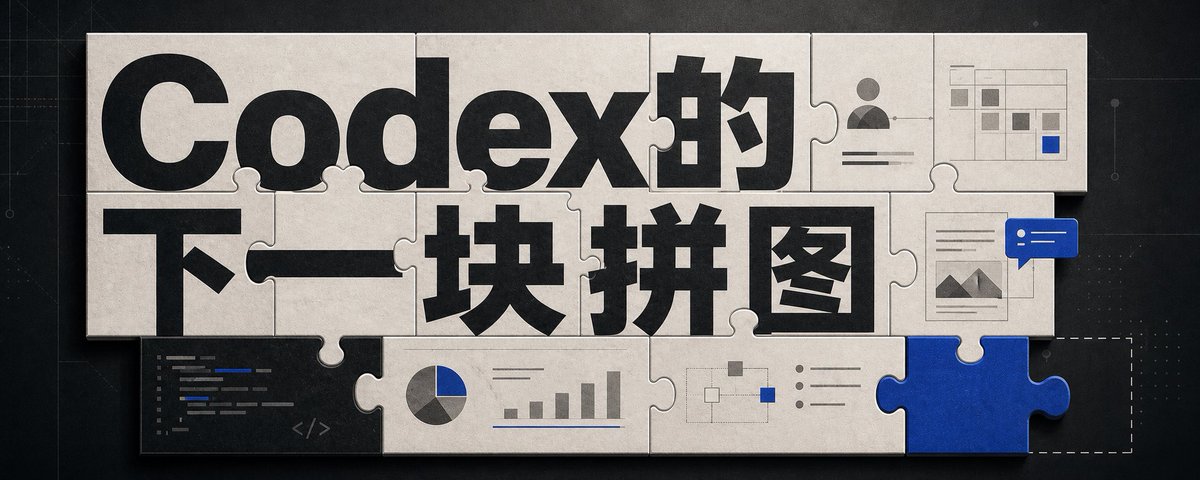
Codex Jigsaw Puzzle Tech Banner
A wide editorial tech banner using interlocking puzzle pieces, bold Chinese headline typography, and small AI workflow UI motifs to illustrate Codex as the next missing piece.
Este é um exemplo de prompt GPT Image 2 para Gráfico e pôster . Use o prompt pronto para copiar abaixo para gerar visuais semelhantes e revise a atribuição Awesome GPT Image 2 Prompts e os direitos de uso comercial antes de reutilizá-los.
Precisa do conjunto completo de instruções? Use o Gráfico e pôster Para obter mais exemplos relacionados, acesse o hub de tópicos ou abra o GPT Image 2 catálogo de prompts Para obter o índice completo de exemplos, estruturas reutilizáveis e atribuição de fontes.
Free 1K preview
Generate one preview image instantly, no sign-up required.
2766/4000
Incitar
prompt pronto para copiar
Goal: Create a wide editorial hero banner about {argument name="headline topic" default="The next piece of the Codex"}, showing a jigsaw-puzzle metaphor for AI coding, visual design, and missing capabilities.

Canvas: Ultra-wide horizontal banner, approximately 5:2 aspect ratio, dark charcoal technical background with faint grid lines, subtle blueprint marks, tiny dots, and thin circuit-like guide lines. Center the artwork with a large off-white paper/cardboard jigsaw puzzle assembly casting soft shadows.

Layout: Use exactly 15 visible puzzle elements: 13 off-white connected puzzle pieces forming a rectangular mosaic, 1 vivid cobalt-blue puzzle piece inserted at the bottom-right edge, and 1 dashed-outline empty missing-piece slot immediately to the right of the blue piece. The puzzle should look physical, with rounded tabs and sockets, slight bevels, paper texture, seams, grime, and realistic shadowing.

Text content: The main typography dominates the puzzle surface. Use huge bold black sans-serif Chinese type reading {argument name="main title text" default="Codex's"} across the top row and {argument name="subtitle text" default="The next piece"} across the middle row. Make the letters oversized, cropped slightly by puzzle seams, and integrated into the tile layout. Keep the text crisp and high contrast.

Visible graphic elements: Include exactly 7 small embedded UI/diagram motifs on puzzle pieces: 1 dark code editor panel in the lower-left with short colored code lines and a small </> symbol; 1 pie chart combined with a small bar chart along the lower middle; 1 simple node-and-connector flow diagram near the lower center-right; 1 bullet-list panel with three round bullets to the right of the flow diagram; 1 user profile card in the upper-right with avatar icon and horizontal text lines; 1 small spreadsheet/dashboard grid in the top-right corner with gray cells and one blue highlighted cell; 1 document/image card on the right side with small mountain thumbnail lines, overlapped by a blue chat bubble containing two white dots and two white horizontal lines.

Visual style: Premium tech editorial illustration, cinematic lighting, tactile paper puzzle texture, muted monochrome palette of black, warm off-white, gray, and accent cobalt blue {argument name="accent color" default="cobalt blue"}. Add subtle scratches, dust, and paper grain. Use realistic shadows between pieces, but keep the whole image clean and readable.

Constraints: No people, no extra logos, no watermark, no random English words beyond tiny unreadable code strokes, and no additional large text. The blue puzzle piece should feel like the key missing component that completes the system, while the dashed empty slot hints that another piece is still absent.
Variáveis de prompt
Marcadores de posição editáveis para argumentos encontrados no prompt, com seus valores padrão.
Variável
headline topic
Padrão
The next piece of the Codex
Variável
main title text
Padrão
Codex's
Variável
subtitle text
Padrão
The next piece
Variável
accent color
Padrão
cobalt blue
Best for
- - Gráfico e pôster visual exploration
- - Image generation and reference-image edits
- - Reusable briefs that keep source attribution visible
Change these parts
- - Subject, product, character, or scene
- - Aspect ratio, camera, lighting, and background
- - Brand, text, color, and output constraints
Recommended model and settings
- - Model: gpt-image-2
- - Input mode: Texto para Imagem
- - Aspect ratio: source
- - Commercial status: review original source
How to use this prompt
- 1. Copy the prompt and preserve its structure for the first test.
- 2. Replace the subject, context, and publishing channel.
- 3. Change one camera, lighting, or style variable per iteration.
- 4. Inspect the output, source, text, and rights before reuse.
Limitations, source, and reuse cautions
- - Generated output is an editable draft, not factual, legal, or rights evidence.
- - Review the linked source, people, brands, logos, text, and third-party media before commercial use.
Importado de Awesome GPT Image 2 Prompts . É necessário dar crédito. O uso comercial é permitido allowed ; revise os direitos da fonte antes de utilizá-lo mediante pagamento.
Mais casos nesta categoria
Priorizados por categoria, compatibilidade do modo de entrada, qualidade e menor risco.

Android Quantum Lab Workstation
Texto para Imagem

Fashion Studio Portrait with Blue Rim Lighting
Texto para Imagem

Grumpy Rhino Storybook Illustration
Texto para Imagem

Martial Arts Legend Character Bible Sheet
Texto para Imagem

Pink Hijab Mirror Selfie Portrait
Texto para Imagem

Manga Desert Radio Telescope Road Trip
Texto para Imagem
Reutilização e notas de origem
Utilize esta instrução com segurança após visualizar o caso.
- 1.Copie o prompt ou abra-o diretamente no Dovoo com o botão de geração.
- 2.Ajuste as variáveis, a proporção e as imagens de referência de acordo com o seu caso específico.
- 3.Antes de publicar ou utilizar o conteúdo mediante pagamento, verifique os direitos da fonte, os requisitos de atribuição e os riscos relacionados à marca ou à imagem.