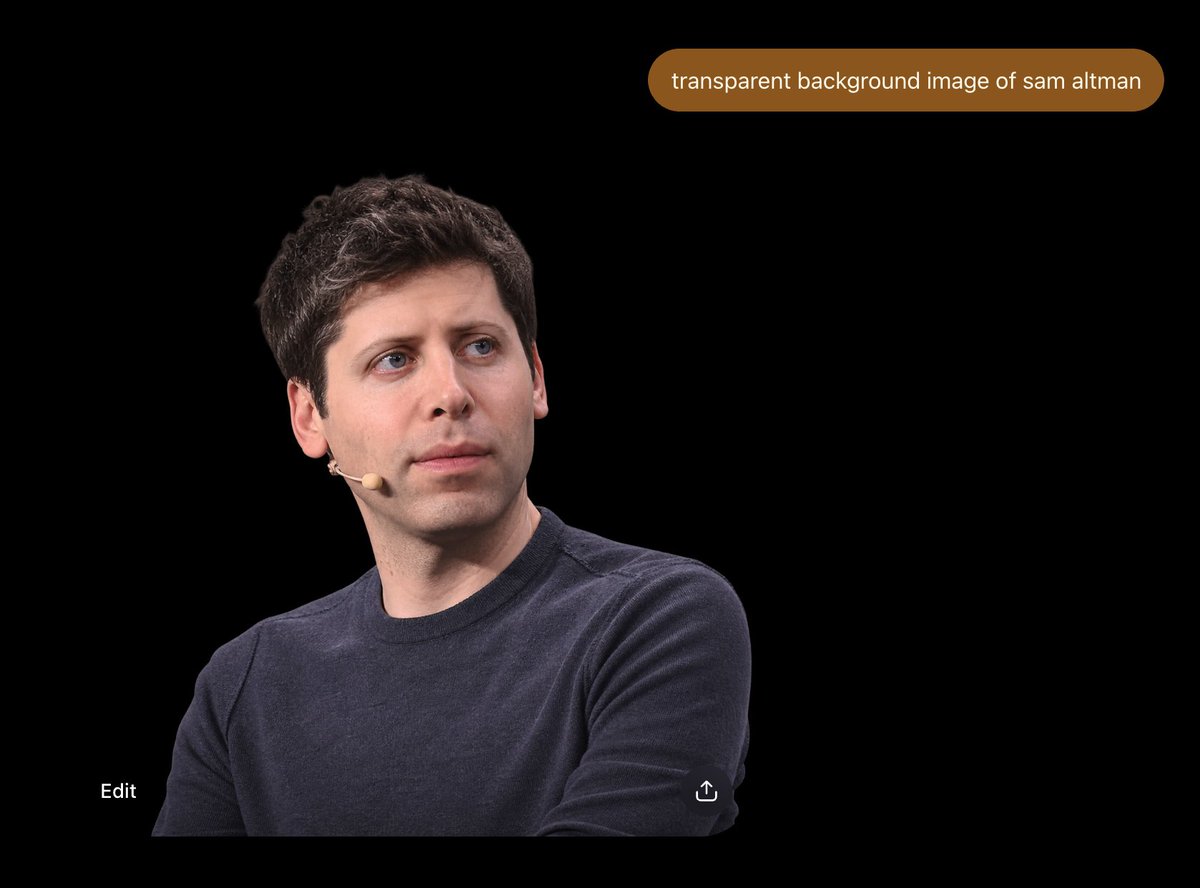
ChatGPT Transparent Background Preview
Generates a dark ChatGPT-style screenshot showing a realistic cutout portrait with a prompt bubble and minimal UI controls.
To jest przykładowy przykład GPT Image 2 dla Portret i charakter . Skorzystaj z poniższego przykładu gotowego do skopiowania, aby wygenerować podobne materiały wizualne i sprawdź atrybucję Awesome GPT Image 2 Prompts oraz prawa do użytku komercyjnego przed ponownym wykorzystaniem.
Potrzebujesz pełnego zestawu podpowiedzi? Użyj Portret i charakter aby uzyskać więcej powiązanych przykładów, odwiedź centrum tematyczne lub otwórz GPT Image 2 szybki katalog aby zobaczyć pełny przykładowy indeks, struktury wielokrotnego użytku i informacje o źródle.
Free 1K preview
Generate one preview image instantly, no sign-up required.
Free text preview doesn’t preserve reference-image consistency.
1167/4000
Opis
Monit o przygotowanie do kopiowania
Create a 4:3 widescreen screenshot-style image on a pure black canvas, resembling a dark ChatGPT image result view. Place one photorealistic cutout portrait of {argument name="person" default="Sam Altman"} in the lower-left quadrant, cropped from mid-torso upward, wearing a dark navy crewneck sweater and a small beige headset microphone on his left cheek, with short dark wavy hair, pale skin, blue eyes, and a neutral thoughtful expression while looking slightly up and to the right. The subject should occupy roughly the lower-left half of the frame, with clean edges as if isolated from a transparent-background image but displayed over black. Near the top-right, add one rounded pill-shaped brown chat prompt bubble containing exactly the white lowercase text “{argument name="prompt text" default="transparent background image of sam altman"}”. Include exactly two small UI elements near the bottom: the word “Edit” in white at bottom-left, and a small white share/upload icon near the bottom-center-right. Keep the composition sparse, with no other people, no extra text, no watermark, and a realistic photo cutout aesthetic against the empty black interface.Zmienne monitujące
Edytowalne symbole zastępcze argumentów znalezione w monicie, wraz z ich wartościami domyślnymi.
Zmienny
person
Domyślny
Sam Altman
Zmienny
prompt text
Domyślny
transparent background image of sam altman
Best for
- - Portret i charakter visual exploration
- - Image generation and reference-image edits
- - Reusable briefs that keep source attribution visible
Change these parts
- - Subject, product, character, or scene
- - Aspect ratio, camera, lighting, and background
- - Brand, text, color, and output constraints
Recommended model and settings
- - Model: gpt-image-2
- - Input mode: Obraz na obraz
- - Aspect ratio: source
- - Commercial status: review original source
How to use this prompt
- 1. Copy the prompt and preserve its structure for the first test.
- 2. Replace the subject, context, and publishing channel.
- 3. Change one camera, lighting, or style variable per iteration.
- 4. Inspect the output, source, text, and rights before reuse.
Limitations, source, and reuse cautions
- - Generated output is an editable draft, not factual, legal, or rights evidence.
- - Review the linked source, people, brands, logos, text, and third-party media before commercial use.
Zaimportowano z Awesome GPT Image 2 Prompts . Wymagane jest podanie źródła. Status do użytku komercyjnego to allowed ; przed płatnym użyciem sprawdź prawa autorskie do źródła.
Więcej przypadków w tej kategorii
Priorytety według kategorii, zgodności trybu wprowadzania, jakości i niższego ryzyka.

Sci-Fi Cyan Lighting Effect
Obraz na obraz

Stylish Man Street Lamp Portrait
Obraz na obraz

Cinematic Blue Backlit Portrait
Tekst na obraz

Oversized Head Cartoon Caricature Prompt
Obraz na obrazŚrednie ryzyko

Studio Portrait of Woman with Sunglasses
Tekst na obraz

Street Selfie with Cat in Matching Cap
Tekst na obraz
Ponowne wykorzystanie i źródło notatek
Użyj tego monitu bezpiecznie po zapoznaniu się ze sprawą.
- 1.Skopiuj monit lub otwórz go bezpośrednio w Dovoo za pomocą przycisku generowania.
- 2.Dostosuj zmienne, proporcje obrazu i obrazy referencyjne do własnego przypadku użycia.
- 3.Przed publikacją lub płatnym wykorzystaniem należy sprawdzić prawa autorskie do źródła, wymogi dotyczące atrybucji oraz ryzyko związane z marką lub podobizną.