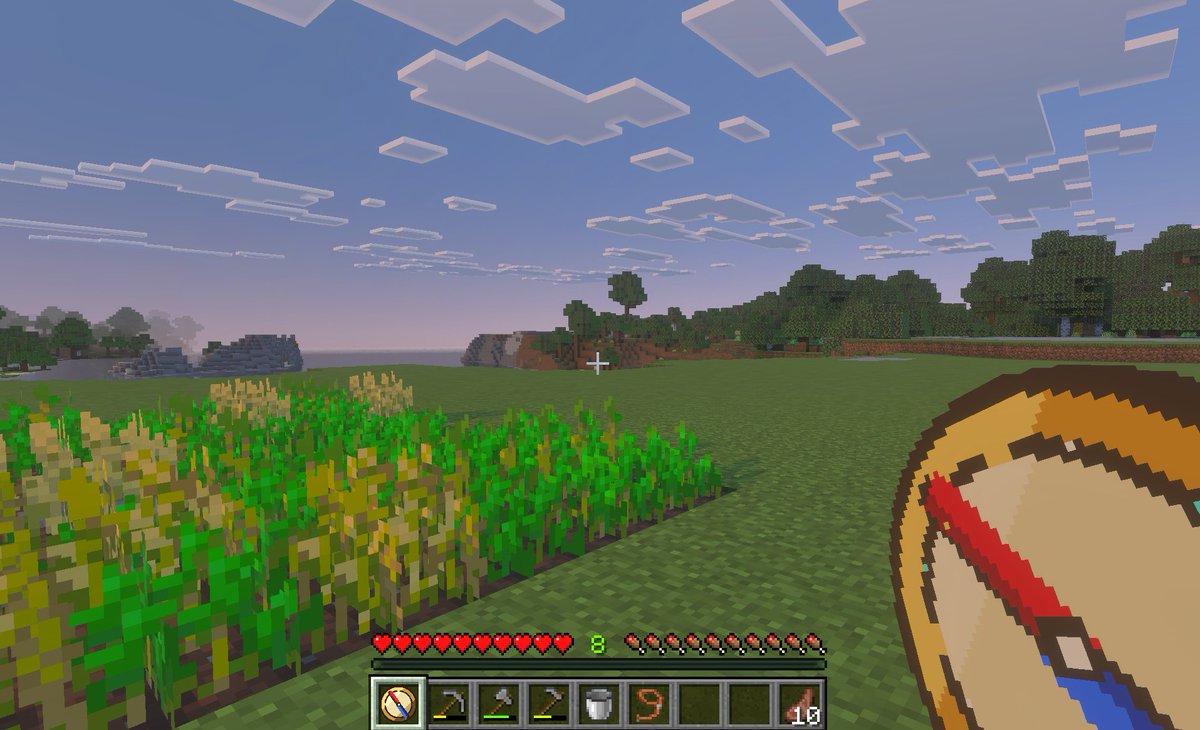
Zrzut ekranu z kompasem teleportacyjnym Minecraft
Ten monit generuje obraz rozgrywki w stylu Minecraft z perspektywy pierwszej osoby, zawierający narzędzie kompasu do teleportacji, odpowiednie do zilustrowania koncepcji moda Bedrock umożliwiającego szybką podróż lub zapisywanie lokalizacji.
To jest przykładowy przykład GPT Image 2 dla Anime i gry . Skorzystaj z poniższego przykładu gotowego do skopiowania, aby wygenerować podobne materiały wizualne i sprawdź atrybucję Awesome GPT Image 2 Prompts oraz prawa do użytku komercyjnego przed ponownym wykorzystaniem.
Free 1K preview
Generate one preview image instantly, no sign-up required.
Opis
Monit o przygotowanie do kopiowania
A first-person gameplay screenshot in the style of Minecraft Bedrock Edition at dusk, showing a peaceful grassy plains biome with a small rectangular wheat farm in the left foreground, some crops fully grown and some still green, an open grass field in the center, and a tree line and low blocky hills in the distance under a pale blue-to-pink evening sky filled with flat square clouds. Place a small white crosshair exactly near the center of the frame. Show the full survival HUD along the bottom: 10 red hearts, 10 hunger drumsticks, green experience level {argument name="experience level" default="8"}, and a 9-slot hotbar. The hotbar must contain exactly 9 slots, with these visible items from left to right: 1 custom compass icon selected, 1 hoe tool, 1 pickaxe, 1 axe, 1 bucket, 1 lead or rope item, 2 empty slots, and 1 stack of cooked meat labeled {argument name="item stack count" default="10"}. In the lower-right foreground, overlay an oversized custom item graphic of a {argument name="tool name" default="teleport compass"} held in hand, drawn as a clean pixel-art compass with a tan face, dark brown rim, cream center, and a bold red-and-blue needle angled diagonally. The selected hotbar slot should also display the same custom compass icon. Make the image feel like an in-game screenshot captured on a tablet or PC, with soft atmospheric haze, authentic voxel textures, and a child-friendly utility-mod vibe for fast travel and saved-location navigation.Zmienne monitujące
Edytowalne symbole zastępcze argumentów znalezione w monicie, wraz z ich wartościami domyślnymi.
Best for
- - Anime i gry visual exploration
- - Image generation and reference-image edits
- - Reusable briefs that keep source attribution visible
Change these parts
- - Subject, product, character, or scene
- - Aspect ratio, camera, lighting, and background
- - Brand, text, color, and output constraints
Recommended model and settings
- - Model: gpt-image-2
- - Input mode: Tekst na obraz
- - Aspect ratio: source
- - Commercial status: review original source
How to use this prompt
- 1. Copy the prompt and preserve its structure for the first test.
- 2. Replace the subject, context, and publishing channel.
- 3. Change one camera, lighting, or style variable per iteration.
- 4. Inspect the output, source, text, and rights before reuse.
Limitations, source, and reuse cautions
- - Generated output is an editable draft, not factual, legal, or rights evidence.
- - Review the linked source, people, brands, logos, text, and third-party media before commercial use.
Więcej przypadków w tej kategorii
Priorytety według kategorii, zgodności trybu wprowadzania, jakości i niższego ryzyka.






Ponowne wykorzystanie i źródło notatek
Użyj tego monitu bezpiecznie po zapoznaniu się ze sprawą.
- 1.Skopiuj monit lub otwórz go bezpośrednio w Dovoo za pomocą przycisku generowania.
- 2.Dostosuj zmienne, proporcje obrazu i obrazy referencyjne do własnego przypadku użycia.
- 3.Przed publikacją lub płatnym wykorzystaniem należy sprawdzić prawa autorskie do źródła, wymogi dotyczące atrybucji oraz ryzyko związane z marką lub podobizną.