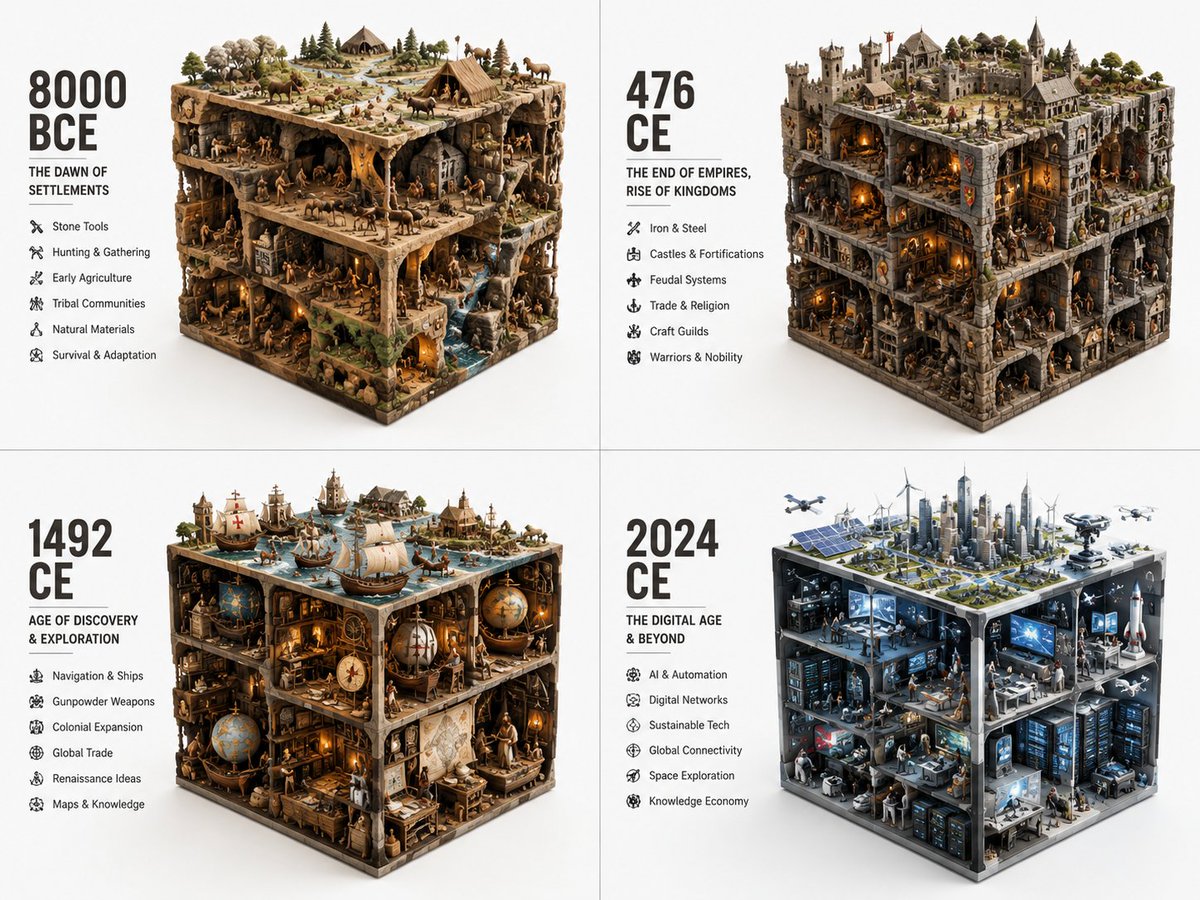
Historical Era Visualization Cube
A structured workflow prompt to visualize different historical eras condensed into a 3D cube volume with representative agents and artifacts.
To jest przykładowy przykład GPT Image 2 dla Ilustracja i sztuka . Skorzystaj z poniższego przykładu gotowego do skopiowania, aby wygenerować podobne materiały wizualne i sprawdź atrybucję Awesome GPT Image 2 Prompts oraz prawa do użytku komercyjnego przed ponownym wykorzystaniem.
Free 1K preview
Generate one preview image instantly, no sign-up required.
Free text preview doesn’t preserve reference-image consistency.
Opis
Monit o przygotowanie do kopiowania
2x2 grid, do this for different years of vastly different eras: {argument name="topic" default="ERA_TO_CUBE_SOLVER"} INPUT ::= [TOPIC], [ERA] STEP_1 :: infer era identity - time period or stage - dominant materials - key tools or artifacts - social/technical/cultural context - built environment or natural environment - representative agents or figures if relevant STEP_2 :: compress into cube - large objects define cuboid edges - medium objects build internal scenes - small objects fill gaps - top, side, and front faces remain visible - everything stays inside a strict rectangular volume STEP_3 :: create module text - large era label - short subtitle - compact bullet list - no fixed facts unless supplied STEP_4 :: repeat across eras - preserve identical visual grammar - increase or transform complexity chronologicallyZmienne monitujące
Edytowalne symbole zastępcze argumentów znalezione w monicie, wraz z ich wartościami domyślnymi.
Best for
- - Ilustracja i sztuka visual exploration
- - Image generation and reference-image edits
- - Reusable briefs that keep source attribution visible
Change these parts
- - Subject, product, character, or scene
- - Aspect ratio, camera, lighting, and background
- - Brand, text, color, and output constraints
Recommended model and settings
- - Model: gpt-image-2
- - Input mode: Obraz na obraz
- - Aspect ratio: source
- - Commercial status: review original source
How to use this prompt
- 1. Copy the prompt and preserve its structure for the first test.
- 2. Replace the subject, context, and publishing channel.
- 3. Change one camera, lighting, or style variable per iteration.
- 4. Inspect the output, source, text, and rights before reuse.
Limitations, source, and reuse cautions
- - Generated output is an editable draft, not factual, legal, or rights evidence.
- - Review the linked source, people, brands, logos, text, and third-party media before commercial use.
Więcej przypadków w tej kategorii
Priorytety według kategorii, zgodności trybu wprowadzania, jakości i niższego ryzyka.






Ponowne wykorzystanie i źródło notatek
Użyj tego monitu bezpiecznie po zapoznaniu się ze sprawą.
- 1.Skopiuj monit lub otwórz go bezpośrednio w Dovoo za pomocą przycisku generowania.
- 2.Dostosuj zmienne, proporcje obrazu i obrazy referencyjne do własnego przypadku użycia.
- 3.Przed publikacją lub płatnym wykorzystaniem należy sprawdzić prawa autorskie do źródła, wymogi dotyczące atrybucji oraz ryzyko związane z marką lub podobizną.