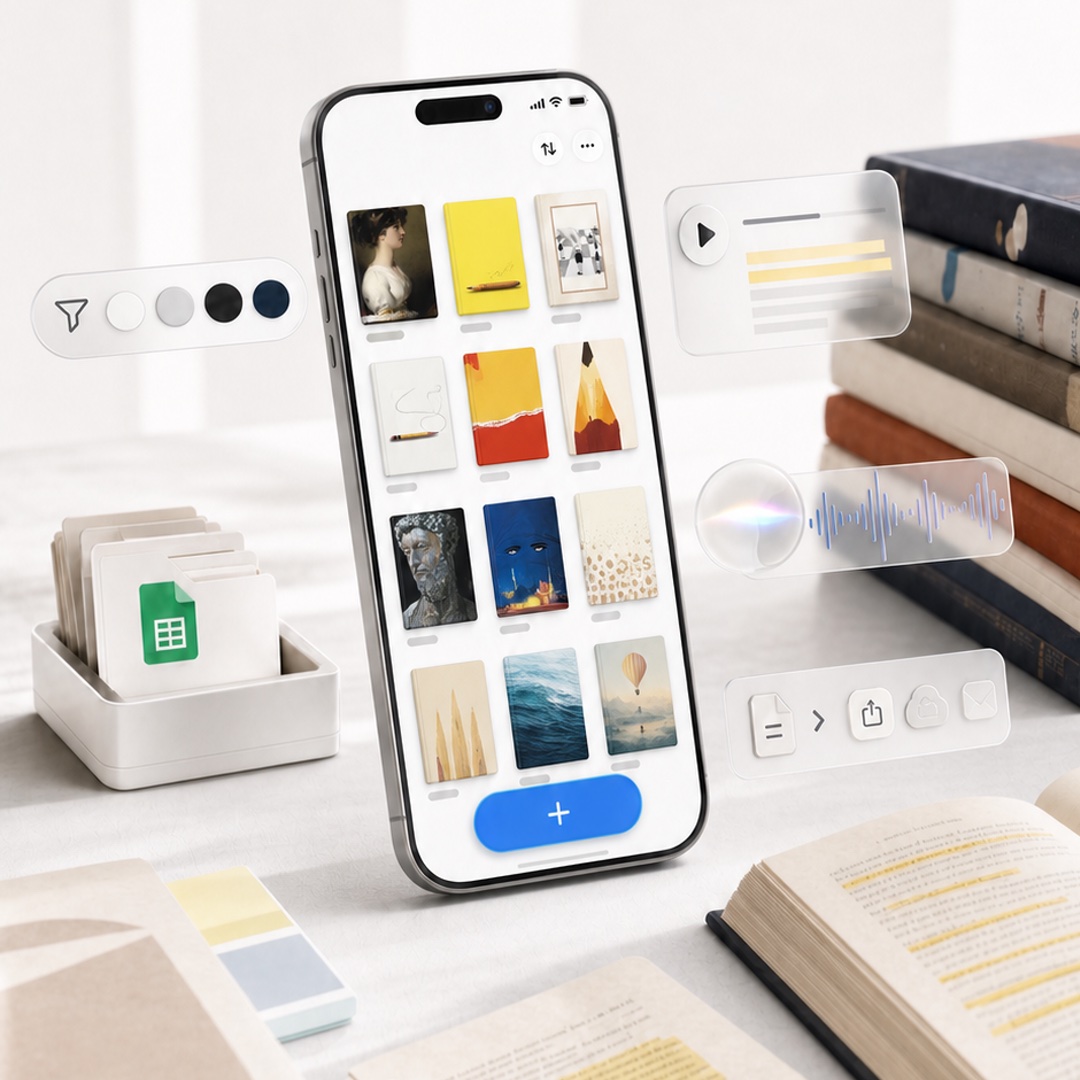
Highlighted App Promo Cover
A premium square product-style cover image featuring a phone-based reading highlights app with floating glassmorphism productivity widgets.
To jest przykładowy przykład GPT Image 2 dla Produkt i handel . Skorzystaj z poniższego przykładu gotowego do skopiowania, aby wygenerować podobne materiały wizualne i sprawdź atrybucję Awesome GPT Image 2 Prompts oraz prawa do użytku komercyjnego przed ponownym wykorzystaniem.
Potrzebujesz pełnego zestawu podpowiedzi? Użyj Produkt i handel aby uzyskać więcej powiązanych przykładów, odwiedź centrum tematyczne lub otwórz GPT Image 2 szybki katalog aby zobaczyć pełny przykładowy indeks, struktury wielokrotnego użytku i informacje o źródle.
Free 1K preview
Generate one preview image instantly, no sign-up required.
2095/4000
Opis
Monit o przygotowanie do kopiowania
Create a polished square promotional cover image for {argument name="app name" default="Highlighted"}, showing a modern iPhone standing upright at a slight angle on a bright white desk, with a clean productivity-and-reading aesthetic. On the phone screen, display a minimalist gallery grid of exactly 12 saved highlight cards arranged in 3 columns by 4 rows, each with a small gray label line beneath it; the cards show varied bookish visuals such as a classical portrait, yellow notebook, framed photo, white note with cord, red-and-yellow abstract cover, pencil illustration, dark statue face, blue night cover, beige dotted page, pale sails, ocean water, and a balloon landscape. At the bottom of the phone UI, include a large rounded blue add button with a white plus sign. Surround the phone with translucent floating feature widgets: on the left, one pill-shaped toolbar with exactly 5 elements—a paper-plane/filter icon and 4 circular color swatches in white, light gray, black, and navy; on the upper right, one glassmorphism audio card with a play button and 5 horizontal transcript lines including 2 yellow highlight lines; in the middle right, one frosted audio waveform card with a glowing circular orb and blue waveform; on the lower right, one frosted action toolbar with exactly 5 icons—a document, chevron arrow, share, cloud upload, and envelope. Desk props include a white tray of folders with a green spreadsheet document icon on the left, a small stack of pastel sticky notes in the foreground, an open book with yellow highlighted text at bottom right, loose papers with highlighted passages, and a stack of hardcover books on the right. Use soft natural window light, shallow depth of field, realistic high-end product photography, creamy whites and warm neutrals, subtle shadows, glassy translucent UI overlays, crisp phone details, no visible brand logos except the app-like interface, no watermark, no extra text beyond simple UI marks. Use a premium launch-promo composition suitable for an in-app event cover, {argument name="image aspect ratio" default="1:1 square"}.Zmienne monitujące
Edytowalne symbole zastępcze argumentów znalezione w monicie, wraz z ich wartościami domyślnymi.
Zmienny
app name
Domyślny
Highlighted
Zmienny
image aspect ratio
Domyślny
1:1 square
Best for
- - Produkt i handel visual exploration
- - Image generation and reference-image edits
- - Reusable briefs that keep source attribution visible
Change these parts
- - Subject, product, character, or scene
- - Aspect ratio, camera, lighting, and background
- - Brand, text, color, and output constraints
Recommended model and settings
- - Model: gpt-image-2
- - Input mode: Tekst na obraz
- - Aspect ratio: source
- - Commercial status: review original source
How to use this prompt
- 1. Copy the prompt and preserve its structure for the first test.
- 2. Replace the subject, context, and publishing channel.
- 3. Change one camera, lighting, or style variable per iteration.
- 4. Inspect the output, source, text, and rights before reuse.
Limitations, source, and reuse cautions
- - Generated output is an editable draft, not factual, legal, or rights evidence.
- - Review the linked source, people, brands, logos, text, and third-party media before commercial use.
Zaimportowano z Awesome GPT Image 2 Prompts . Wymagane jest podanie źródła. Status do użytku komercyjnego to allowed ; przed płatnym użyciem sprawdź prawa autorskie do źródła.
Więcej przypadków w tej kategorii
Priorytety według kategorii, zgodności trybu wprowadzania, jakości i niższego ryzyka.






Ponowne wykorzystanie i źródło notatek
Użyj tego monitu bezpiecznie po zapoznaniu się ze sprawą.
- 1.Skopiuj monit lub otwórz go bezpośrednio w Dovoo za pomocą przycisku generowania.
- 2.Dostosuj zmienne, proporcje obrazu i obrazy referencyjne do własnego przypadku użycia.
- 3.Przed publikacją lub płatnym wykorzystaniem należy sprawdzić prawa autorskie do źródła, wymogi dotyczące atrybucji oraz ryzyko związane z marką lub podobizną.