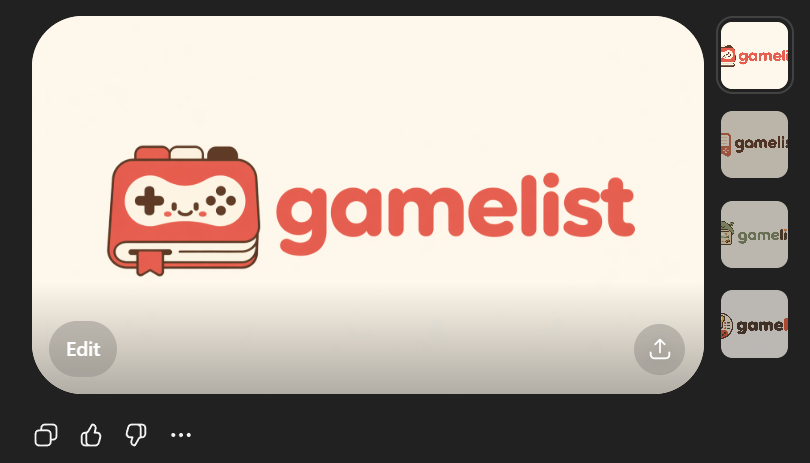
Ładny makieta logo aplikacji Gamelist
Dopracowany podgląd logo w stylu obrazu AI, przedstawiający przyjazny znak słowny i ikonę aplikacji do gier, przydatny do generowania koncepcji marki startupu gotowych do formatu SVG.
To jest przykładowy przykład GPT Image 2 dla Grafika i plakat . Skorzystaj z poniższego przykładu gotowego do skopiowania, aby wygenerować podobne materiały wizualne i sprawdź atrybucję Awesome GPT Image 2 Prompts oraz prawa do użytku komercyjnego przed ponownym wykorzystaniem.
Free 1K preview
Generate one preview image instantly, no sign-up required.
Free text preview doesn’t preserve reference-image consistency.
Opis
Monit o przygotowanie do kopiowania
Create a clean flat vector app logo presentation on a dark UI background. Center a large rounded-rectangle preview card in warm light beige. Inside the card, place a cute minimalist gaming logo: on the left, a stylized handheld game console icon drawn as a rounded rectangular device stacked over 2 visible offset layers like pages or cards, with a small ribbon bookmark hanging from the bottom edge. The console body is coral red with cream screen details, thin dark brown outlines, and tiny dark brown controller symbols: 1 cross-shaped D-pad on the left, 4 small circular buttons on the right, plus 4 tiny decorative dots in the center forming a smiling playful face impression. To the right of the icon, place the lowercase brand wordmark {argument name="brand name" default="gamelist"} in thick rounded geometric sans-serif letters, colored coral red to match the icon. Keep the spacing balanced so the icon and text read as one cohesive modern startup logo. Use a soft, friendly, vector-only aesthetic with no gradients, no photorealism, no texture, and high SVG-friendly simplicity. The palette should be limited to 4 colors: {argument name="primary color" default="coral red"}, cream, dark brown, and warm light beige. Show 4 small vertical thumbnail variations aligned along the right side of the dark interface, each showing the same logo on slightly different light neutral backgrounds. Add subtle UI framing only: a circular gray Edit button at bottom left of the large preview card, a circular gray share/upload button at bottom right of the card, and small monochrome action icons below the card on the dark background. Overall composition should look like a screenshot of an AI image generation result showcasing an app logo concept.Zmienne monitujące
Edytowalne symbole zastępcze argumentów znalezione w monicie, wraz z ich wartościami domyślnymi.
Best for
- - Grafika i plakat visual exploration
- - Image generation and reference-image edits
- - Reusable briefs that keep source attribution visible
Change these parts
- - Subject, product, character, or scene
- - Aspect ratio, camera, lighting, and background
- - Brand, text, color, and output constraints
Recommended model and settings
- - Model: gpt-image-2
- - Input mode: Obraz na obraz
- - Aspect ratio: source
- - Commercial status: review original source
How to use this prompt
- 1. Copy the prompt and preserve its structure for the first test.
- 2. Replace the subject, context, and publishing channel.
- 3. Change one camera, lighting, or style variable per iteration.
- 4. Inspect the output, source, text, and rights before reuse.
Limitations, source, and reuse cautions
- - Generated output is an editable draft, not factual, legal, or rights evidence.
- - Review the linked source, people, brands, logos, text, and third-party media before commercial use.
Więcej przypadków w tej kategorii
Priorytety według kategorii, zgodności trybu wprowadzania, jakości i niższego ryzyka.






Ponowne wykorzystanie i źródło notatek
Użyj tego monitu bezpiecznie po zapoznaniu się ze sprawą.
- 1.Skopiuj monit lub otwórz go bezpośrednio w Dovoo za pomocą przycisku generowania.
- 2.Dostosuj zmienne, proporcje obrazu i obrazy referencyjne do własnego przypadku użycia.
- 3.Przed publikacją lub płatnym wykorzystaniem należy sprawdzić prawa autorskie do źródła, wymogi dotyczące atrybucji oraz ryzyko związane z marką lub podobizną.